1 Introduction
The Oracle Cloud Connector serves as the critical link between your local network environment and Oracle’s Enterprise Communications Platform Cloud.
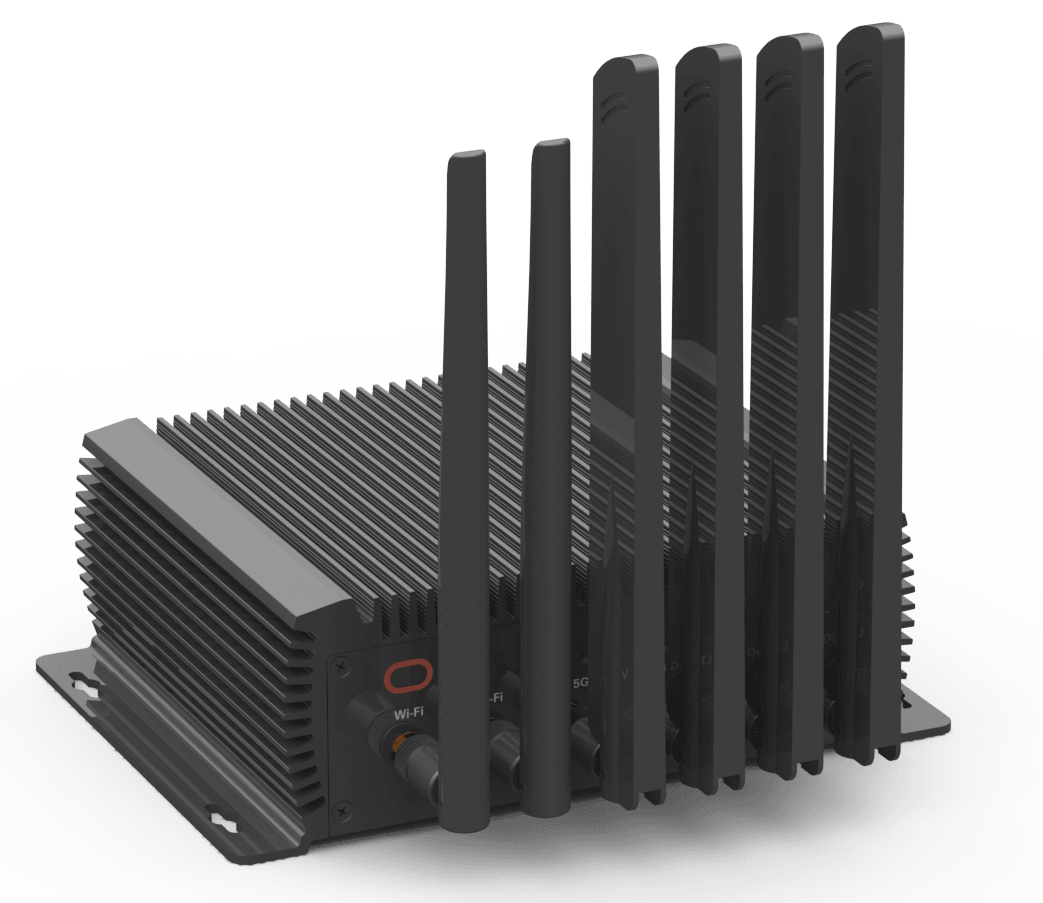
Designed for robust, secure, and flexible deployment, this device enables seamless connectivity across a range of enterprise and edge computing use cases, supporting various network types and configurations. This Hardware Guide provides step-by-step instructions on unpacking, installing, and connecting your Oracle Cloud Connector. Before beginning installation, review the device’s physical layout to familiarize yourself with its front and rear panels in the following Figures.
Figure 1-1 Front Panel
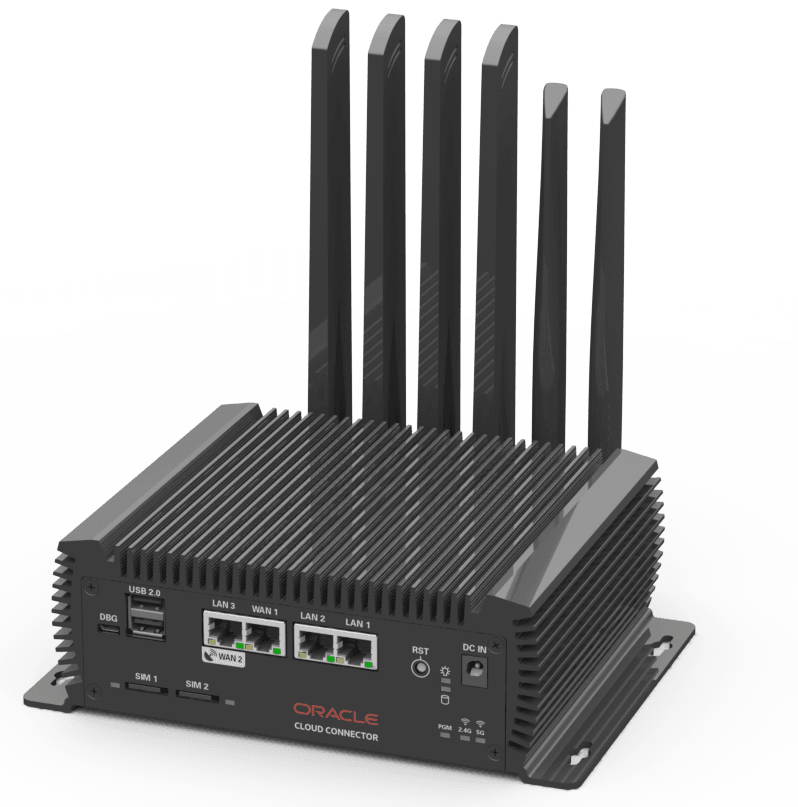
Figure 1-2 Rear Panel
Cloud Connector Setup Overview
Before proceeding with installation, it’s helpful to become familiar with the general steps involved in setting up yourOracle Cloud Connector. The outline below summarizes the key stages you will encounter during the setup process. Reviewing these steps ahead of time will help you understand what to expect and ensure a smoother experience as you move through the hardware installation.
- Unpack your device and check that you have all required items.
- Review the possible connection types and decide which you need.
- Attach the antennas to the labeled ports on the back of the device.
- Connect the device to your network (Cellular/Satellite/Ethernet).
- Plug in the power supply and turn the device on.
- Check the status lights to make sure the device is working.