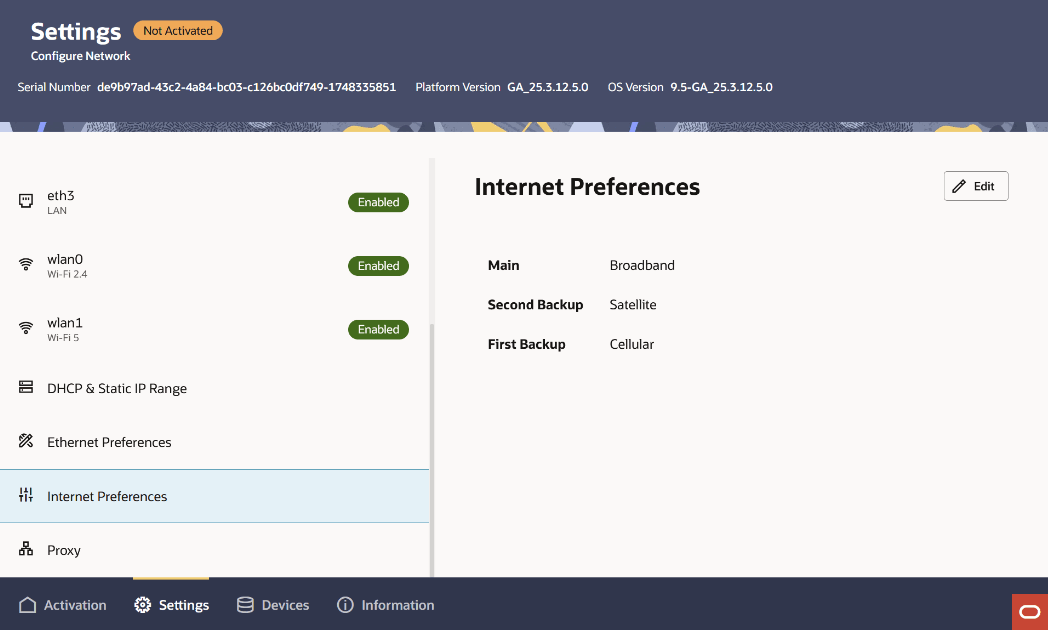
Prioritize Internet (WAN) Interfaces on the Local UI
You can set the preference for which of the available Internet-facing Wide Area Network (WAN) interfaces a Cloud Connector uses for its outbound connectivity.
The Oracle Cloud Connector provides 3 distinct connection types for communicating with the internet and ultimately back to the Oracle ECP cloud service. These types are the terrestrial mobile/cellular network, satellite connectivity, or fixed wireline/broadband. You can set the order which a cloud connector will choose to connect with. If the highest priority source of Internet access is disabled or becomes unavailable, the Internet preference level indicates the order in which the platform uses each WAN-facing interface connection for Internet access.
- Primary
- Main Backup
- Second Backup
- Click and hold the “swap” symbol (==) next to the WAN interface
that you want to prioritize.The pointer turns to a hand when it's moved over the swap symbol to indicate you are moving it.