Edge Nodes Details Page - Applications Tab
Cloud Connectors rely on applications and Host Services to perform their operations. The Oracle Enterprise Communications Platform (Oracle ECP) Edge Nodes Applications tab displays information about the health and status of applications and Host Services.
Applications Tab
The Applications tab displays System applications, User applications, and Host Services. Host Services are ECP-managed processes running on the Edge hardware.
- Click the legends below each pie chart to show and hide data types.
- Hover over the sections of the pie chart to see counts for the data type.
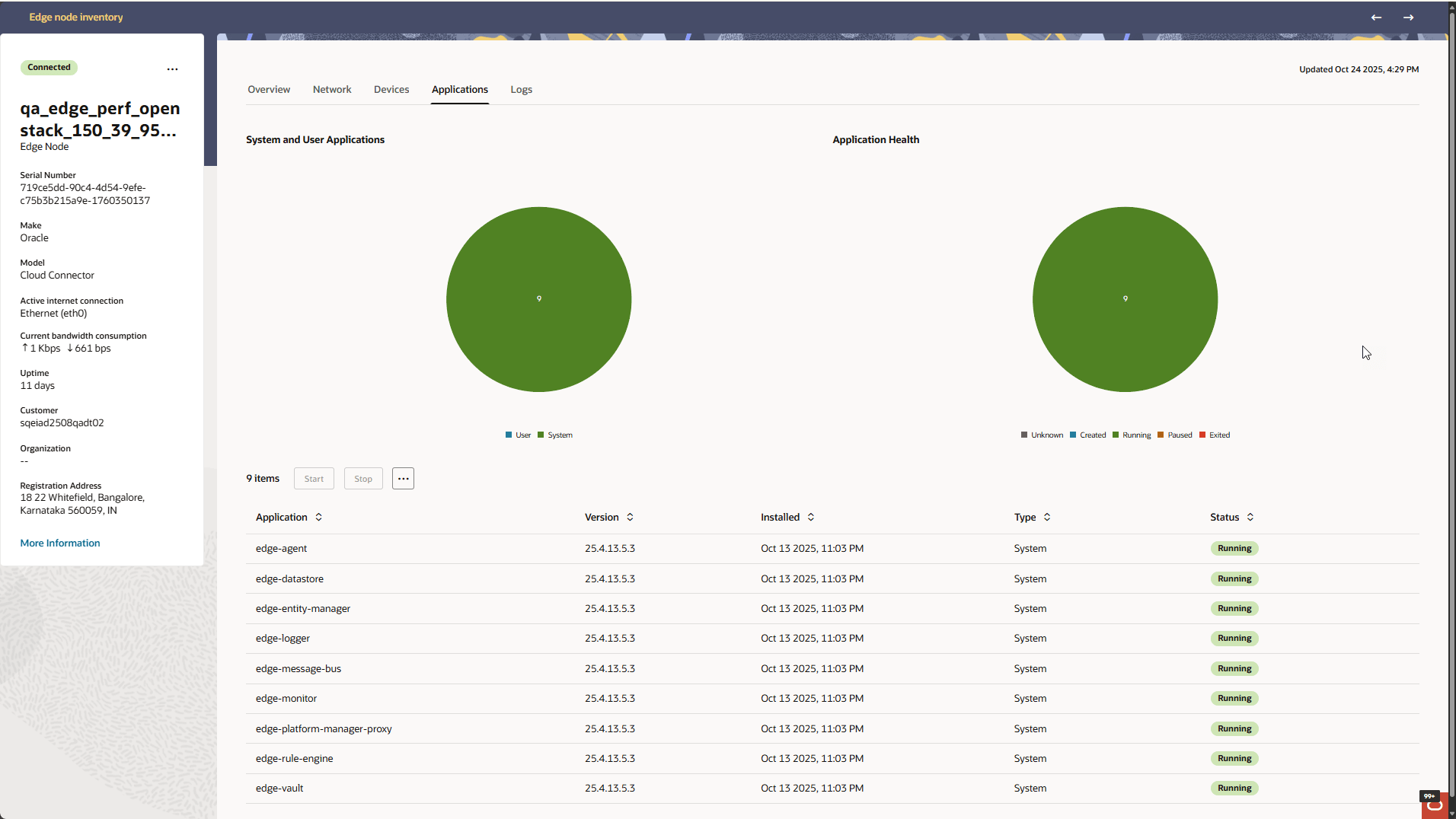
Below the pie charts, the Applications tab displays a table of applications and Host Services and their corresponding details. The Type identifies an entry as a System application, User application, or Host Service, and the Status displays its current status.
Select an application or Host Service in the table to make its applicable actions available. For System and User applications, the Applications tab provides the Start and Stop buttons. Click the three dots in the box to the right of "Stop" to display more Actions.
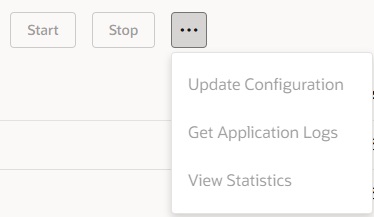
Start—Start the application.
Stop—Stop the application.
- The name, version, installed date, and status of the application.
- A drop-down list of configurations you can choose to use.
Get Application Logs—Displays the Get Application Logs drawer for the selected application. The drawer provides the Start Time and Duration inputs, calculates the end time, and displays previously retrieved Application Logs in the Results section.
Note:
Application Logs are retained for 30 days.- The Name, Version, date Installed, and Status of the application.
- A time-range drop-down list.
- Memory Usage and CPU Usage.
- Received Rate and Transmitted Rate.
For a Host Service, View Statistics is the available application action. The Application Statistics drawer displays CPU Usage and Memory Usage for the selected Host Service. Received Rate and Transmitted Rate are not displayed for Host Services.
- Start
- Stop
- Update Configuration
- Get Application Logs
Note:
Host Service statistics are available for Edge Nodes running release 26.3 or later. For earlier releases, View Statistics is not available for Host Services.Application and Host Service Warnings
Oracle ECP automatically generates warnings when it detects certain restart or unhealthy conditions for Host Services and System or User applications. The warnings are displayed on the Issues page.
| Condition | Warning |
|---|---|
| A Host Service restarts unexpectedly. | [Service Name] restarted |
| A Host Service is not in a healthy or running state. | [Service Name] unhealthy |
| A System or User application restarts. | [App Name] restarted |
Note:
A Host Service must remain in an unhealthy or non-running state for at least 60 seconds before an unhealthy warning is generated.Only one open warning is maintained for the same Edge Node and affected application or Host Service. If the same condition is detected again while an open warning exists, Oracle ECP updates the existing warning as applicable instead of creating another open warning for the same condition.
Restart warnings automatically resolve when no further restart is observed for one hour. Unhealthy warnings automatically resolve when the application or Host Service remains stable for two hours.