The Issues Details Page
When Oracle Enterprise Communications Platform (Oracle ECP) detects issues, the Issues page displays the name of the issue in the Summary column as a link. When you click the link, Oracle ECP displays the Issues Details page where you can see Occurrence Details, Affected Device, and Recommended Solution information.
The following screen capture shows an example of the Issues Details page. The page shows the Issue title, the Occurrence Details, the Issue summary with the proposed solution, and the Affected Edge Node or Device information.
If you click on the specific affected edge node from the table, the edge node's Details page displays. This shows the concerned edge node or device details. The panel on the right shows the incident overview, the network, the specific devices, the applications, and the logs.
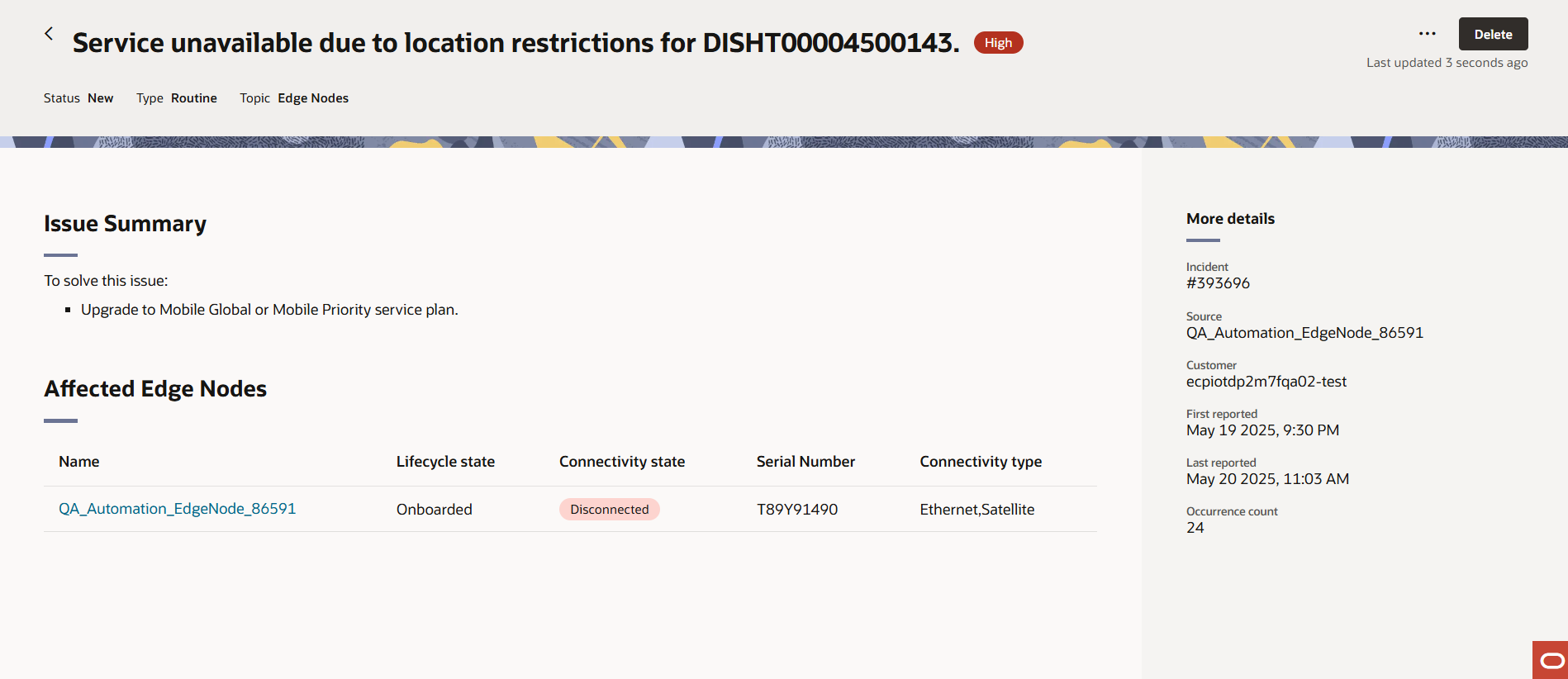
There are three dots on the top right corner. This allows you to change the status of the issue. Values: Start | Resolve | Withdraw. The Delete icon is next to the three dots which you can use to delete the issue.