3.7.1 Procedure 12 LSMS Initial Configuration
Table 3-17 Procedure 12 - LSMS Initial Configuration
| STEP # | This procedure does the initial configuration on the LSMS servers. Estimated time: 15 minutes | |
|---|---|---|
|
☐1. |
MPS A: Log in to the server as the user “root”. |
|
|
☐2. |
MPS A: Start lsmsmgr utility by logging in as lsmsmgr user |
|
|
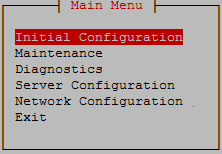
☐3. |
MPS A: Select “Initial Configuration” |
 |
|
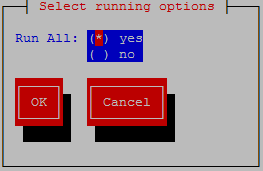
☐4. |
MPS A: Select “yes” Select OK and press [ENTER] |
 |
|
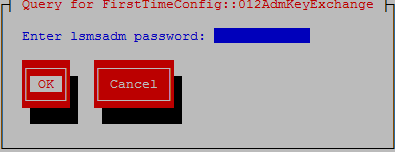
☐5. |
MPS A: Enter password for “lsmsadm” Select OK and press [ENTER] |
 |
|
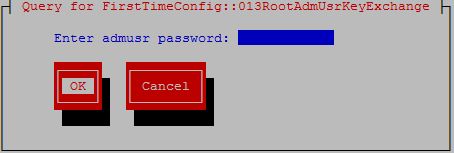
☐6. |
MPS A: Enter password for “admusr” Select OK and press [ENTER] |
 |
|
☐8. |
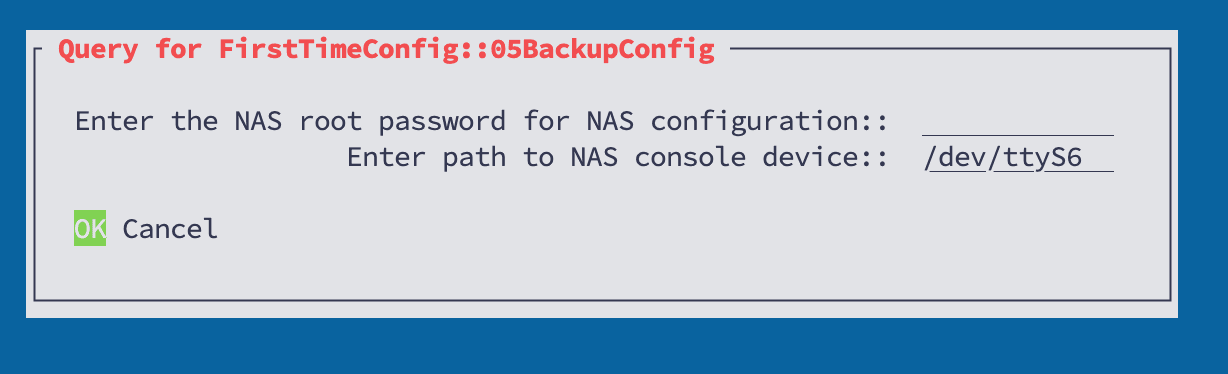
MPS A: Enter the NAS password used to login into NAS console. Accept the default serial port (ttyS6) when prompted for the path to the NAS console device. Select OK and press [ENTER] |
 |
|
☐9. |
A message is displayed indicating the lsmsadm Key Exchange was successful. A message is displayed indicating the admusr Key Exchange was successful. A message is displayed indicating the Time Synchronization was successful. A message is displayed indicating the Database creation was successful. A message is displayed indicating the NAS Backup Configuration was successful. A message is displayed indicating the inhibiting of the node was successful. Select Exit and press [ENTER] repeatedly to exit lsmsmgr |
|
|
☐10. |
MPS A: Switch to mate |
|
|
☐11. |
MPS B: Start lsmsmgr |
|
|
☐12. |
MPS B: Select “Initial Configuration” |
|
|
☐13. |
MPS B: Select “yes” Select OK and press [ENTER] |
|
|
☐14. |
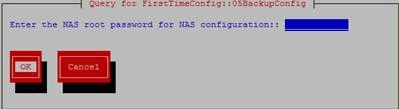
MPS B: Enter the NAS password used to login into NAS console. Select OK and press [ENTER] |
 |
|
☐15. |
A message is displayed indicating the Database creation was successful. A message is displayed indicating the NAS Backup Configuration was successful. Select Exit and press [ENTER] repeatedly to exit lsmsmgr |
|
|
☐16. |
MPS B: Log into the LSMS B server via minicom. |
|
|
☐17. |
MPS A: Perform init 6 to reboot the LSMS B card. |
Watch for errors during boot process. When the login prompt is displayed, exit from minicom. |
|
☐18. |
MPS A: Log into the LSMS A server via minicom. |
|
|
☐19. |
MPS B: Perform init 6 to reboot the LSMS A card. |
Watch for errors during boot process. When the login prompt is displayed, exit from minicom. |
|
This procedure is complete! |
||