Available Physical Interface Reports
The Oracle® Session Delivery Management Cloud (Oracle SDM Cloud) provides the following Physical Interface Reports and Filters.
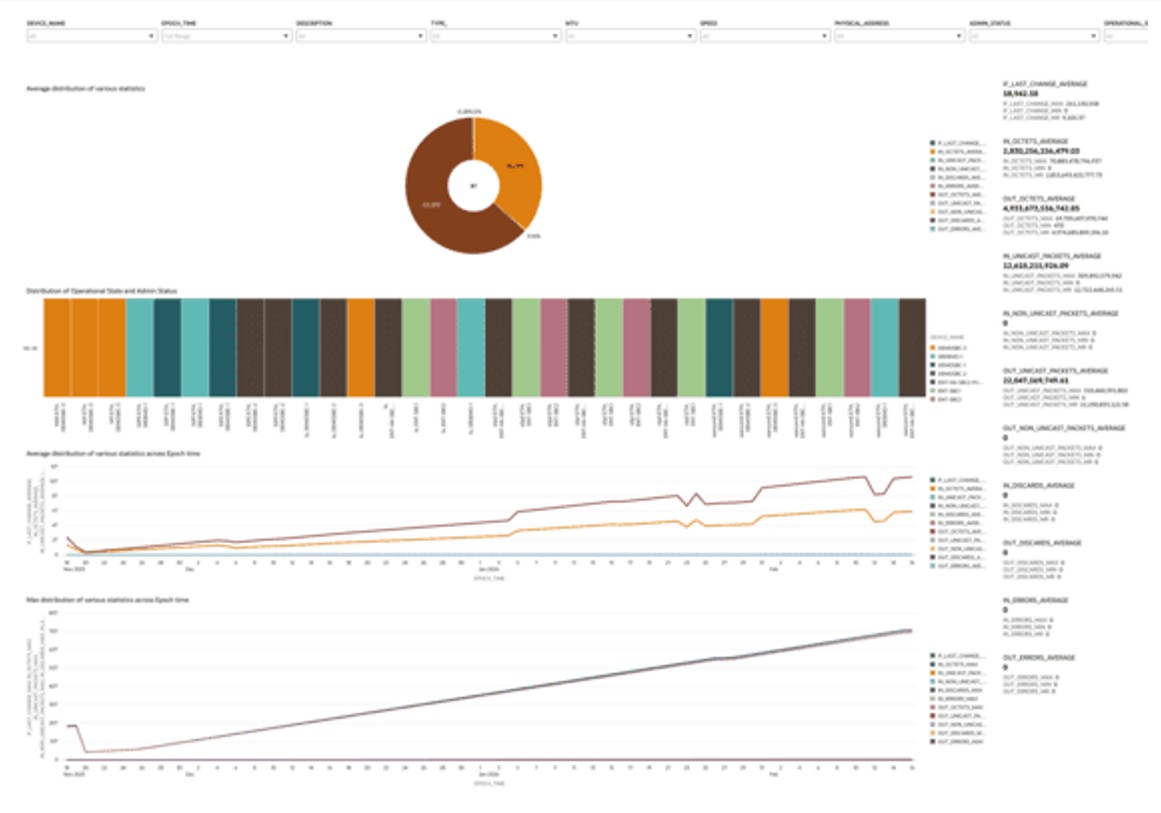
- Physical Interface Dashboard—This dashboard provides a comprehensive view of physical interface health and traffic behavior across devices. It combines utilization metrics, packet statistics, and operational status indicators over time to give a clear picture of network performance.
It enables monitoring of inbound and outbound traffic volumes, tracks error and discard trends, and shows interface state distribution along with key configuration attributes such as speed, MTU, and administrative status.
Key Insights:- Distribution of average and maximum interface statistics, including octets, packets, errors, discards, and last change
- Trends in inbound and outbound traffic over epoch time
- Distribution of operational and administrative interface states
- Identification of high-utilization links, anomalies, and potential congestion points
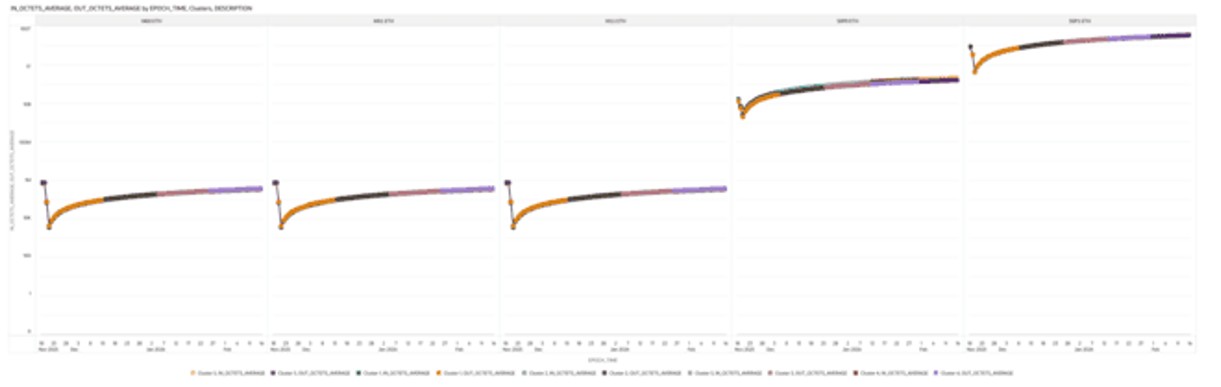
- Octets in Interface with Cluster Detection—This canvas visualizes how the total number of octets received (inbound) and transmitted (outbound) on each interface changes over epoch time. It helps track traffic patterns and understand how data flow evolves across interfaces.
Clustering analysis using the K-means algorithm groups similar traffic patterns and highlights anomalies for easier detection of unusual behavior. A trellis view, organized by interface description, allows side-by-side comparison of octet trends across multiple interfaces, making it easier to identify performance differences and outliers.
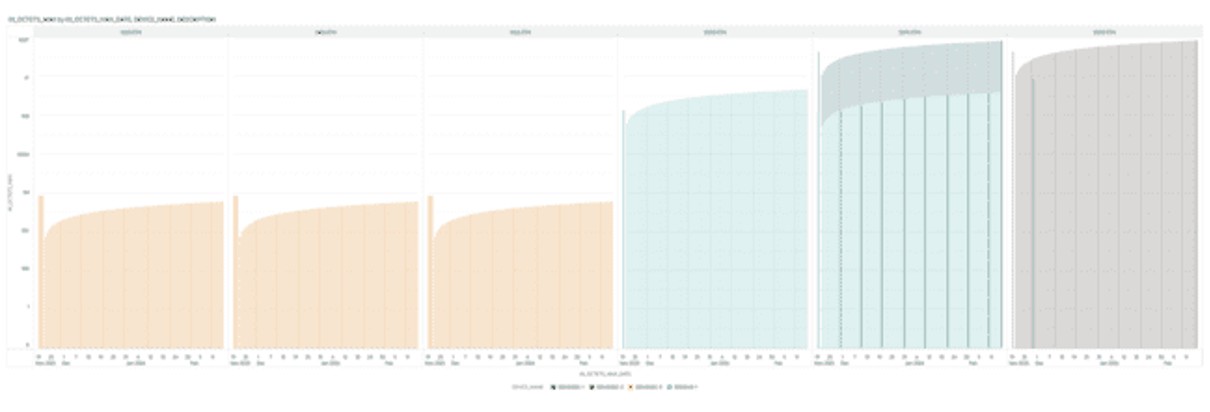
- Peak Octet Traffic on Interface—This bar graph shows the maximum inbound octet count on the Y-axis over epoch time on the X-axis, allowing you to monitor peak received traffic volumes over time.
A trellis view by interface description enables side-by-side comparison of inbound utilization patterns across interfaces, making it easier to identify high-traffic links and potential congestion points. The visualization highlights peak usage periods as well as sustained traffic growth trends, helping to identify interfaces nearing capacity limits and supporting bandwidth forecasting, upgrade planning, and load redistribution decisions.
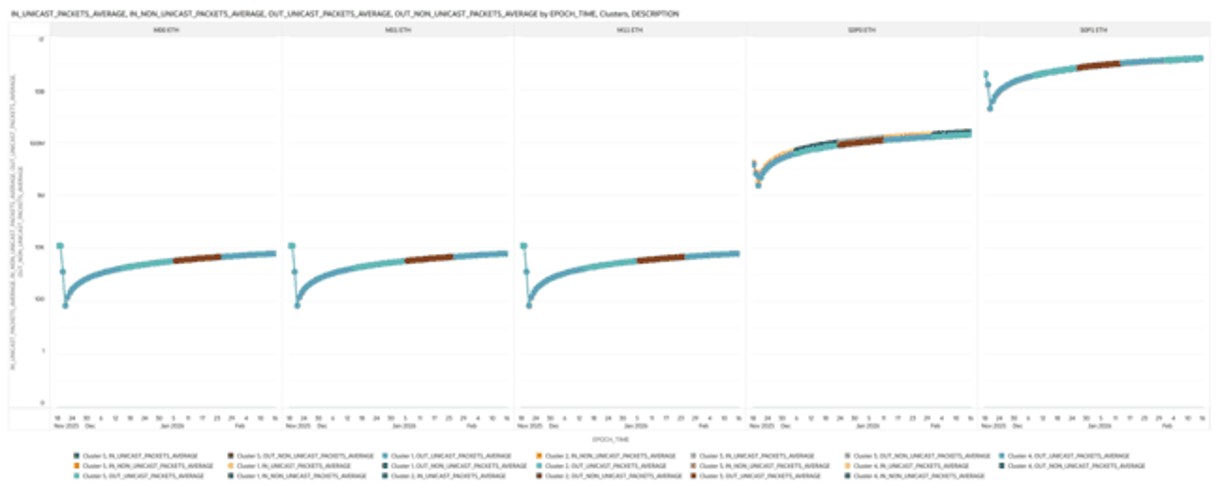
- Packets on Interface with Cluster Detection—This visualization plots inbound and outbound unicast and non-unicast packet counts on the Y-axis over epoch time on the X-axis, providing insight into traffic behavior across interfaces.
Clustering analysis is used to group similar traffic patterns and highlight anomalies, making unusual activity easier to detect. A trellis view by interface description allows side-by-side comparison of packet trends across interfaces, helping identify performance differences and irregular patterns.
- Error Trends with Outlier Detection—This visualization plots the number of inbound packets with errors and outbound packets that failed to transmit due to errors on the Y-axis over epoch time on the X-axis, enabling analysis of error trends across interfaces.
Outlier detection highlights unusual spikes or anomalies in error activity, making potential issues easier to identify. A trellis view by interface description allows side-by-side comparison of error trends across interfaces, helping pinpoint problematic interfaces and assess overall network reliability.
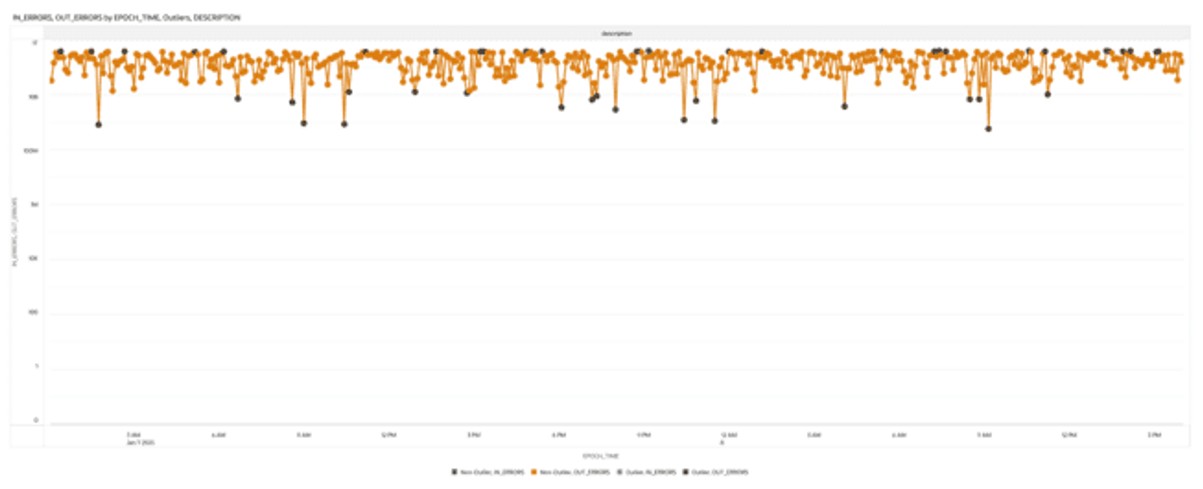
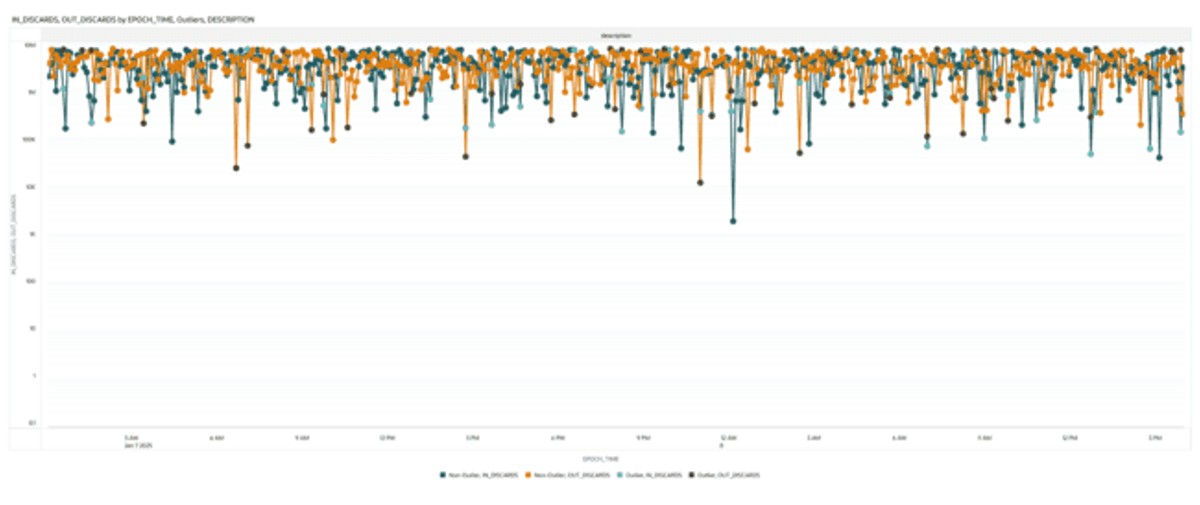
- Discard Trends with Cluster Detection—This visualization plots the number of inbound and outbound packets that were discarded on the Y-axis over epoch time on the X-axis, allowing you to analyze discard trends across interfaces.
Clustering analysis groups similar patterns and highlights anomalies, making unusual behavior easier to detect. A trellis view by interface description enables side-by-side comparison of discard trends across interfaces, helping identify interfaces with high discard rates and potential performance issues.
- Device Name
- Epoch time
- Description
- Type