5 Create Tag Key Definitions
Add the following three tags to the OPCBYOKSecurity tag namespace.
- ADBKey
- BucketKey
- IsCurrent
To create namespace tags:
- Sign in to the Oracle Cloud Console as an Account Administrator with appropriate privileges.
- Open the Navigation menu, select Governance & Administration, and in the Tenancy Management section, select Tag Namespaces.
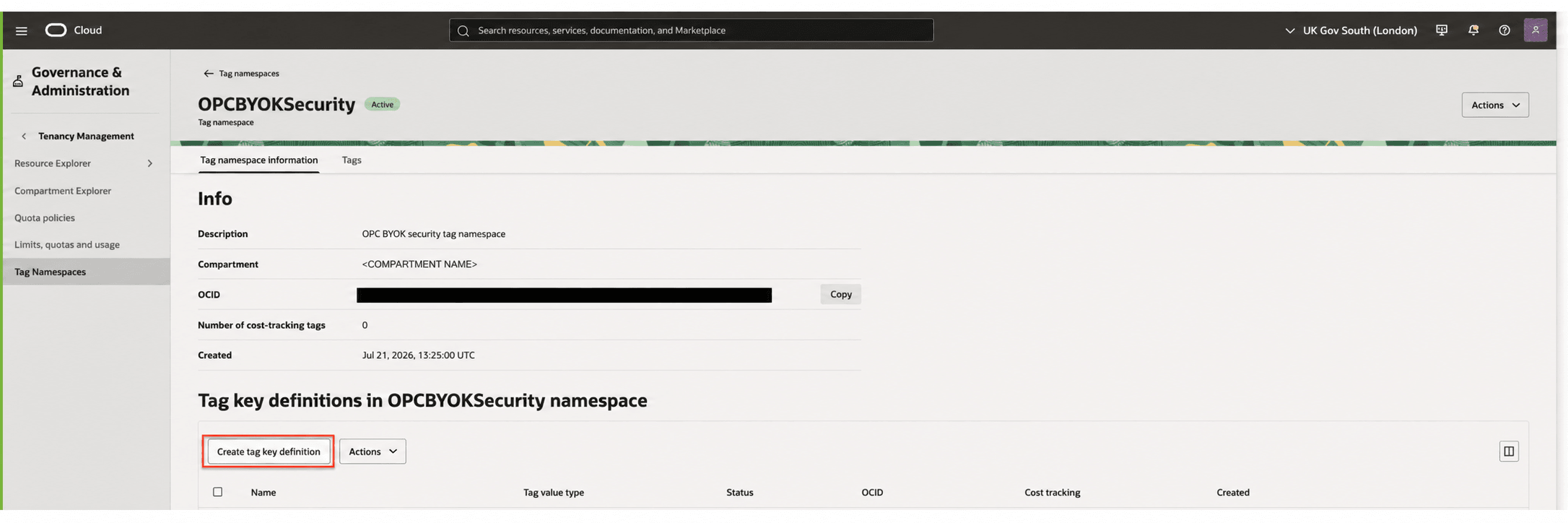
- On the Tag namespaces page, select OPCBYOKSecurity.
- On the OPCBYOKSecurity Tag names page, select Create tag key definition.
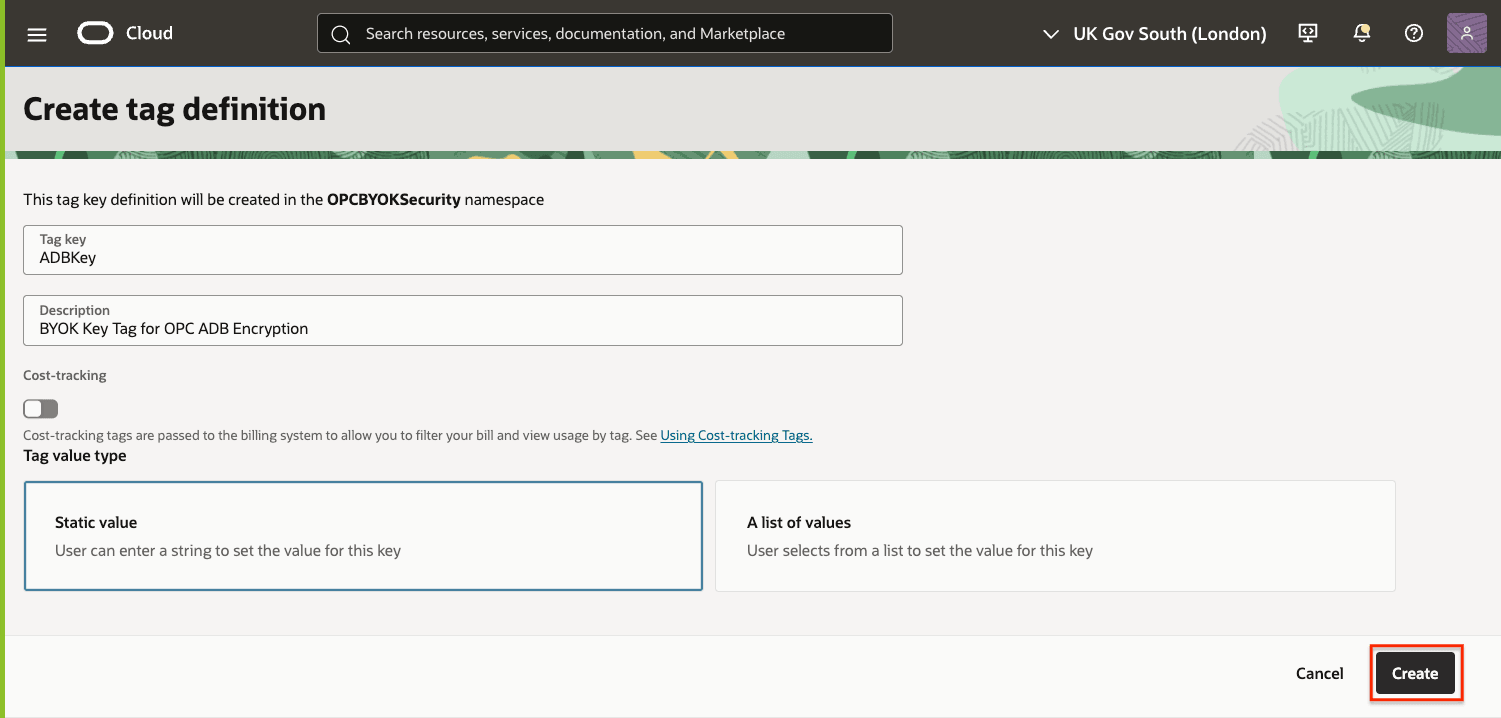
- On the Create tag definition page:
- In the Tag key field, enter: ADBKey.
- In the Description field, enter: BYOK Key Tag for OPC ADB Encryption
- Select Create.
- Repeat the process using the following tag key and description:
- Tag Key: BucketKey
- Description: BYOK Key Tag for OPC Bucket Encryption
- Repeat one more time with the following tag key and description:
- Tag Key: IsCurrent
- Description: BYOK Key Tag for Identifying Current Key
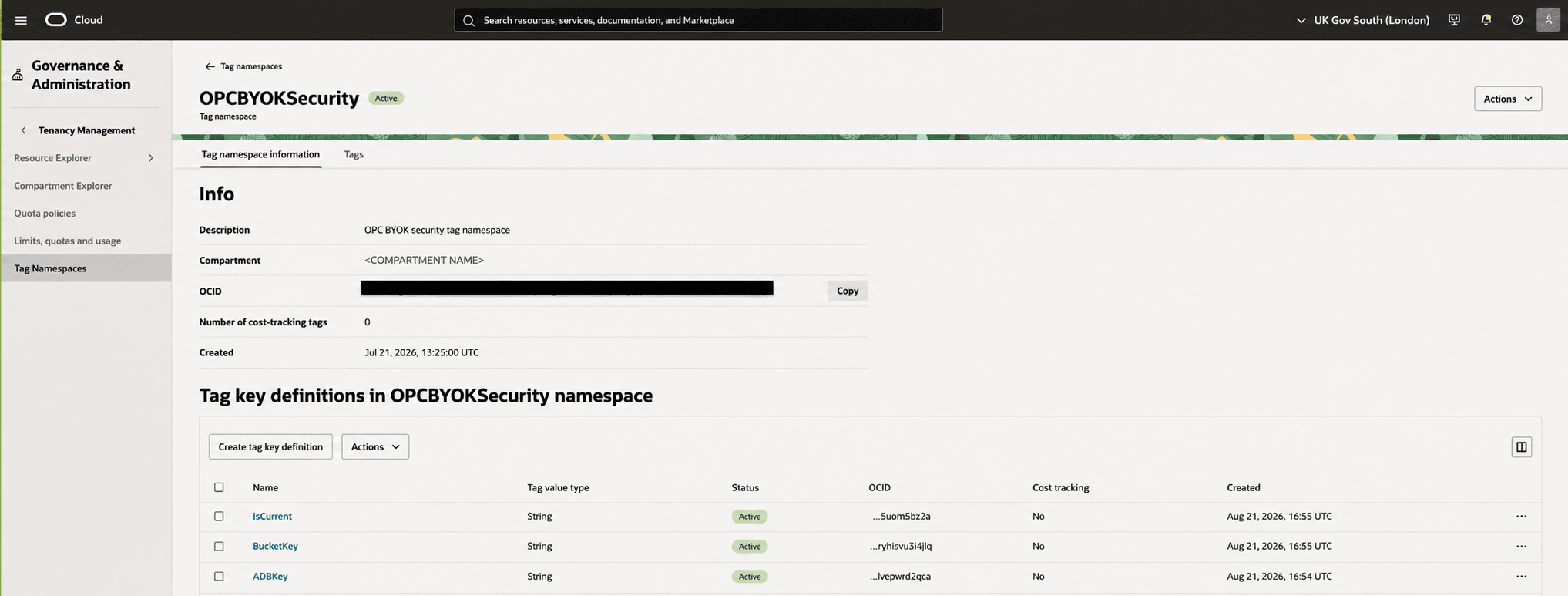
After all tag definitions are created, the key definitions are shown in the OPCBYOKSecurity Tag namespace Status column as Active.