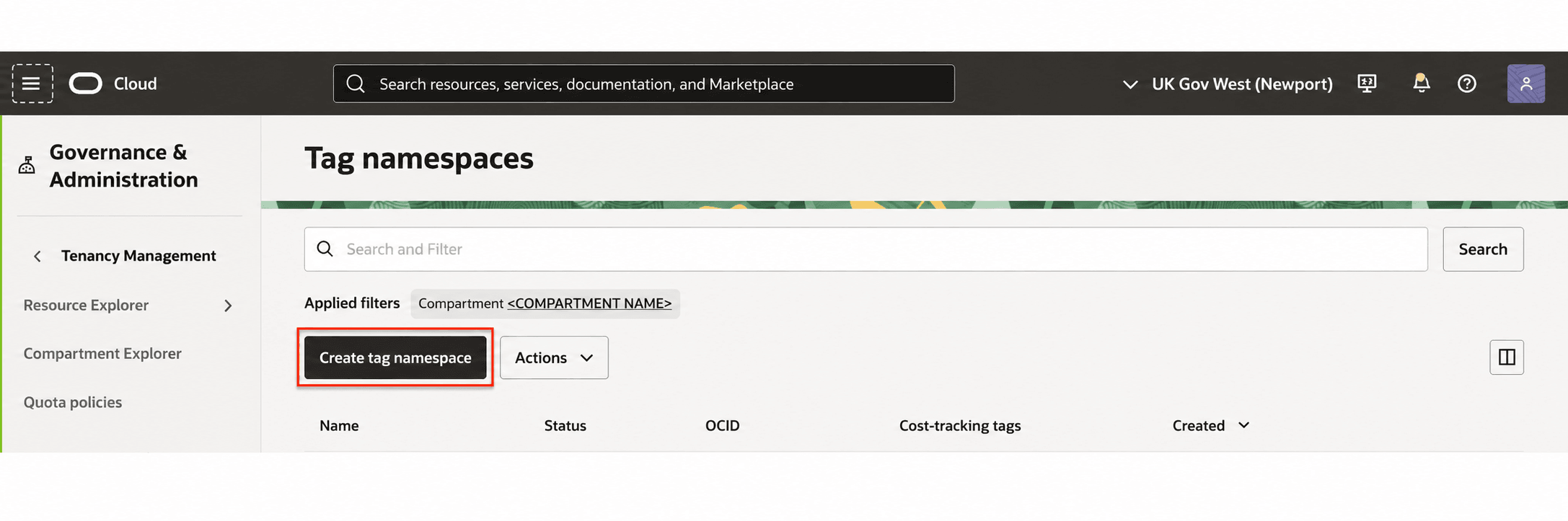
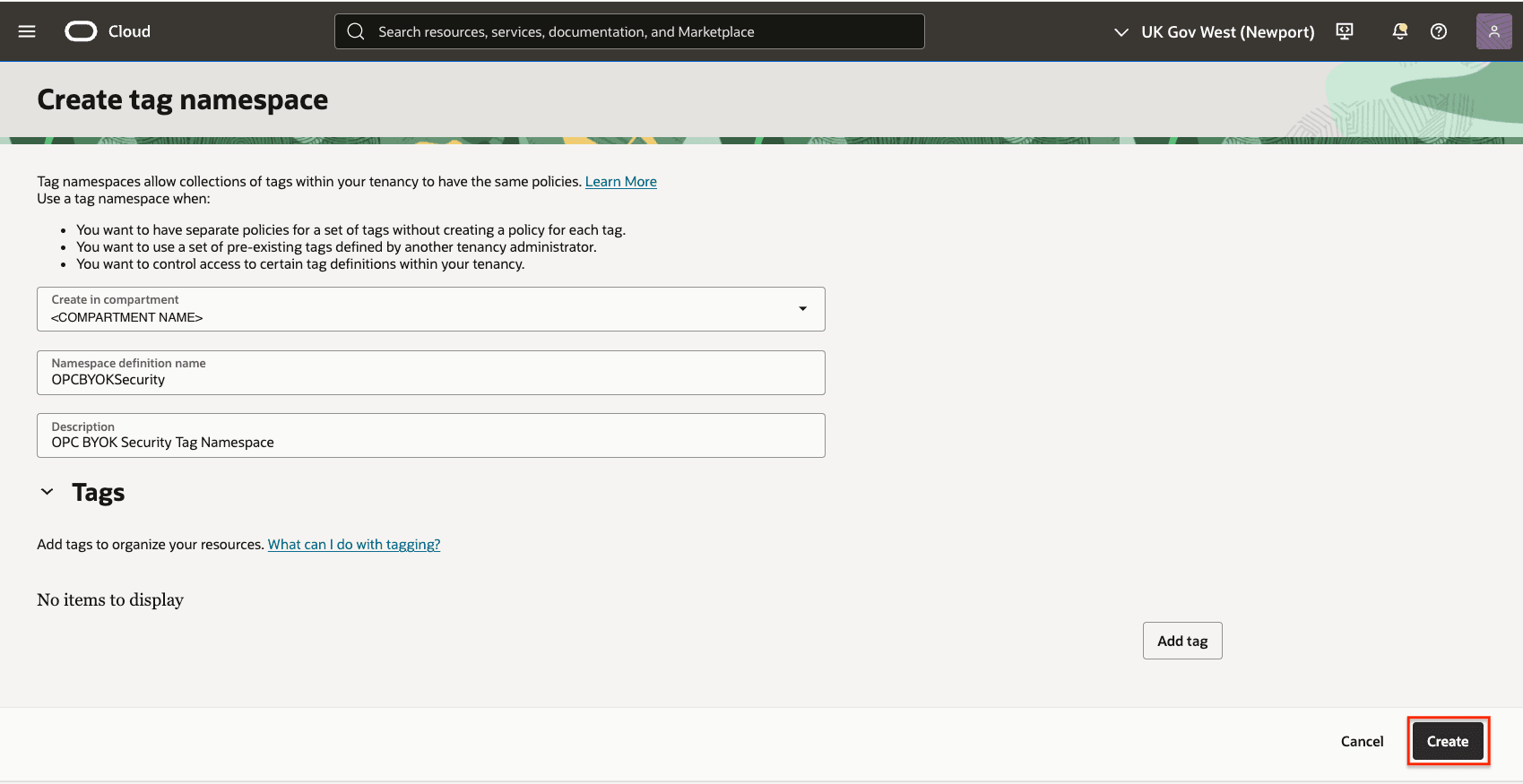
4 Create Tag Namespace Sign in to the Oracle Cloud Console as an Account Administrator with appropriate privileges. Open the Navigation menu, select Governance & Administration, and in the Tenancy Management section, select Tag Namespaces. On the Tag namespaces page, select Create tag namespace. On the Create tag namespace page: In the Create in compartment list, select <COMPARTMENT_NAME>. In the Namespace definition name field, enter: OPCBYOKSecurity. In the Description field, enter: OPC BYOK Security Tag Namespace. Select Create.