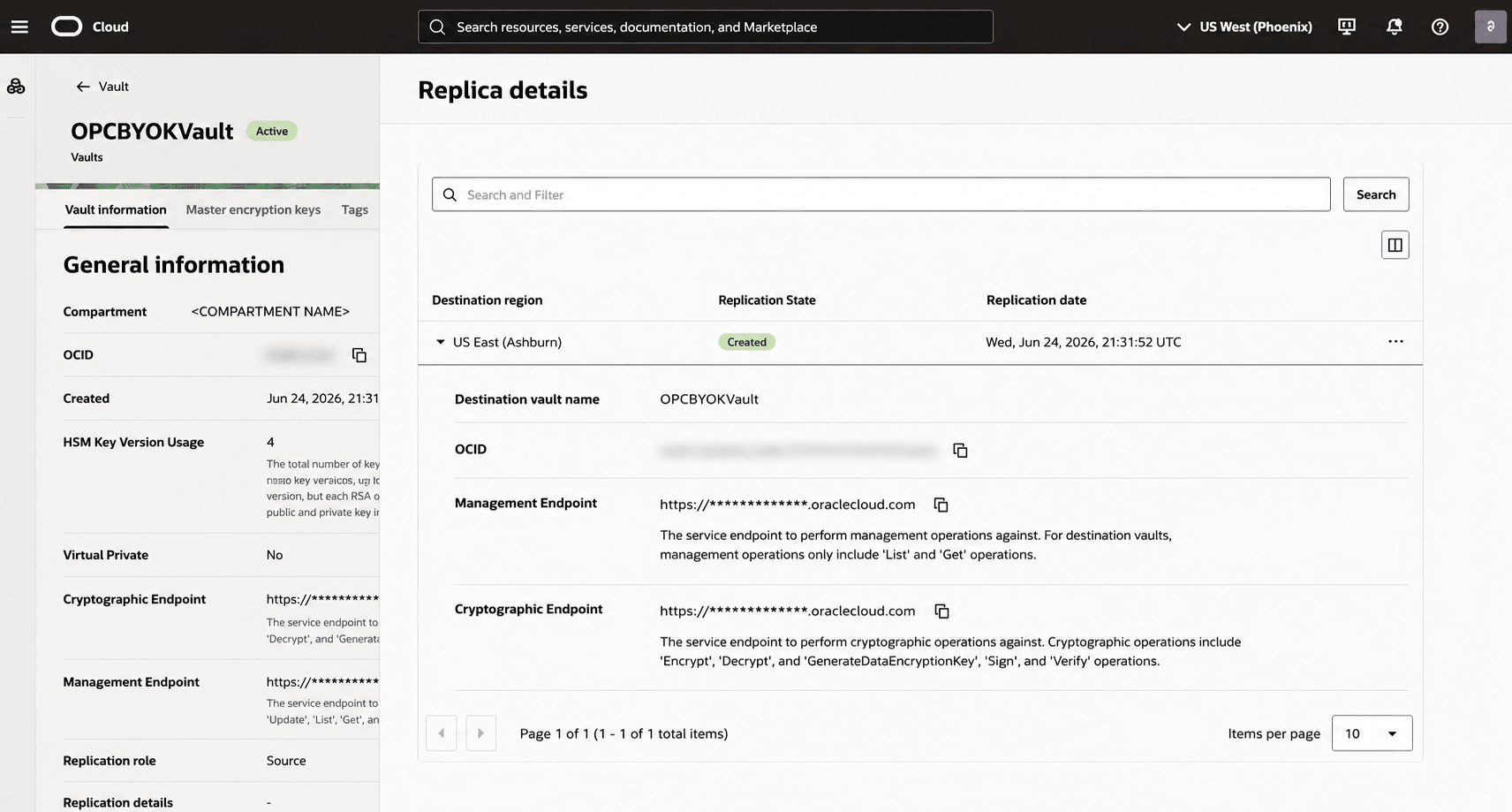
9 Verify the Vault Replica Exists
Important: It is required that a vault replica exists in the disaster recovery region of the Oracle Primavera Cloud tenancy for BYOK encryption to work. Without a replica, the encryption process using BYOK will fail.
Verify a vault replica exists in the Oracle Primavera Cloud disaster recovery region.- Verify there is replica for <REGION_2> under Destination region with a Replication State of Created. If there is no replica, proceed to Replicate the Vault in <REGION_2> to create a replica in <REGION_2>.