34 Certifying a Payment Application
To certify a payment application on an NEC4 contract:
- From the left Navigator, select Tasks.
- Select the payment applications task from your Tasks page.
The Payment Application form is displayed.
- Select Accept to accept the task.
- Complete all the required fields. The form cannot be sent until all the required fields are filled in.
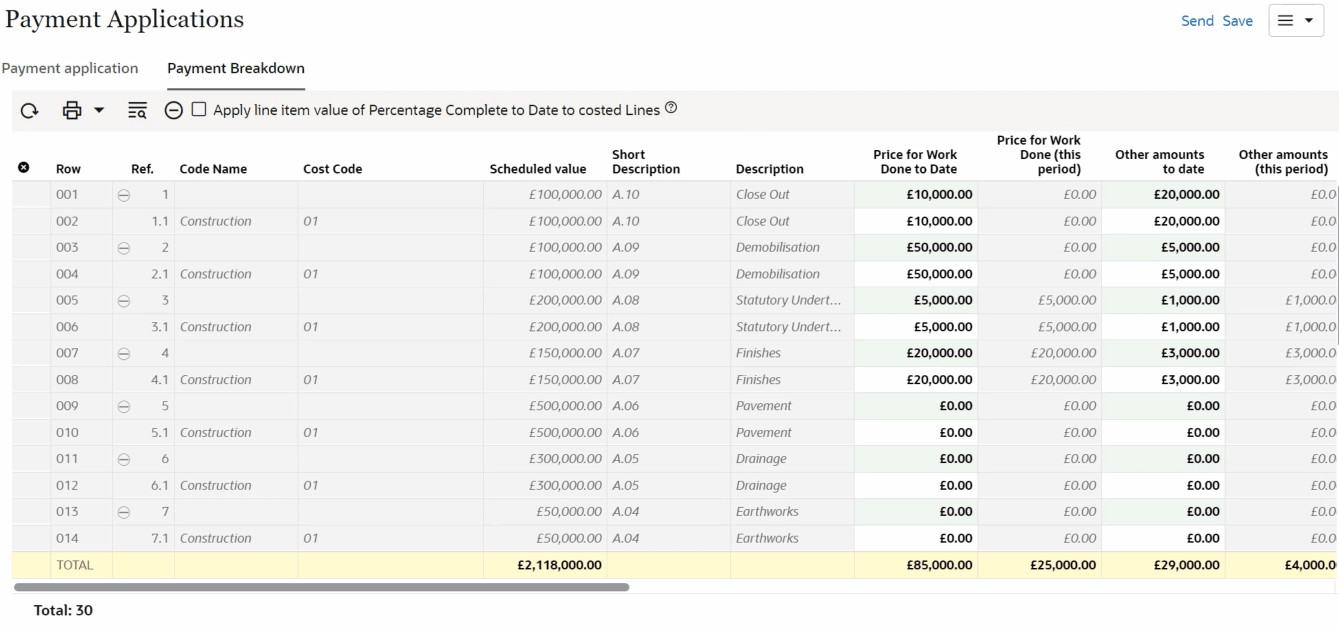
- Select the Payment Breakdown tab to adjust the breakdown of the payment application.
- Adjust the required fields and select Save.
- Select Send to certify the payment application.
You can access the payment application from the left Navigator by selecting Payments, and then selecting Payment Applications.
Tip:
- Use the formatting options available in the Certificate Details text box to format the text.
- Select the Attachments tab to add or remove attachments associated with this payment application. For details see topic Adding Attachments.