1 About This Recipe
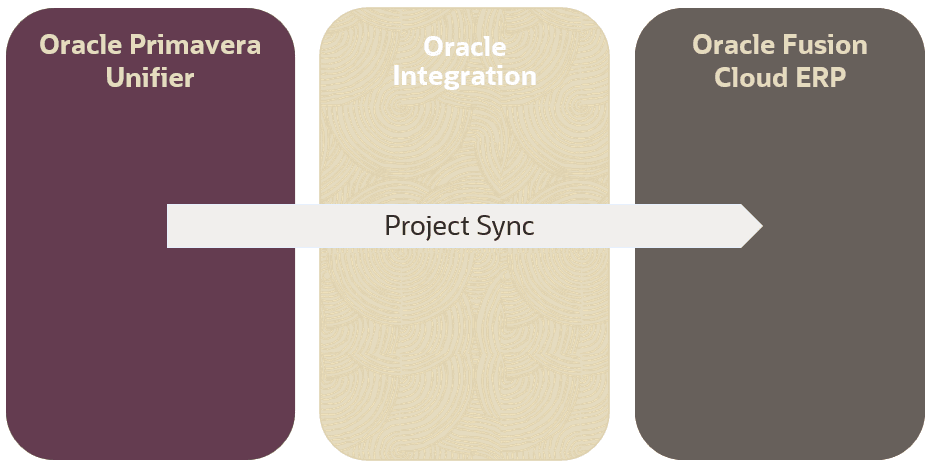
This recipe is used to synchronize project shell data from Primavera Unifier to Oracle Fusion Cloud ERP.
Note:
This recipe is available as Primavera Unifier — Oracle Cloud ERP | Sync Project Shell in the Integration store. Oracle provides this recipe as a sample only. The recipe is meant only for guidance, and is not warranted to be error-free. No support is provided for this recipe.Purpose
This recipe is intended for customers who use Primavera Unifier for their project execution and Oracle Fusion Cloud ERP as their corporate ERP solution. It provides seamless and reliable project synchronization between these two products, by automating the flow of project data from Primavera Unifier project shells into Oracle ERP projects.
Delivered Integrations
This recipe delivers a project called Primavera Unifier and Oracle Fusion Cloud ERP sync which contains a single integration:
-
Scheduled Unifier to Fusion ERP Projects Sync:
This flow enables the automated extraction and transformation of project shell data from Primavera Unifier into Oracle ERP projects. Leveraging Oracle Integration, the process is triggered on a scheduled basis via change data detection, retrieving newly created or updated Primavera Unifier project shells. Validations and data mappings occur within Oracle Integration. The data is prepared and loaded using the file-based data import (FBDI) interface. Upon completion, new projects are created, or existing projects updated, in Oracle ERP, keeping both platforms in sync and supporting enterprise processes for project tracking, reporting, and controls.
Key features of this integration include:
- Scheduled integration supporting initial bulk load for the first run and incremental data sync of projects thereafter.
- Oracle Integration is the integration platform for automated data extraction, validation, transformation, and upload.
- Data is extracted from Primavera Unifier project shells using Primavera Unifier user-defined reports (UDR).
- Automated upload to Oracle ERP using file-based data import (FBDI) for projects.
Integration Technology
This recipe is a scheduled Oracle Integration project. Each integration run is controlled by schedule parameters that specify what projects to synchronize. It contains one integration flow.
The integration uses the Oracle ERP Cloud Adapter for Oracle Fusion Cloud ERP operations and the standard REST Adapter for Primavera Unifier APIs.
To use this integration, you need to install the recipe and configure the connections. Then, activate and run the integration using the Oracle Integration interface.
Integration Workflow Overview
Note:
The steps below describe the high-level behavior of this integration. For detailed run steps, see Activate and Run the Recipe.
Project sync integration (Primavera Unifier to Oracle Fusion Cloud ERP)
- Projects are created and maintained in Primavera Unifier.
- Based on the predefined schedule, the integration is pooling a list of changed projects data based on the last run date of the scheduler, retrieving newly created or updated Primavera Unifier projects. If no projects are specified, or for the first run of the integration, all projects will be available for synchronization to Oracle ERP.
-
Data received from Primavera Unifier is validated and transformed for upload to Oracle ERP.
Partial success of the data validation is not allowed. If even one project fails in data validation, the entire batch is not processed and an error is raised in Oracle Integration (and if setup, email notifications are sent to a predefined recipient list). Any errors on projects validation need to be fixed first on the Primavera Unifier side before the batch can be processed.
- The data is prepared and loaded using Oracle ERP's file-based data import (FBDI) interface.
- Oracle Integration creates new projects or update existing projects in Oracle ERP.
- After the sync, the integration checks the status of the background job in Oracle ERP showing success/failure scenarios.
Note:
Scheduled integration supports initial bulk load for the first run and incremental data sync of projects thereafter. Data is extracted from Primavera Unifier project shells using Primavera Unifier user-defined reports (UDR).Data Mapping
Data mapping spreadsheets describe which fields in Primavera Unifier map to which fields in Oracle Fusion Cloud ERP.
Click the link below to download a zip file that contains the data mapping sheet for this integration:
The zip file includes the following data mapping sheet:
Unifier ERP Project Sync