Account Center
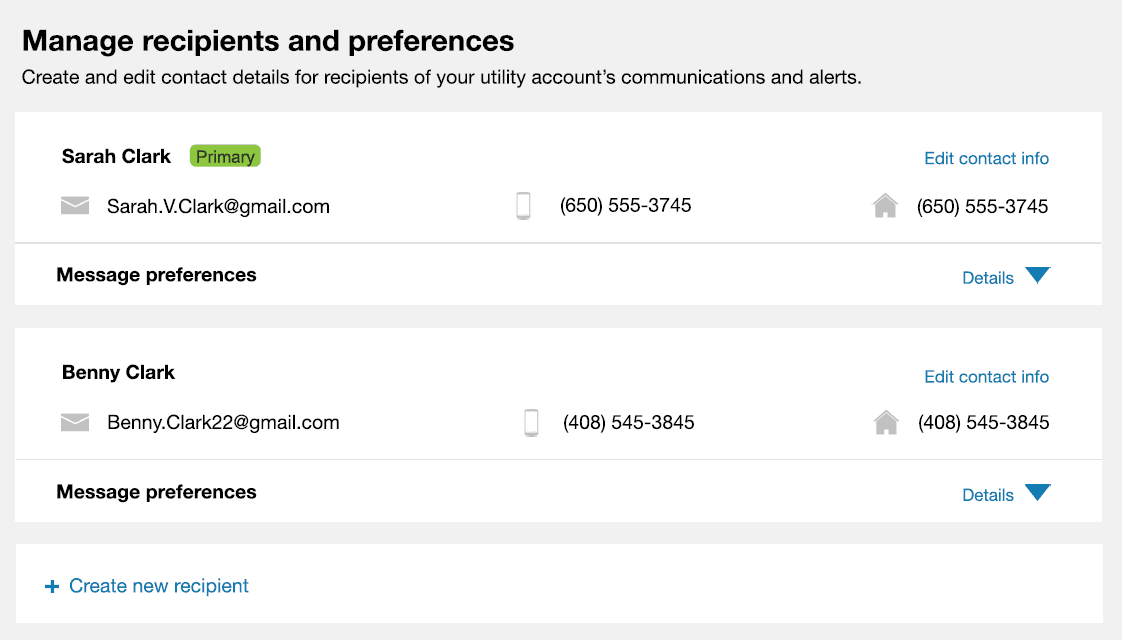
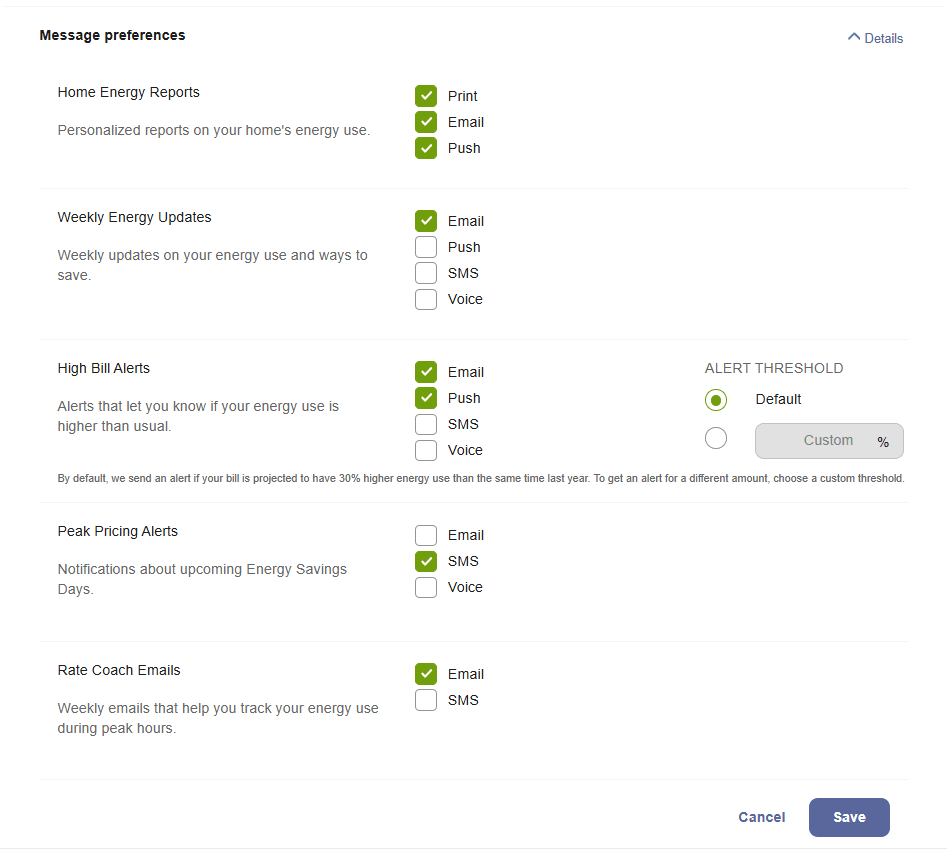
The Account Center allows customers to view and change information about their utility account, their alert preferences, and the communications they receive from the utility. Users can edit the primary recipient's information, add additional recipients to the account, edit recipient details, and select alert preferences for each recipient. At a minimum, the Account Center displays information for the primary recipient.
Example: Recipient Information Collapsed
Example: Recipient Information Expanded
Embedding Guidelines
Widget Name:
widget-communication-preferences
Full Embedding Code: <opower-widget-communication-preferences opower-instance="widget-communication-preferences"></opower-widget-communication-preferences>
- This widget is well-suited for embedding in sections that use the full width of the page. Consider the use of tabs, accordions, or other elements that can show or hide content when embedding this widget on a webpage along with other widgets and content. Your Delivery Team will work with you to determine the ideal placement.
- Be aware that the number of recipients that a customer creates affects the vertical size of the widget. When more recipients are created, the vertical size of the widget expands. If the widget is embedded on a page with other widgets, then the expansion of the widget might push down any webpage content that is placed below it.
For more information about Account Center, including details about its data requirements and the overall user experience, see the resources below.
- Account Center for residential customers
- Account Center for business customers