Viewing a Target's Home Page
To view a target's home page:
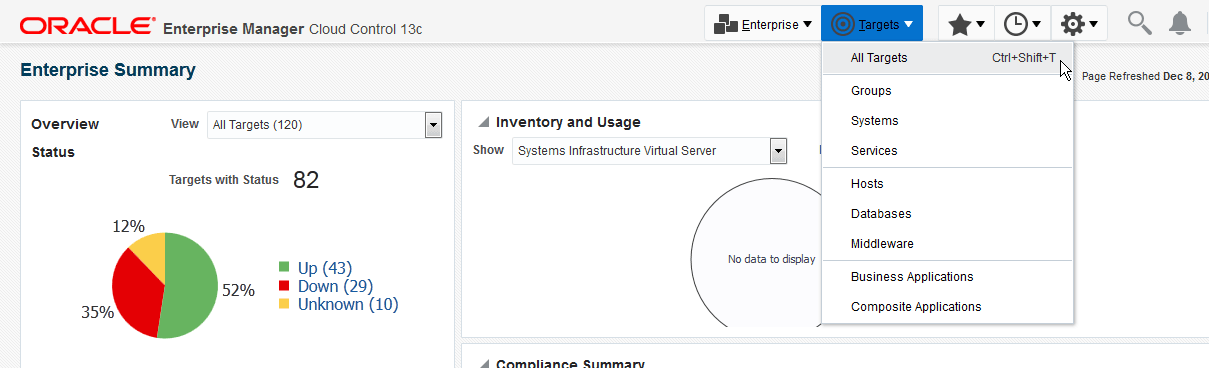
- Click
Figure 4-13 Viewing all targets
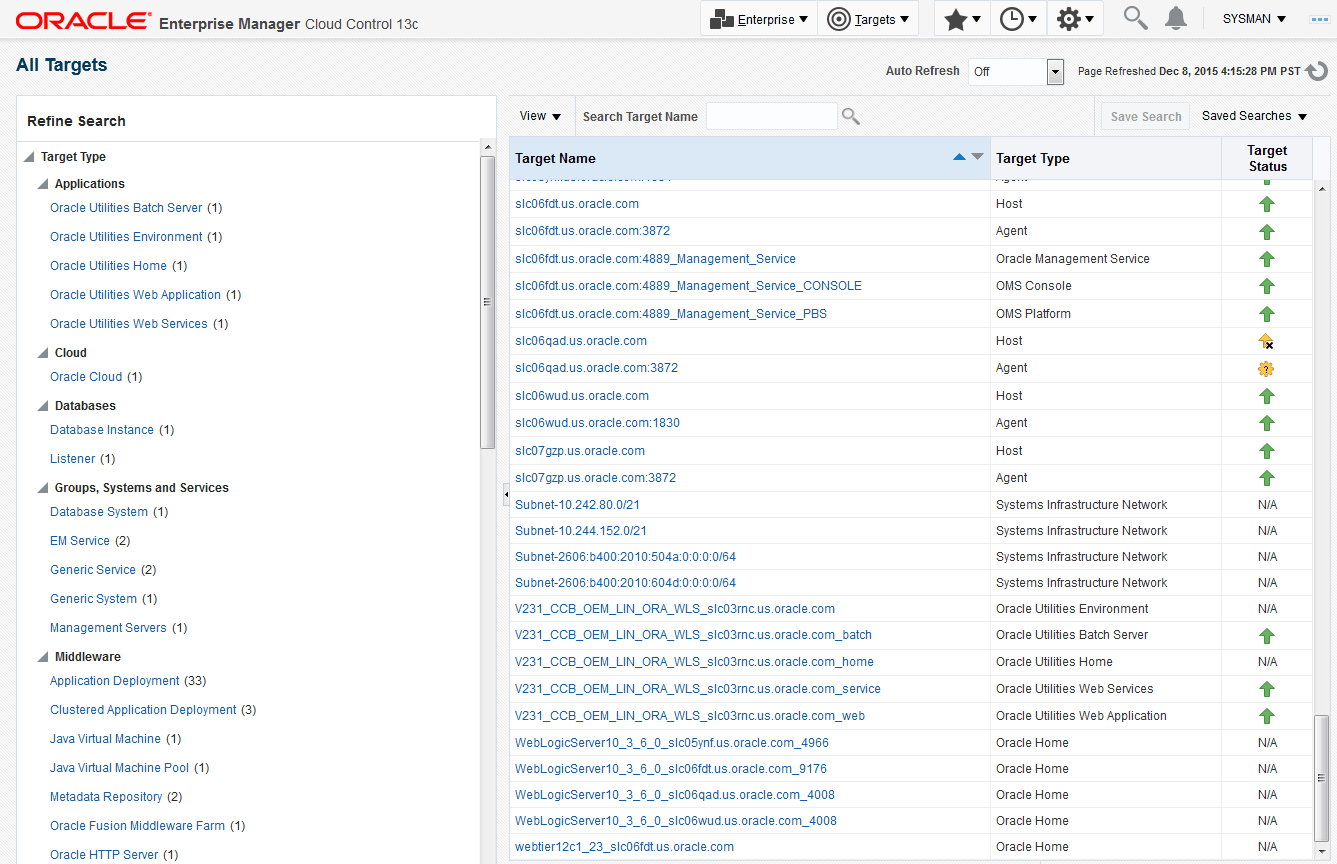
- To view its home page, locate and double-click a target from the sortable and
searchable All Targets list.
Figure 4-14 All Targets list
To view a target's home page:
Figure 4-13 Viewing all targets
Figure 4-14 All Targets list