Web Application Home Page
The Web Application target type uses the JVMSystems MBean's ThreadMXBean and MemoryMXBean to retrieve the following performance metrics:
-
From ThreadMXBean:
- ThreadCount
- PeakThreadCount
- DaemonThreadCount
- CurrentThreadCPUTime
- CurrentThreadUserTime
-
From MemoryMXBean:
- HeapMemoryUsage(init)
- HeapMemoryUsage(max)
- HeapMemoryUsage(used)
- NonHeapMemoryUsage(init)
- NonHeapMemoryUsage(max)
- NonHeapMemoryUsage(used)
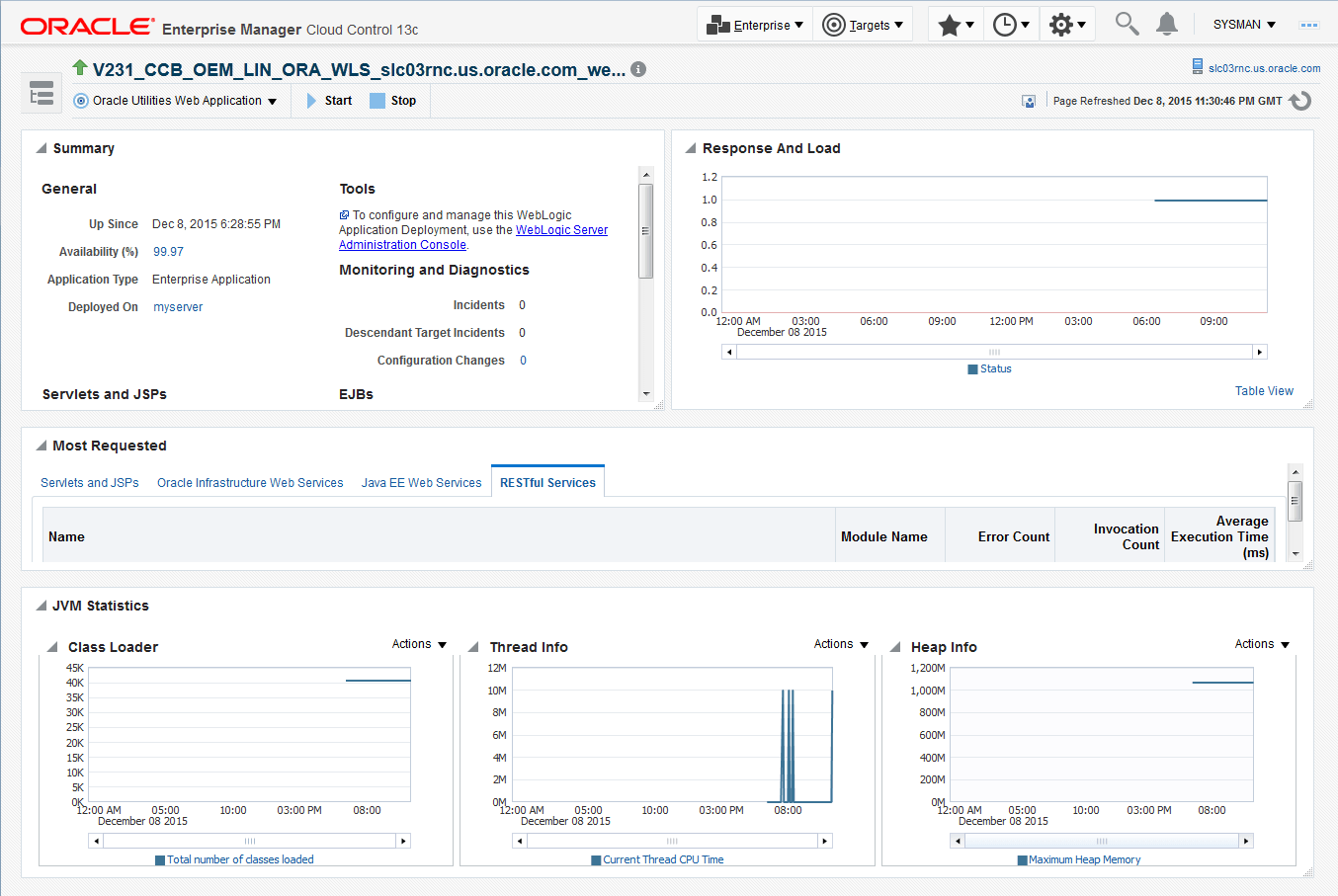
The Web Application Server Home page comprises four regions:
- General Information Region: This is the summary of the overall status of the Web Application. It tracks close to the General Information Region in the J2EE Application Server target home. The information is extracted from ServerRuntimeMBean. This region reuses the Deployment Summary Region provided by the Fusion Middleware Plug-in.
- Response And Load shows a simple graphic indicating historic availability and load.
- Performance Region: This region contains performance information collected from ServletRuntimeMBean, WsseOperationRuntimeMBean, and WebAppComponentRuntimeMBean for various JSP pages. This region reuses the Most Requested Region provided by the Fusion Middleware Plug-in.
- JVM Statistics Region: This region displays a set of standard JVM statistics acquired from JVMSystems MBeans in a chart format. The user can customize these graphs to display any of the other metrics that are collected.
Figure 4-18 Web Application Home page
Like other monitoring pages in this release, this UI is customizable. The user can customize the UI by clicking the Customize icon in the top right-hand corner:

Both the layout and content of the page can be changed.