Home Energy Analysis Module
The Home Energy Analysis modules prompt the customer to answer simple questions about their home attributes and energy habits to improve their report experience. The type of module the customer receives is configurable.
- Mini Home Energy Analysis (default): The Mini Home Energy Analysis prompts the customer to answer simple questions about their home attributes and energy habits from within the report.
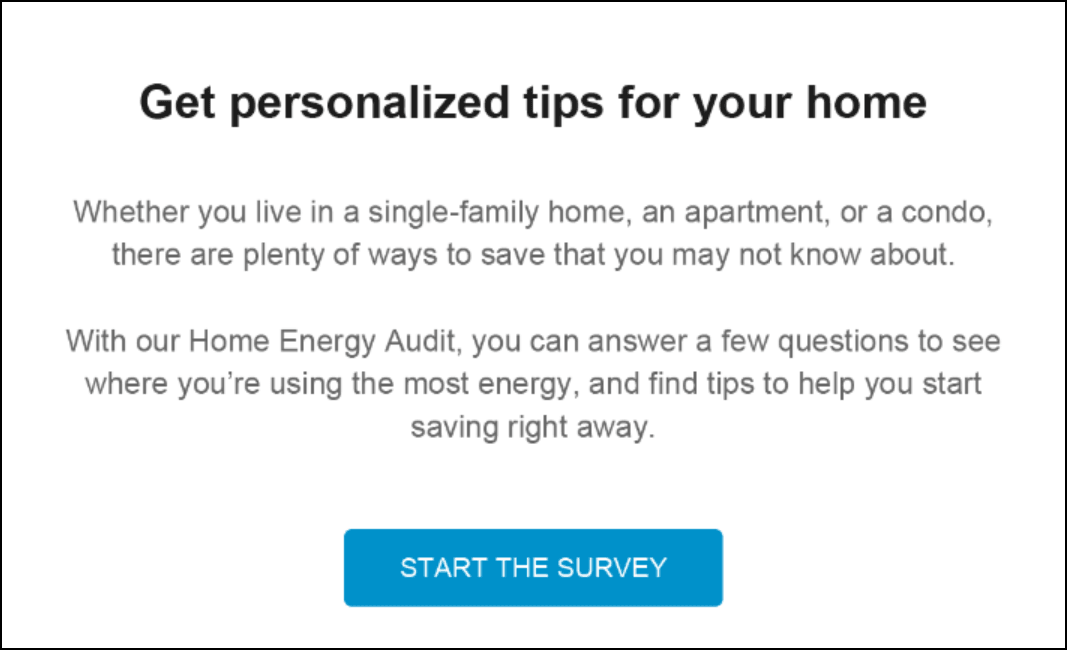
- Easy Open Home Energy Analysis: The Easy Open Home Energy Analysis encourages customers to complete the Home Energy Analysis in order to improve their report experience, and includes a call to action button that redirects the customer to the Home Energy Analysis in Digital Self Service - Energy Management where they can complete the full survey.
Requirements
Same as listed in the Requirements and Limitations. Additionally, utilities must purchase the Digital Self Service - Energy Management Cloud Service, which includes the Home Energy Analysis feature. The utility must work with Oracle Utilities Opower to launch the Home Energy Analysis survey online so customers can be redirected to it.
Limitations
There are no module-specific limitations for this module. For additional information see the Requirements and Limitations associated with the High Bill Alert (AMI) email.
User Experience
This section describes the common user experience with the module.
Heading: The module header tells the customer that they can get tips that are personalized for their home.
Home Energy Analysis Statement: The statement below the header explains how completing the Home Energy Analysis can help the user find out where they are using the most energy, get personalized tips, and save money.
Start The Survey Button: This button directs users to the Home Energy Analysis survey.