Obtaining Tenancy Information
As noted above, using GoldenGate Replication requires the OCID for the target tenancy. To do this, use the following steps:
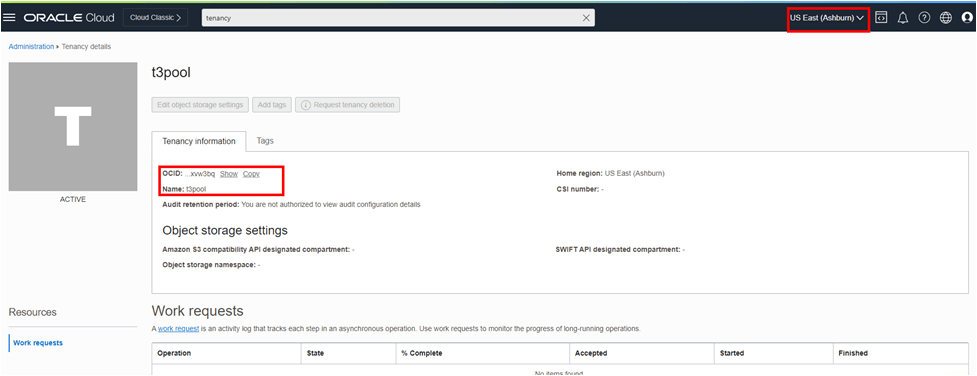
- Select the Tenancy Details option from the Administration page.
- Copy the Tenancy OCID and Name. This information is required for creating the source and target network path.
Note:
If the customer tenancy spans Regions, please ensure you are always in the appropriate region.