Setting Up Compartments and Security Policies
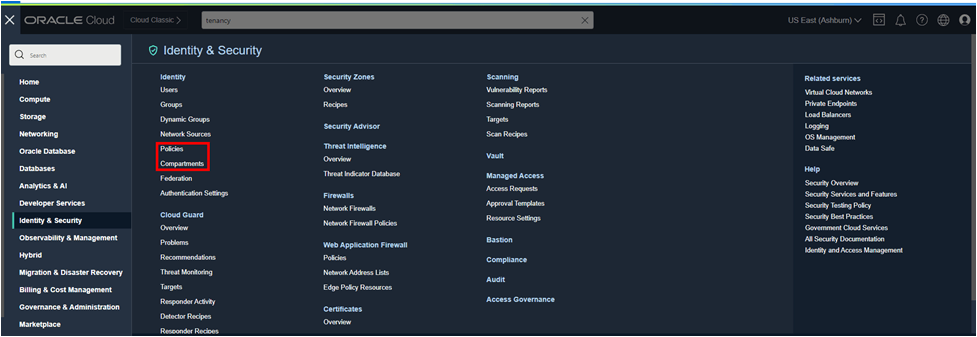
These tasks use the Compartments and Policies options available from the Identity & Security page.
Creating a New Compartment
To create a compartment, use the following steps:
- Select Compartments from the Identity & Security page.
- Click Create Compartment.
- Enter Compartment Details for your new compartment:
- Name: Enter a unique name (maximum 100 characters, including letters, numbers, periods, hyphens, and underscores).
- Description: Provide a friendly description.
- Parent Compartment: Choose the compartment where you want to create the new compartment (the root compartment is your tenancy).
- Tags (Optional): Apply free-form or defined tags if you have the necessary permissions.
- Click Create Compartment.
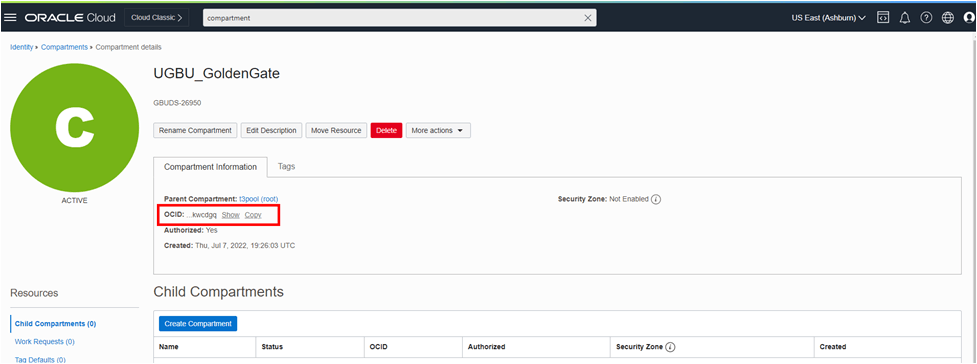
- Copy and note the Compartment’s OCID. This information is required for creating the source and target network path.
- Note the Compartment Name. You will need the Compartment Name to build Security Policies.
Creating Security Policies
The next step is to create Security Policies that will allow Oracle to create the Private Endpoint in this compartment.
To create security policies, use the following steps:
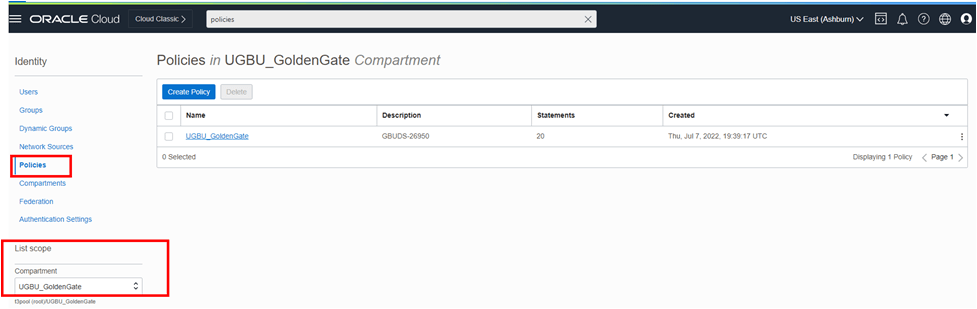
- Select Policies from the Identity & Security page.
- Click Create Policy.
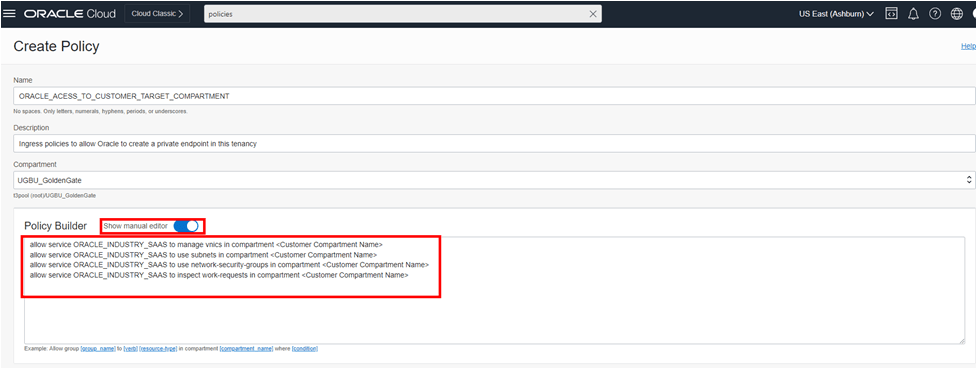
- Enter details for your Security Policy:
- Policy Name: Provide a descriptive name for the policy. Note that policy names must be unique across compartments.
- Description: Provide a description of the policy's purpose
- Compartment: Select your compartment from the Compartment drop-down list.
- Policy Statements: The Policy Builder wizard does not support all types of valid policies, so you must use ‘Show Manual Editor to create the policy statements needed for GoldenGate Replication.
- In the Policy Builder box, manually create the following policy statements:
allow service ORACLE_INDUSTRY_SAAS to manage vnics in compartment <Customer Compartment Name>allow service ORACLE_INDUSTRY_SAAS to use subnets in compartment <Customer Compartment Name>allow service ORACLE_INDUSTRY_SAAS to use network-security- groups in compartment <Customer Compartment Name>allow service ORACLE_INDUSTRY_SAAS to inspect work-requests in compartment <Customer Compartment Name>
where
<Customer Compartment Name>is the name of the compartment you created earlier.
- Click Create to create your security policy.