4.7.7 Payout Modification - Payout Modes
This topic explains the systematic instructions for setting the payout option as accounts.
To set payout modes:
- In the Add Payout Modes section, perform any of the following action:To set accounts as payout mode:
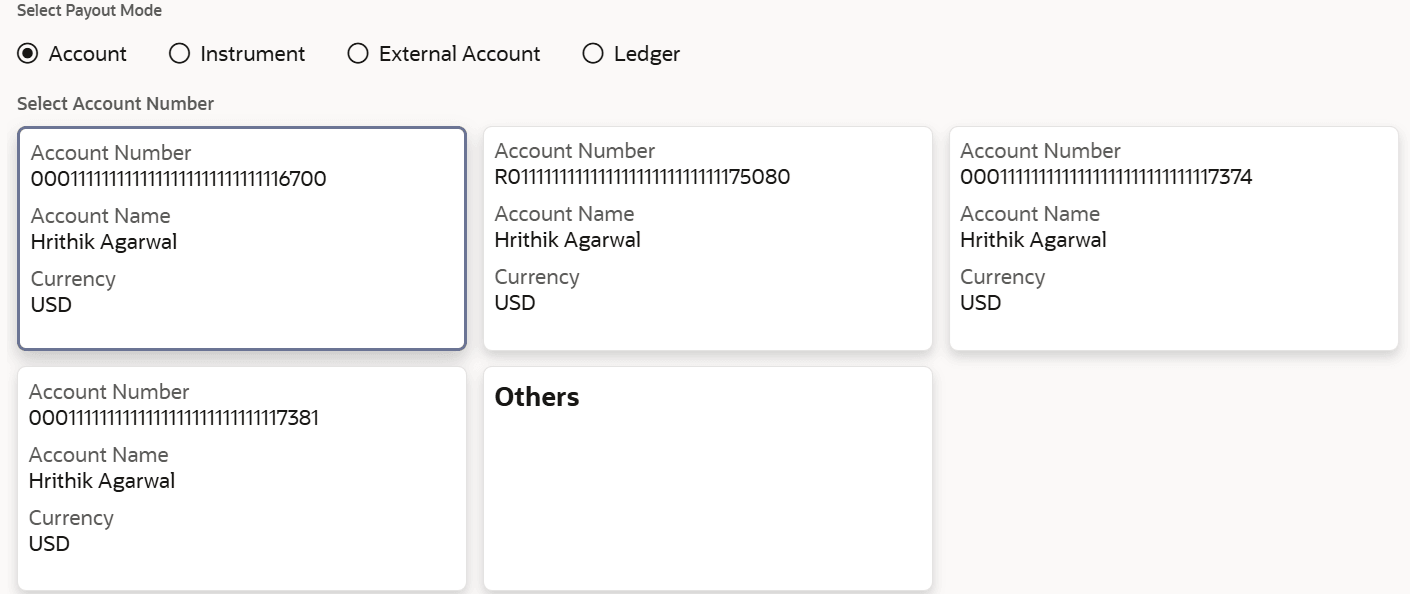
- From the Select Payout Mode field, select the Account option.
The fields related to accounts are displayed.
- Perform the required action. For more information on fields, refer to the field description
table.
Table 4-21 Add Payout - Accounts – Field Description
Field Description Select Payout Mode Select the Account option to perform the settlement. Select Account Number Displays the available each account details in a widget. The widget displays the Account Number, Account Name, and Currency. User can select the account to be set for payout.
If user selects the Others widget, then the Account Number field is displayed. From the Account Number field, click Search, and the Account Number section is displayed. In this section, perform search and fetch the required account number. Once the account number is selected, the name is displayed in the Account Name field.
Note:
This field is displayed, if the Maturity Instruction is set as Redeem Principal & Interest,Excess Settlement Account Displays each account in a widget format, that can be selected to settle any excess amount during rollover. The widget displays the Account Number, Account Name, and Currency. User can select the account to be set for payout.
If user selects the Others widget, then the Account Number field is displayed. From the Account Number field, click Search, and the Account Number section is displayed. In this section, perform search and fetch the required account number. Once the account number is selected, the name is displayed in the Account Name field.
- Click Add.
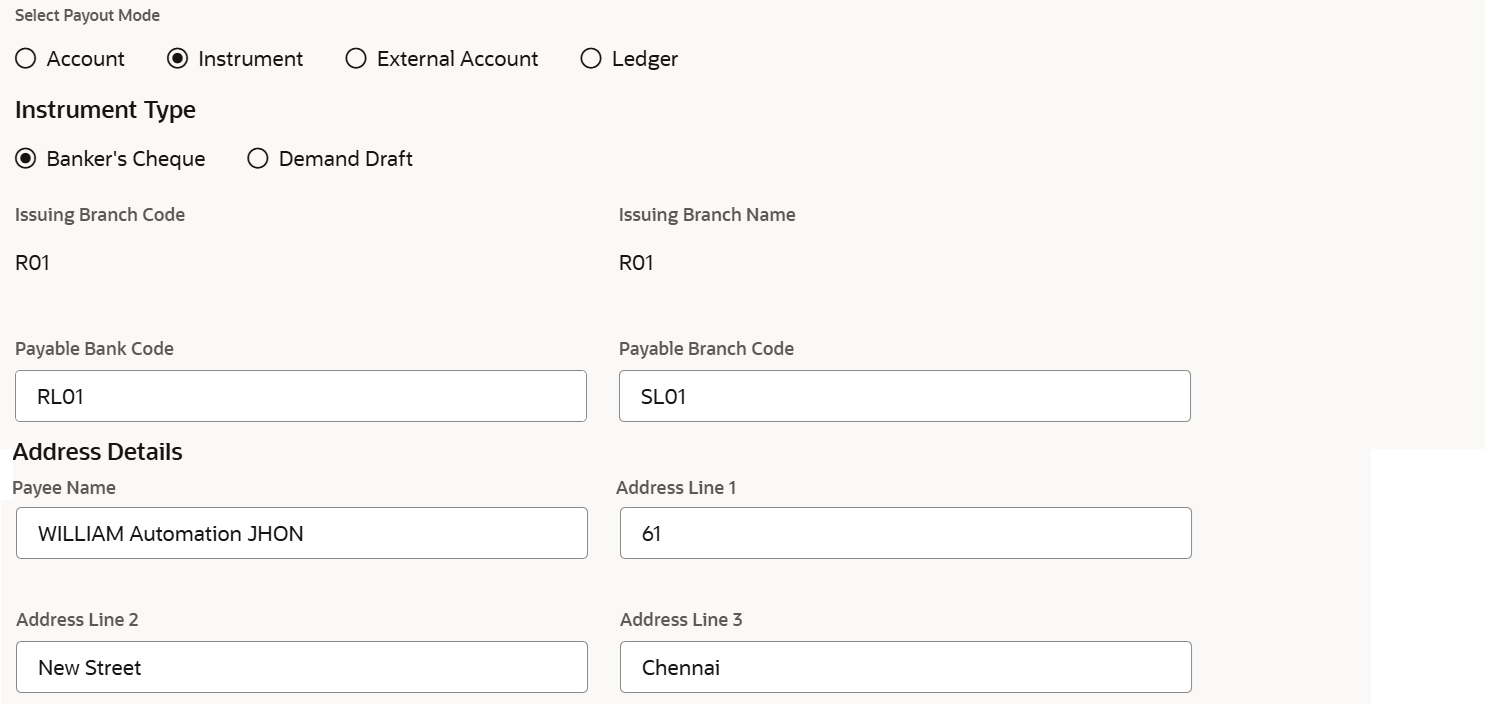
To set instrument as payout mode:- From the Select Payout Mode field, select the Instruments option.
The fields related to instruments are displayed.
- Perform the required actions. For more information on fields, refer to the field description
table.
Table 4-22 Add Payout - Instrument – Field Description
Field Description Select Payout Mode Select the Instrument option to perform the settlement. Instrument Type Select the type of instrument for the payout. The options are: - Banker's Check
- Demand Draft
Issuing Branch Code Displays the code for the issuing branch. Issuing Branch Name Displays the name of the issuing branch. Payable Bank Code Specify the code for the payable bank. Payable Branch Code Specify the code for the payable branch. Address Details This section displays the address details of the payee. Payee Name Specify the payee name. Address Line 1 Specify the payee's address. Address Line 2 Specify the payee's address. Address Line 3 Specify the payee's address. - Click Add.
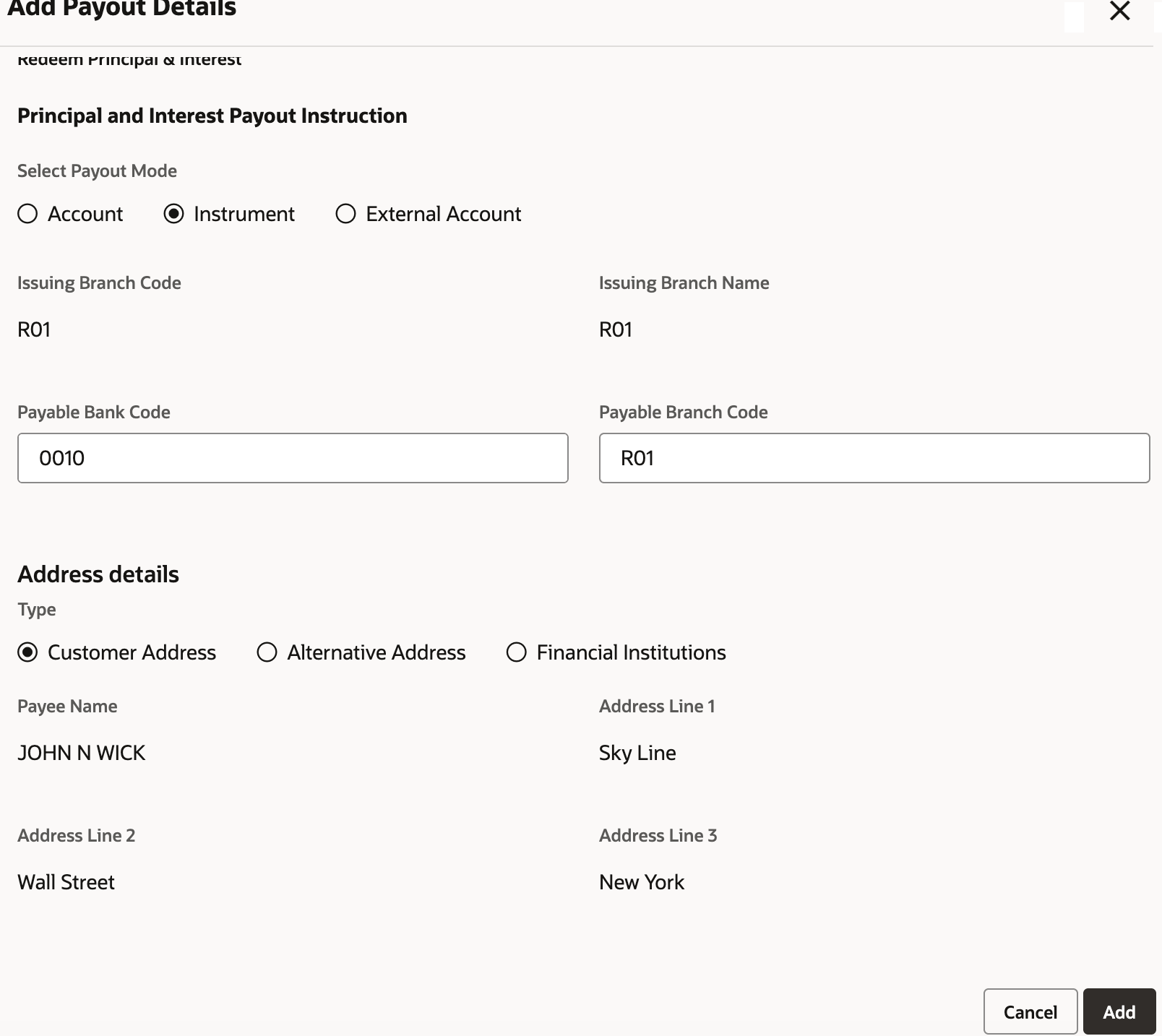
If the instrument issuance is set as External, user can capture below details:Table 4-23 Add Payout Details - Instrument - External
Field Description Select Payout Mode Select Instrument as payout mode. The other options are: - Account
- External Account
Issuing Branch Code Displays the code of issuing branch. Issuing Branch Name Displays the name of the issuing branch. Payable Bank Code Specify the code of the payable bank. Payable Branch Code Specify the code of the payable branch. Address details This section displays the address details. Type Select the address type. The options are: - Customer Address
- Alternative Address
- Financial Address
Payee Name Displays the name of the payee. Note:
- This field is displayed if the Customer Address option is selected from the Type field.
- This field is enabled if the Alternative Address option is selected from the Type field.
Address Line 1 Displays the address line 1. Note:
- This field is displayed if the Customer Address option is selected from the Type field.
- This field is enabled if the Alternative Address or Financial Institutions option is selected from the Type field.
Address Line 2 Displays the address line 2. Note:
- This field is displayed if the Customer Address option is selected from the Type field.
- This field is enabled if the Alternative Address or Financial Institutions option is selected from the Type field.
Address Line 3 Displays the address line 3. Note:
- This field is displayed if the Customer Address option is selected from the Type field.
- This field is enabled if the Alternative Address or Financial Institutions option is selected from the Type field.
Financial Institution Name Specify the name of the financial institution. Note:
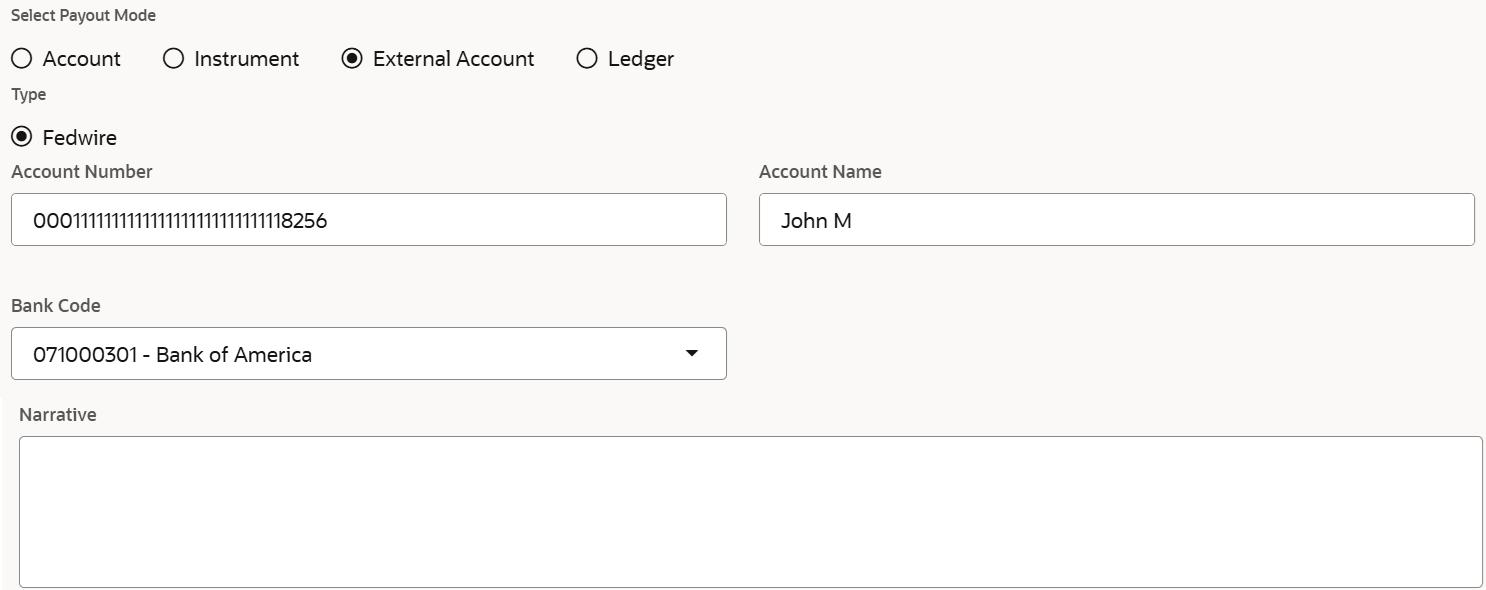
This field is displayed if the Financial Institutions option is selected from the Type field.To set external account as payout mode:- From the Select Payout Mode field, select the External Account option.
The fields related to external accounts are displayed.
Figure 4-34 Payout Mode - External Account
- Perform the required actions. For more information on fields, refer to the field description
table.
Table 4-24 Add Payout - External Accounts - Field Description
Field Description Select Payout Mode Select the External Account option to perform the settlement. Type Select the type of settlement. The option is: - Fedwire
By default, this option is selected.
Account Number Specify the settlement account number. Account Name Specify the settlement account name. Bank Code Select the bank code from the list. Narrative Specify a narration for the settlement, if any. - Click Add.
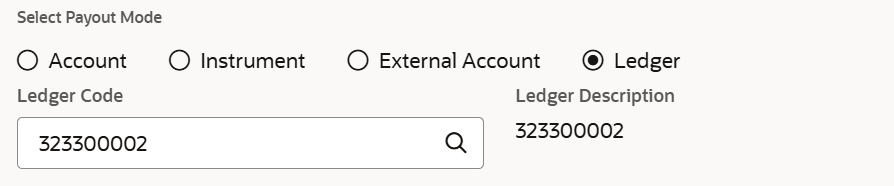
To set ledger as payout:
- From the Select Payout Mode field, select the Ledger option.
The fields related to ledger are displayed.
- Perform the required actions.
Table 4-25 Add Payout - Ledger
Field Description Select Payout Mode Select the Ledger option to perform the settlement. Ledger Code Select the ledger code for setting the payout. As user clicks Search, the Ledger Details section is displayed. User can specify the fields and click Fetch.
Ledger Description Displays the ledger description used for the transaction. - Click Add.
In the Certificate of Deposit Payout Modification screen, the payout modes are displayed in the Settlement details section. - From the Select Payout Mode field, select the Account option.
Parent topic: Payout Modification