3.7 FDT Status
This topic describes the systematic instructions to FDT status.
- To complete the FDT Status task, follow the steps below:
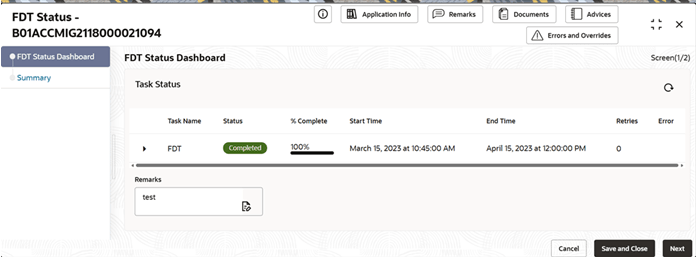
- Click Acquire and Edit.The FDT Status screen displays with FDT Status Dashboard Data Segment.
For more information on fields, refer to the field description table.
Table 3-10 FDT Status - Field Description
Field Description Task Name Displays the background prerequisites tasks which were triggered as part of initiation Status Displays the completion status for the particular task. - In Progress
- Completed
- Incomplete
- Failed
% Complete Displays the % of completion. Start time Displays the start time. End Time Displays the end time. Retries Displays the retries. Error Displays the error. Remarks Specify the remark.
- Click Acquire and Edit.
Parent topic: Migration Process