3.1 Pre-requisites
This topic describes the systematic instructions to per-requisites.
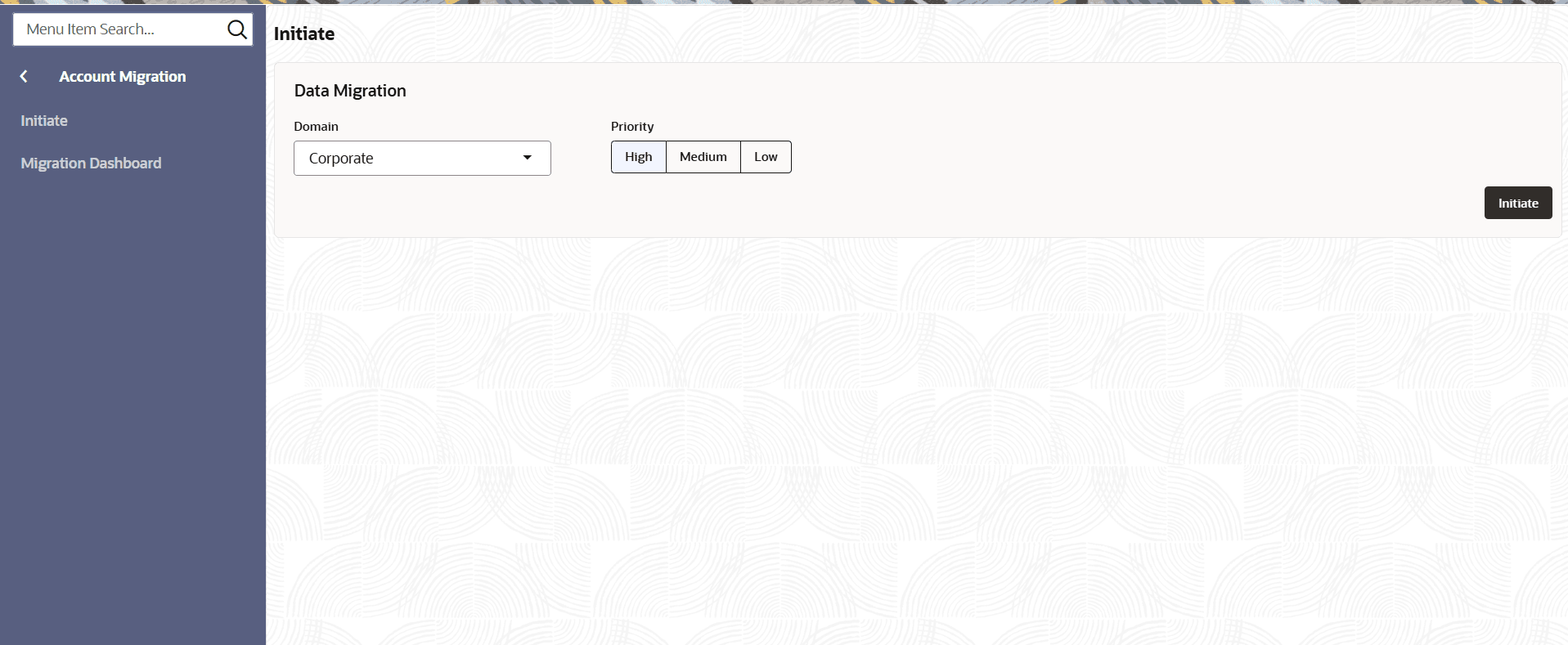
- On Home page, click Account Migration under Account Migration, click Initiate.The Initiate screen displays.
For more information on fields, refer to the field description table.
Table 3-1 Data Migration - Field Description
Field Description Domain Select the required domain to initiate the Migration process. The available options are:- Corporate
- Retail
- Nostro
- Deposits
Priority Specify the priority from the options - High
- Medium
- Low
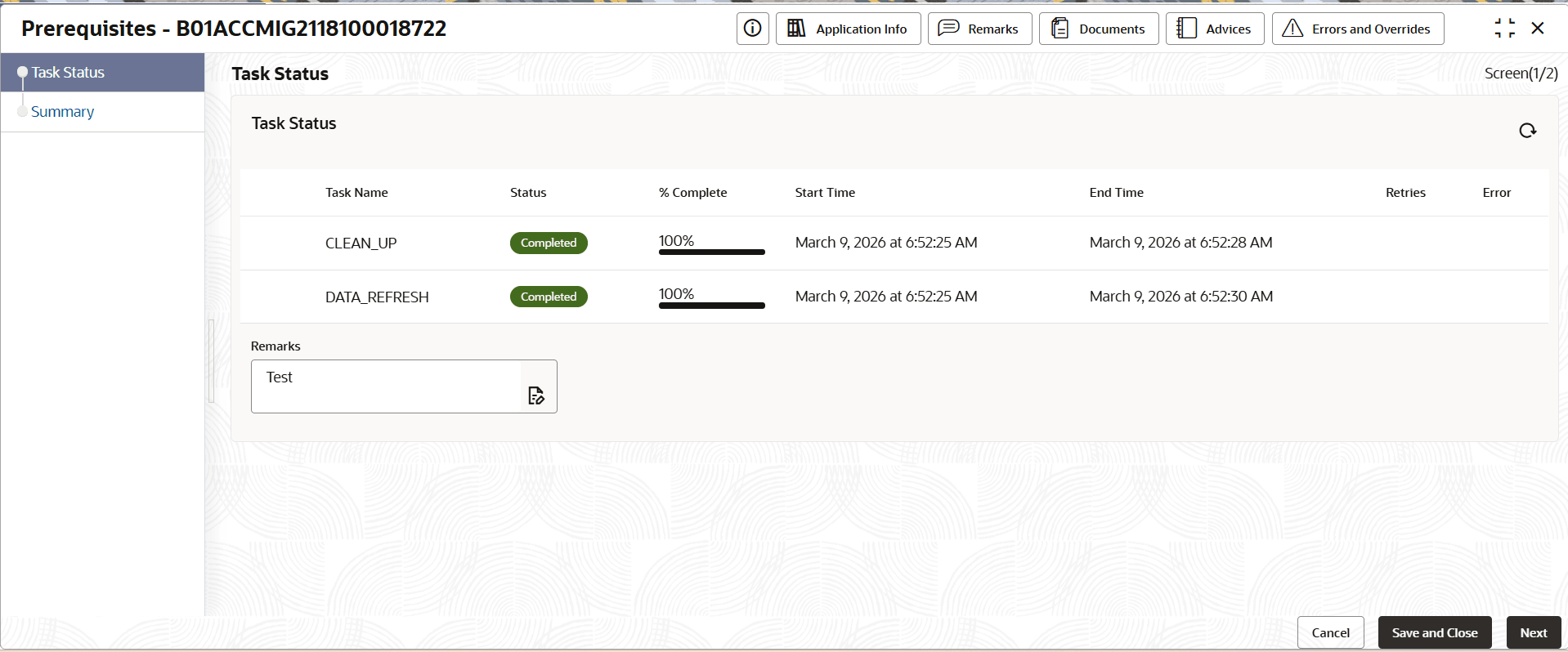
- Click Initiate.The Prerequisites screen displays with Task Status Data Segment.
For more information on fields, refer to the field description table.
Table 3-2 Task Status
Field Description Task Name Displays the background prerequisites tasks which were triggered as part of initiation.
CLEAN_UP: It cleanup the required migration schema and get the environment ready for next run.
DATA_REFRESH: It fetches the existing account numbers from the Production schema to Migration schema to perform a duplicate account number check.
Status Displays the current status for the particular task. The available options are:- In Progress
- Completed
- Incomplete
- Failed
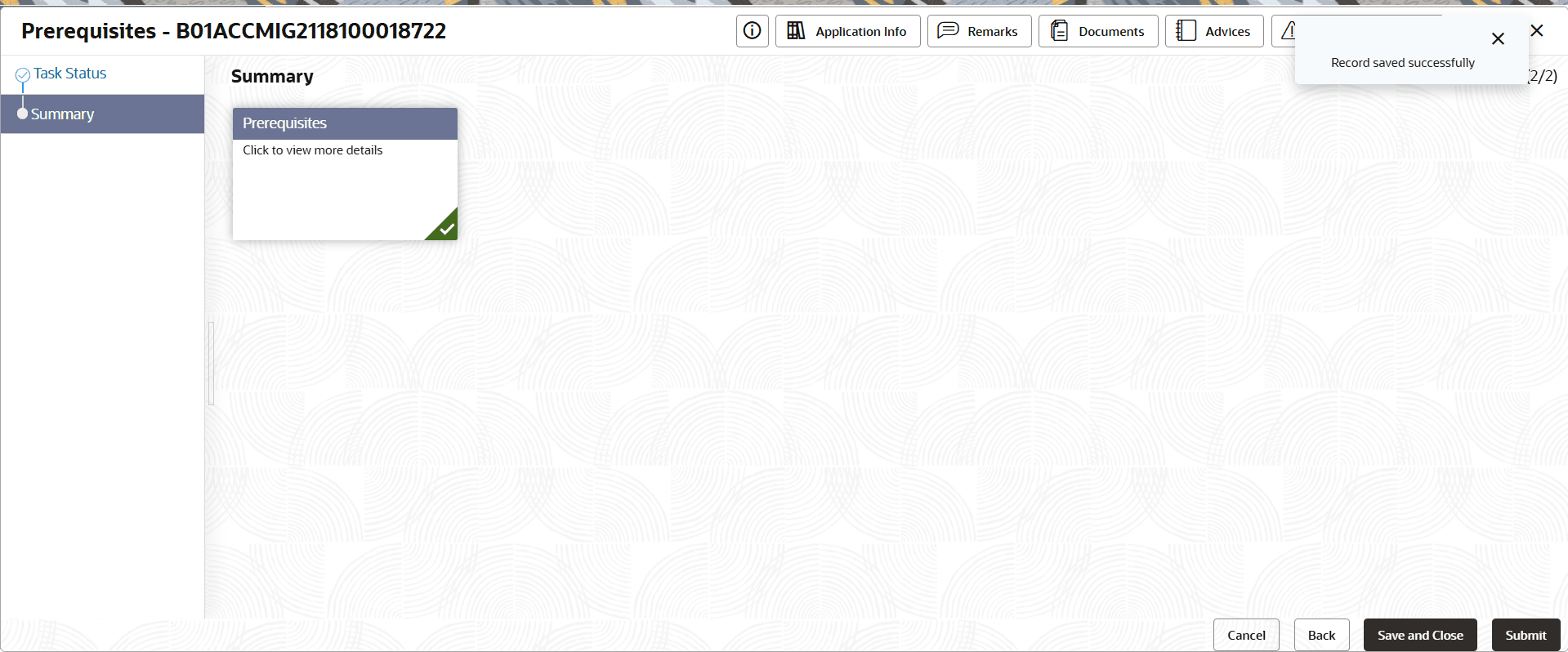
% Complete It is a progress bar which shows the completion percentage. Start Time Displays the Start Date with time stamp. End Time Displays the End Date with time stamp. Retries Displays the retry count, helping users understand how many times the system has retried. Error Displays the Error code with description in case of any failures. - Click Next.The Summary screen displays the Prerequisites tile.
Note:
Note:
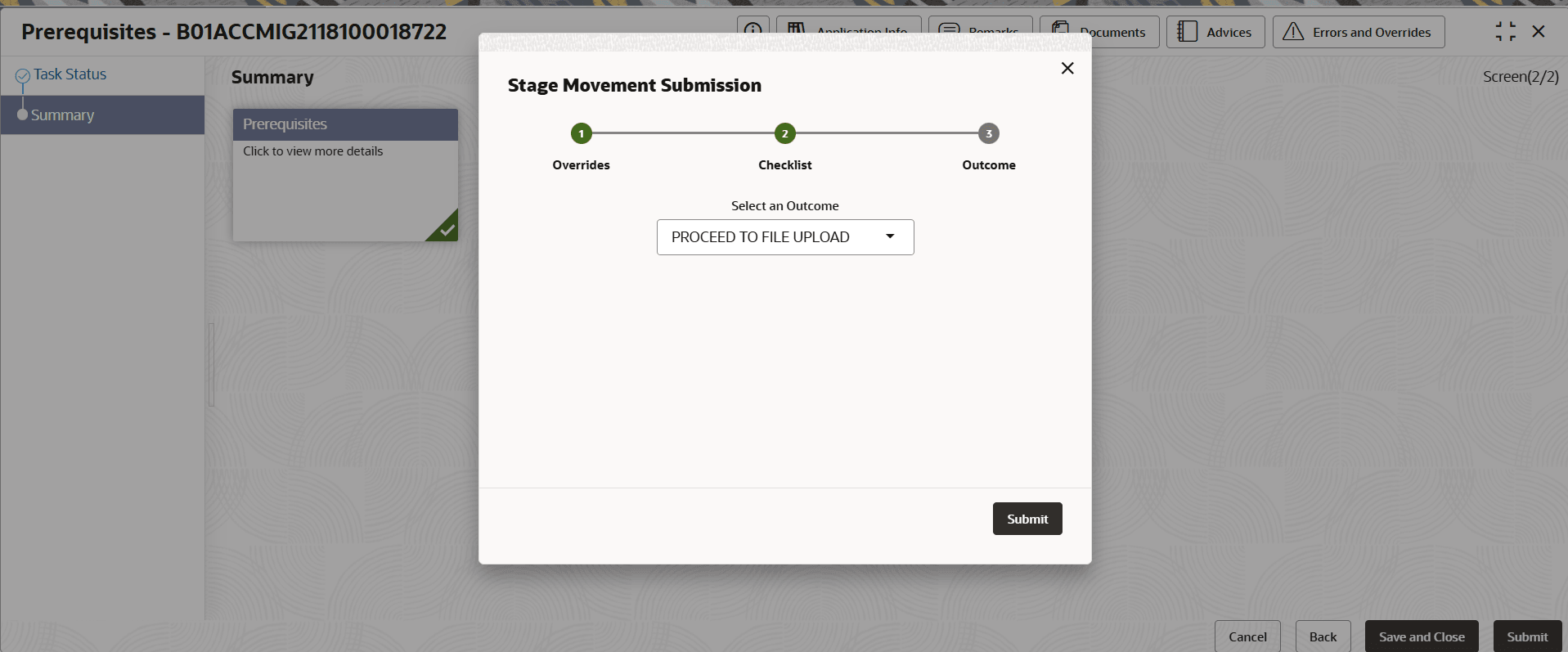
3. If any prerequisite is incomplete/failed, resolve it before proceeding. - To complete the Stage Movement Submission process,follow the steps below.
- Confirm the checklist items and then click Proceed Next.The Outcome stage displays.
- Confirm the checklist items and then click Proceed Next.
Parent topic: Migration Process