7.4 Trigger Tasks Manually

This topic provides a systematic instructions to trigger tasks manually.

  1. On Home screen, click Task Management. Under Task Management, and click Trigger Tasks.
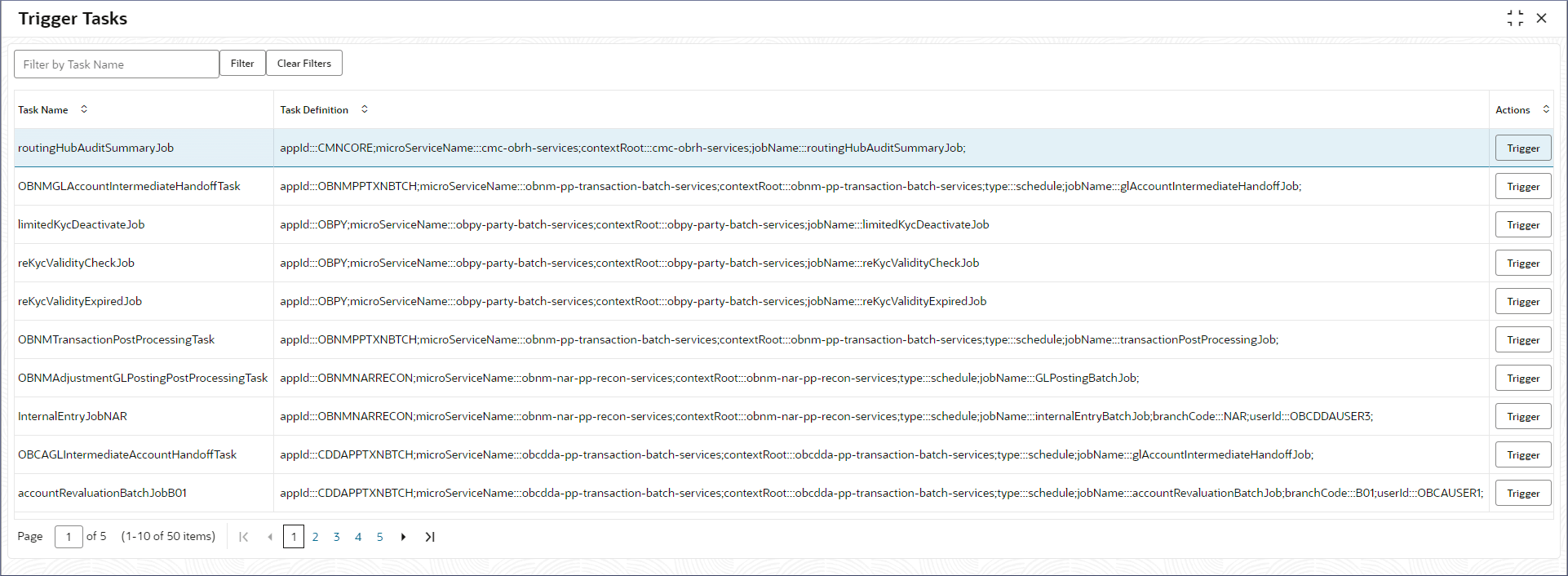
    The Trigger Tasks page displays.
  2. On the Trigger Tasks screen, specify the fields. For more information on fields, refer to field description table.

    Table 7-10 View Tasks Table - Field Description

    Field Description
    Task Name Displays the name of the task.
    Task Definition Displays the task definition.
    Actions Click Trigger, to trigger the task.
  3. In the Actions field, click Trigger, to trigger the task.
    The Task Trigger Status section displays the status of the triggered task.