6.6 Service Level Agreement
This topic provides the information of Service Level Agreement for Corporate Accounts.
Service Level Agreement (SLA) for all the transactions that involves business process. A view has to be provided to track the tasks for that system to have the below capability.
SLA WIDGET
SLA widget should be introduced to display the SLA status of a task as part of the dashboard and the following details:
- Available in the Dashboard and is accessible as per user credentials.
- Displays the SLA status maintained at the process level.
- Displays only those tasks that have not been handed off to Back Office system.
- Highlights the tasks that are within SLA (in green), approaching SLA breach (in amber) and that have breached SLA (in red).
- Able to view the number of items in each status for all the processes.
- On the screen, apply the filters. For more information on fields, refer to field description table.
Table 6-6 Filters - Field Description table
Field Description Customer Select the customer name. Branch Code & Name Select or specify the branch code and name. Process Select the process for applying filter. From Date Select or specify the from date. By default, the branch date is displayed. User can edit if required.
To Date Select or specify the to date. By default, the branch date is displayed. User can specify a back date.
SLA Status Select the SLA status from the drop-down list. The options are: - Near Breach
- Breached
- As per the filter criteria, the SLA Status widget displays the detail.
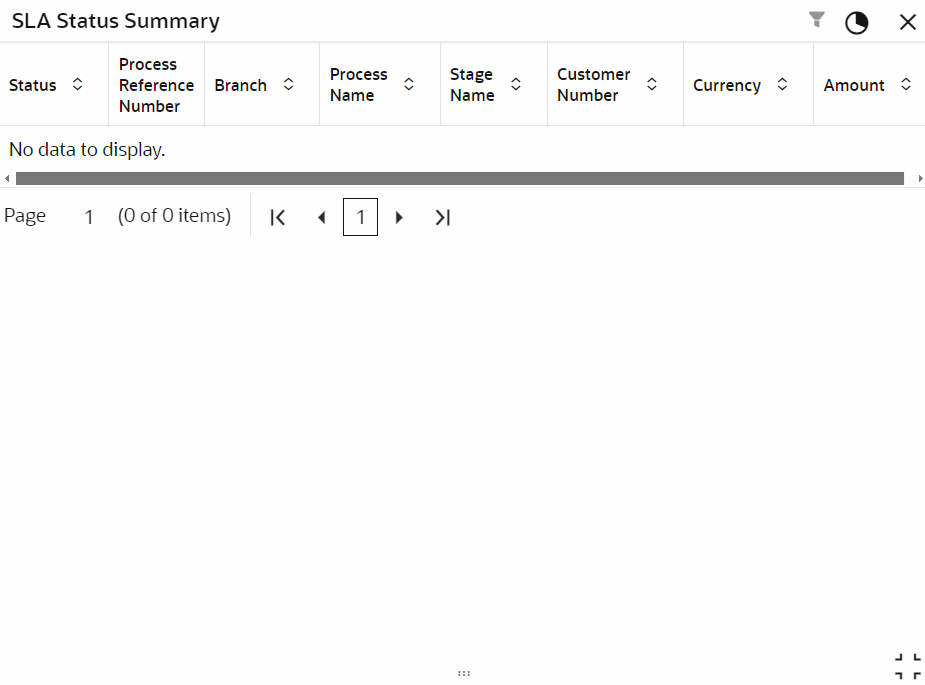
Table 6-7 SLA Status Summary - Field Description
| Field | Description |
|---|---|
| Status | Displays the SLA status. The possible options are:
|
| Process Reference Number | Displays the application reference number of the process. |
| Branch | Displays the origination branch code where the transaction is being processed. |
| Process Name | Displays the name of the process which is being tracked. |
| Stage Name | Displays the stage name in the process which is being tracked. |
| Customer Number | Displays the customer number for which the process is being tracked. |
| Currency | Displays the currency of the transaction if any. |
| Amount | Displays the transaction amount if involved. |
Parent topic: Corporate Accounts Dashboard Widgets