1.3.1 Create Notice Configuration
This topic describes the systematic instructions to Create Notice Configuration .
- On Home screen, under Menu, click Retail Deposits. Under Retail Deposits, click Configurations.
- Under Configurations, click Notice Configuration. Under Notice Configuration, click Create Notice Configuration.The Create Notice Configuration screen displays.
Note:
The fields marked as Required are mandatory. - Specify the fields on the Create Notice Configuration screen.
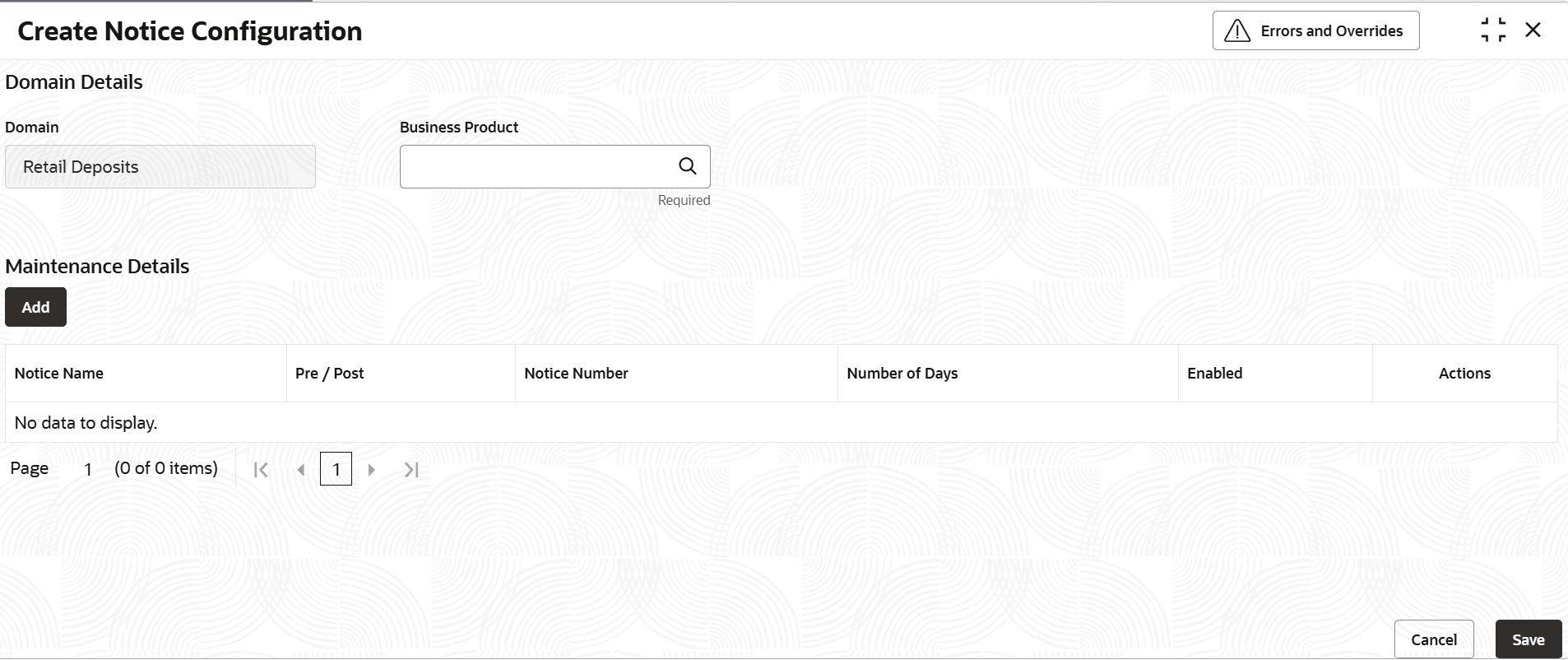
Table 1-13 Create Notice Configuration - Field Description
Field Description Domain Displays the domain as Retail Deposits. Business Product Select the business product from the list of values for which notice maintenance is required. User can select ALL products as the options if the same maintenance is applicable for ALL business products. User can also maintain apart from ALL products, notice maintenance for specific products too. System will identify if there is a specific maintenance for the business product and then consider ALL if there is no specific maintenance for the product. Maintenance Details Section displays the notice maintenance multi-grid details. Notice Name Select the notice event from the list. The available options are:- Maturity Notice
- Zero Balance Deposit Notice
Pre/Post Select whether the notice publication is pre-event or post-event. The available options are:- Pre
- Post
Notice Number Specify the sequence number of the notice for the selected Notice Name and Pre/Post type. Notice Days Specify the number of days before or after the selected event for notice publication. Enabled Toggle ON to enable notice publication for the configured row. If enabled, the configured notice will be published to EDP based on Notice Name, Pre/Post, Notice Number, and Notice Days. - After specifying all the details, click Save and Close to complete the steps or click Cancel to exit without saving.Example Configuration:
- Row1:
- Notice Name: Maturity Notice
- Pre/ Post: Post
- Notice Number: 1
- Notice Days: 2
- Enabled: Y
- Row2:
- Notice Name: Maturity Notice
- Pre/ Post: Post
- Notice Number: 5
- Notice Days: 5
- Enabled: Y
For the above configuration; the maturity/ renewal notification should be published to EDP "Post the Maturity/ Renewal of the CD" .
The "First Notification will be published" to EDP "2 days post" the maturity/ renewal event of the CD .
The "Second Notification will be published" to EDP "5 days post" the maturity/ renewal event of the CD.
- Row1:
Parent topic: Notice Configuration
