1.12.1 Create ESA Parameters

This topic explains the systematic instructions to create ESA parameters.

Note:

The fields marked as Required are mandatory.
  1. On Home screen, under Menu, click Retail Account Configurations. Under Retail Account Configurations, click ESA Parameters Configuration.
  2. Under ESA Parameters Configuration, click Create ESA Parameters.
    The Create ESA Parameters screen displays.
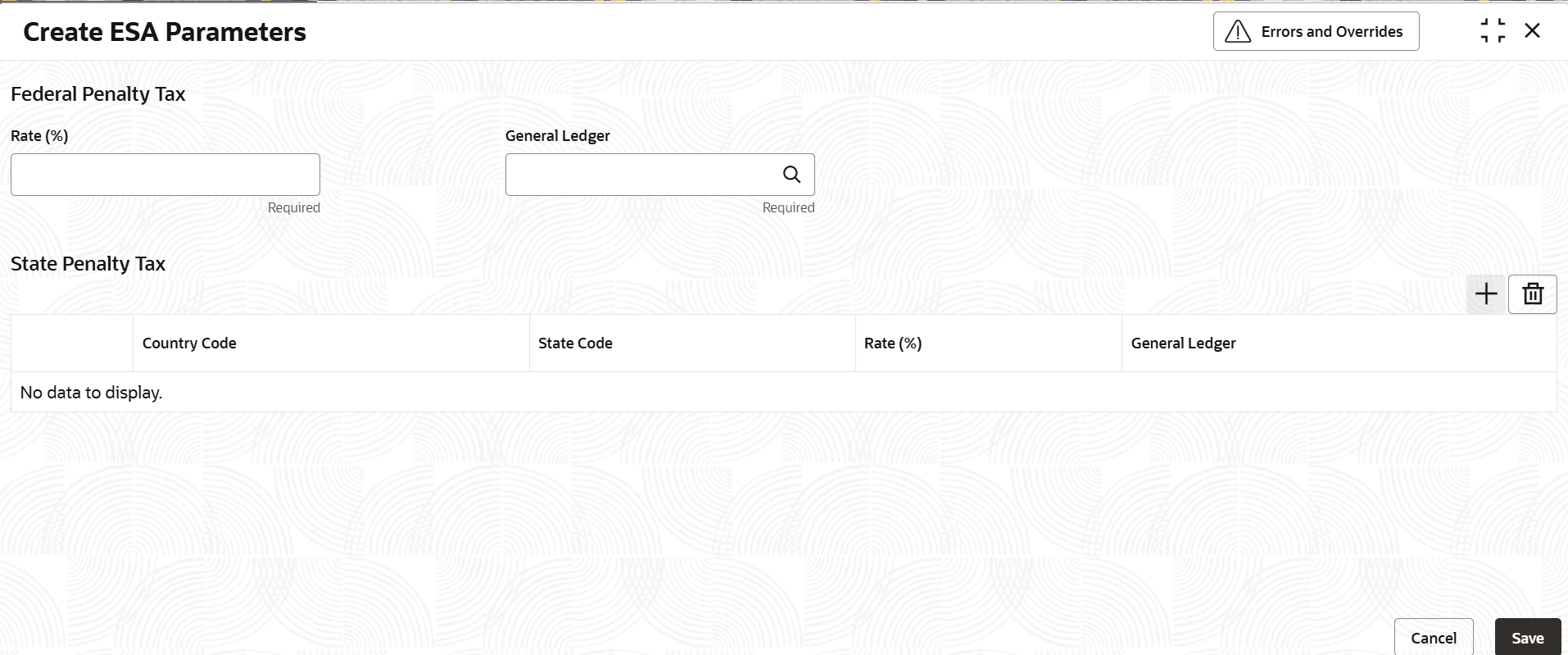
    Figure 1-48 Create ESA Parameters


  3. Specify the fields on Create ESA Parameters screen.

    For more information on fields, refer to the field description table below.

    Table 1-51 Create ESA Parameters - Field Description

    Field Description
    Rate (%) Captures the Federal penalty tax rate to be applied as penalty tax on in case of a non-qualified ESA distribution. The Federal Penalty GL captures the GL account to which the penalty tax amount is to be accounted
    General Ledger This field captures the GL account to which the federal penalty tax amount is to be accounted.
    State Penalty Rate (%) State-code wise maintenance of State Penalty tax rates – if state penalty tax rate is applicable at state level. This penalty tax is applied on non-qualified ESA distributions over and above the federal penalty tax rate. The state penalty GL captures the GL account to which the penalty tax amount is to be accounted. This is a multi-grid entry, and the state penalty tax rates and GL can be configured for multiple states as applicable.
    Country Code Specify the applicable country code from the list of values.
    State Code Specify the applicable state code from the list of values.
    Rate This field captures the state penalty tax rate to be applied as penalty tax on in case of a premature distribution.
    General Ledger Select from the list of GL account numbers, the GL account to which the state penalty amount needs to be accounted.
  4. After specifying all the details, click Save to complete the steps. Or, click Cancel to exit without saving.