1.3.1 Create External Parameter Configuration

This topic describes the systematic instructions to create external parameter configuration screen.

  1. On Home screen, under Menu, click Retail Deposits. Under Retail Deposits, click Configurations.
  2. Under Configurations, click External Parameter Configuration, under External Parameter Configuration, click Create External Parameter Configuration.
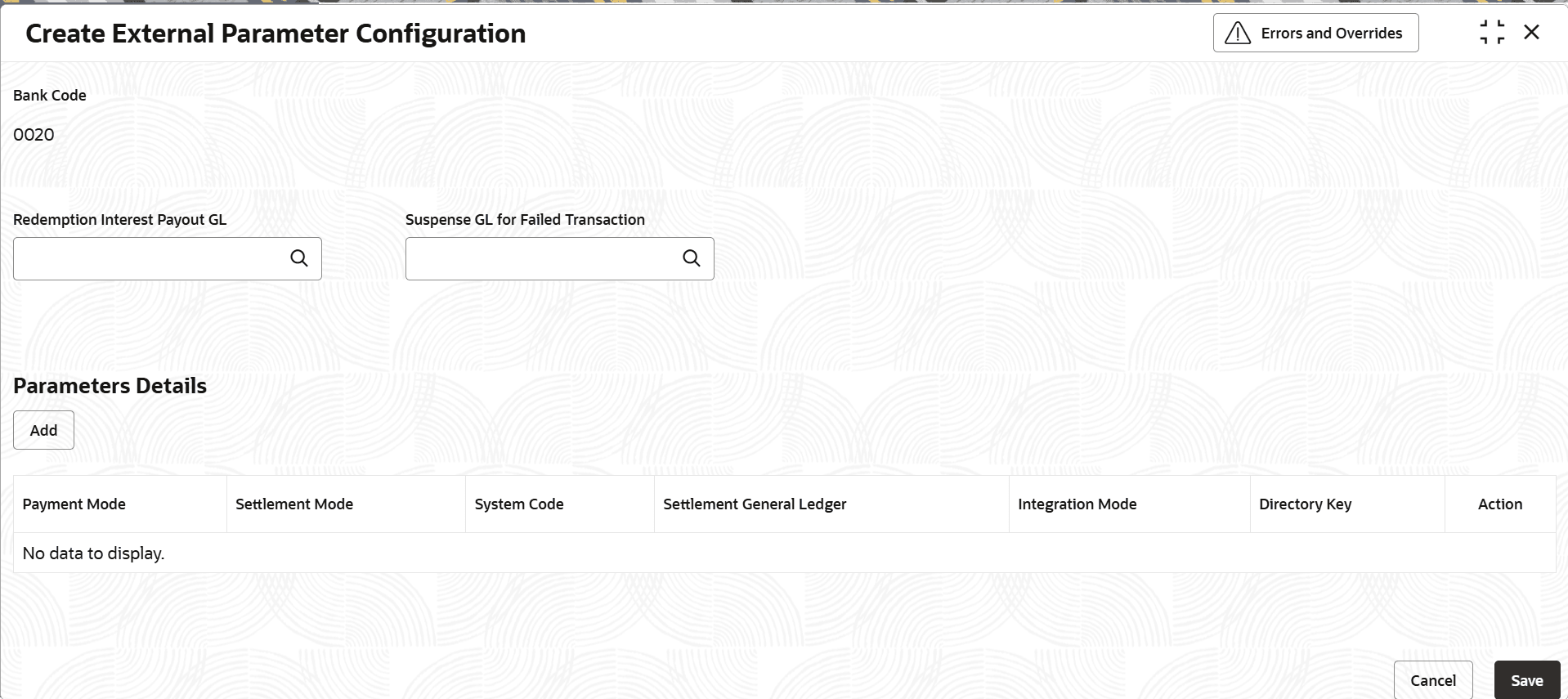
    The Create External Parameter Configuration screen displays.

    Figure 1-13 Create External Parameter Configuration


  3. Specify the fields on Create External Parameter Configuration screen.

    For more information on fields, refer to the field description table below.

    Table 1-13 Create External Parameter Configuration - Field Description

    Field Description
    Bank Code Specifies the bank code for which the parameters are maintained. This will generally be defaulted to the only value that is available as part of the bank maintenance in common core (system allows only one bank code to be maintained for a bank/ Financial Institution (FI) in common core and that value will be defaulted here).
    Redemption Interest Payout GL Click Search icon and select redemption interest payout GL from the list.
    • In case of Gross method - this acts an intermediary GL so that, the penalty will be deducted from redemption amount and the net payout will be made to the redemption payout account from this GL.
    Suspense GL for Failed Transaction Click Search icon and select suspense GL for failed transaction from the list.
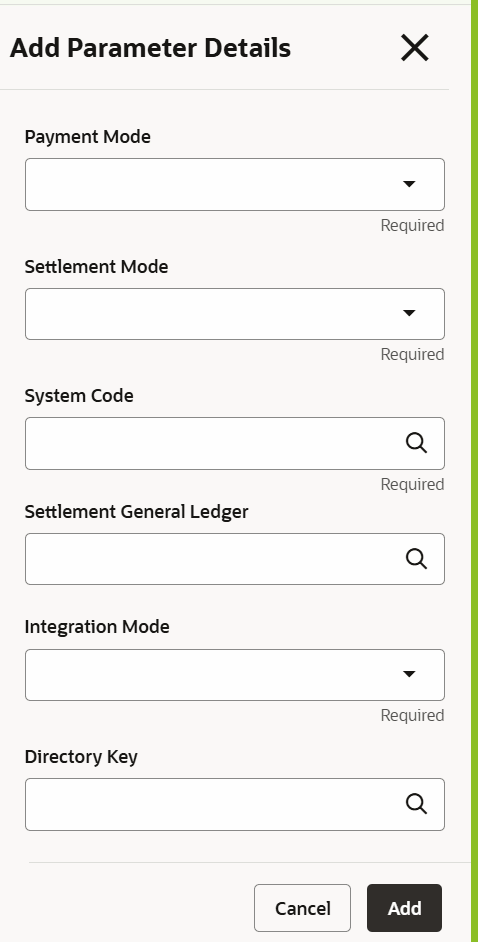
  4. Specify the fields on Parameters Details screen. Click the Add button in the Add Parameters Details.
    The Add Parameters Details screen displays.

    Figure 1-14 Add Parameters Details


    For more information on fields, refer to the field description table below.

    Table 1-14 Add Parameters Details - Field Description

    Field Description
    Payment Mode Select payment mode from the drop-down list.
    The available options are:
    • PAYIN
    • PAYOUT
    • BOTH
    Settlement Mode Select system code from the drop-down list.
    The available options are:
    • Account
    • GL
    • Cheque
    • ACH
    • Fedwire
    System Code Click Search icon and select system code from the list.
    Settlement General Ledger Click Search icon and select settlement ledger from the list.
    Integration Mode Select Integration Mode from the drop-down list.
    The available options are:
    • HANDOFF
    • Rest API
    Directory Key Click Search icon and select Directory Key from the list.
  5. After specifying all the details, click Add to complete the steps. Or click Cancel to exit without Adding.