3.5.2.2 Maintain External Notification and Queue Connection Profile
Users must maintain the details of the external notification queue and the queue connection profile for callback setup in Oracle Banking Payments.
Once the Oracle Banking Branch transfers the transactions to Oracle Banking Payments for processing, Oracle Banking Payments will send a notification back to the Oracle Banking Branch according to the configurations listed in this topic.
To maintain external notification and queue connection profile:
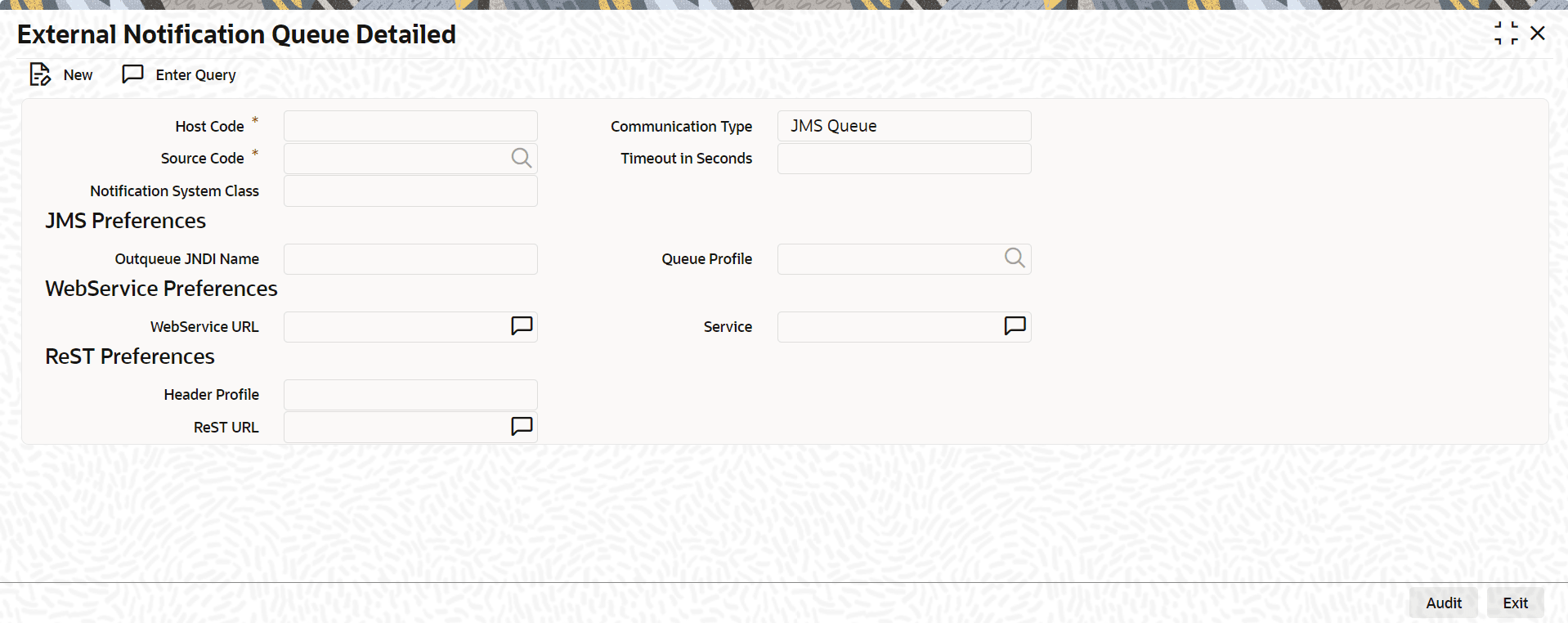
- On the Home screen, specify PMDEXTNT in the text box, and click the next arrow.The External Notification Queue Detailed screen is displayed.
Figure 3-15 External Notification Queue Detailed
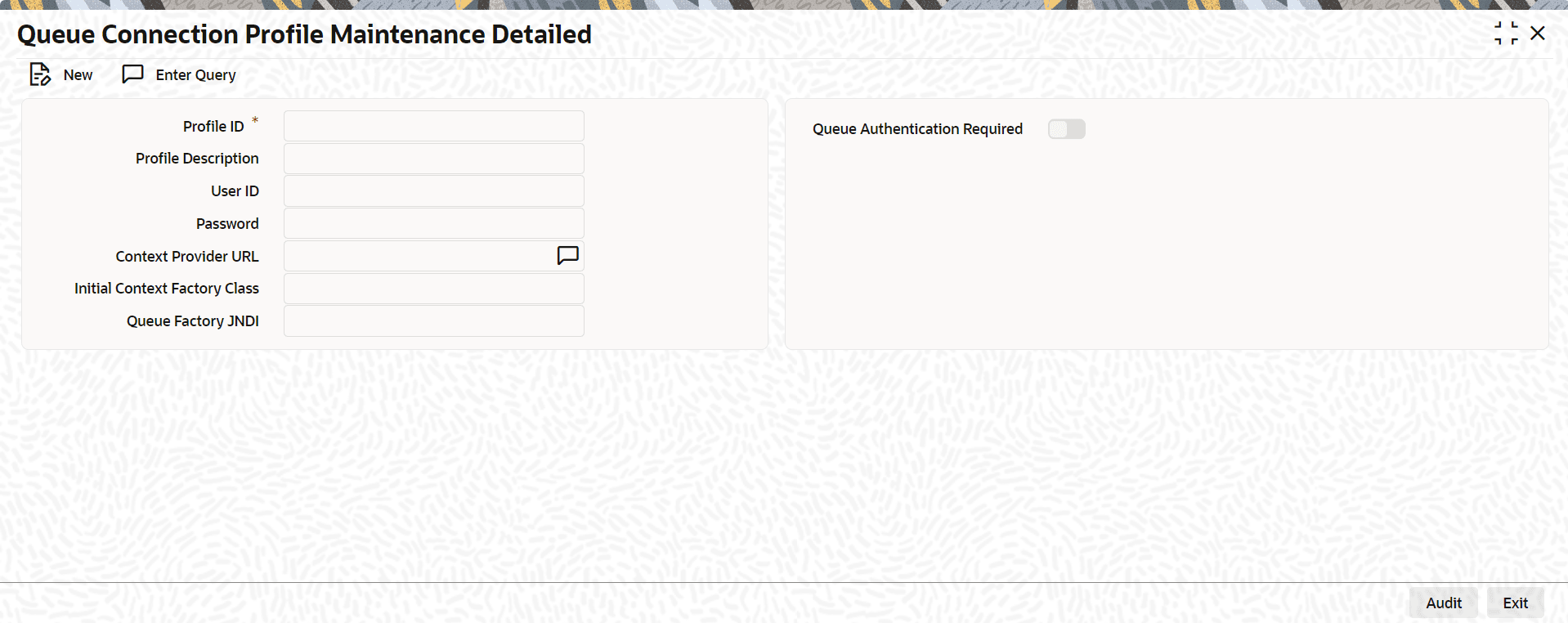
- On the Home screen, specify PMDQPROF in the text box, and click the next arrow.The Queue Connection Profile Maintenance Detailed screen is displayed.
Figure 3-16 Queue Connection Profile Maintenance Detailed
Note:
The Profile ID shown in the figure should be maintained as the Oracle Banking Branch User ID for that branch.
Parent topic: Maintenance for Oracle Banking Payments