1.3.1 Customer Search
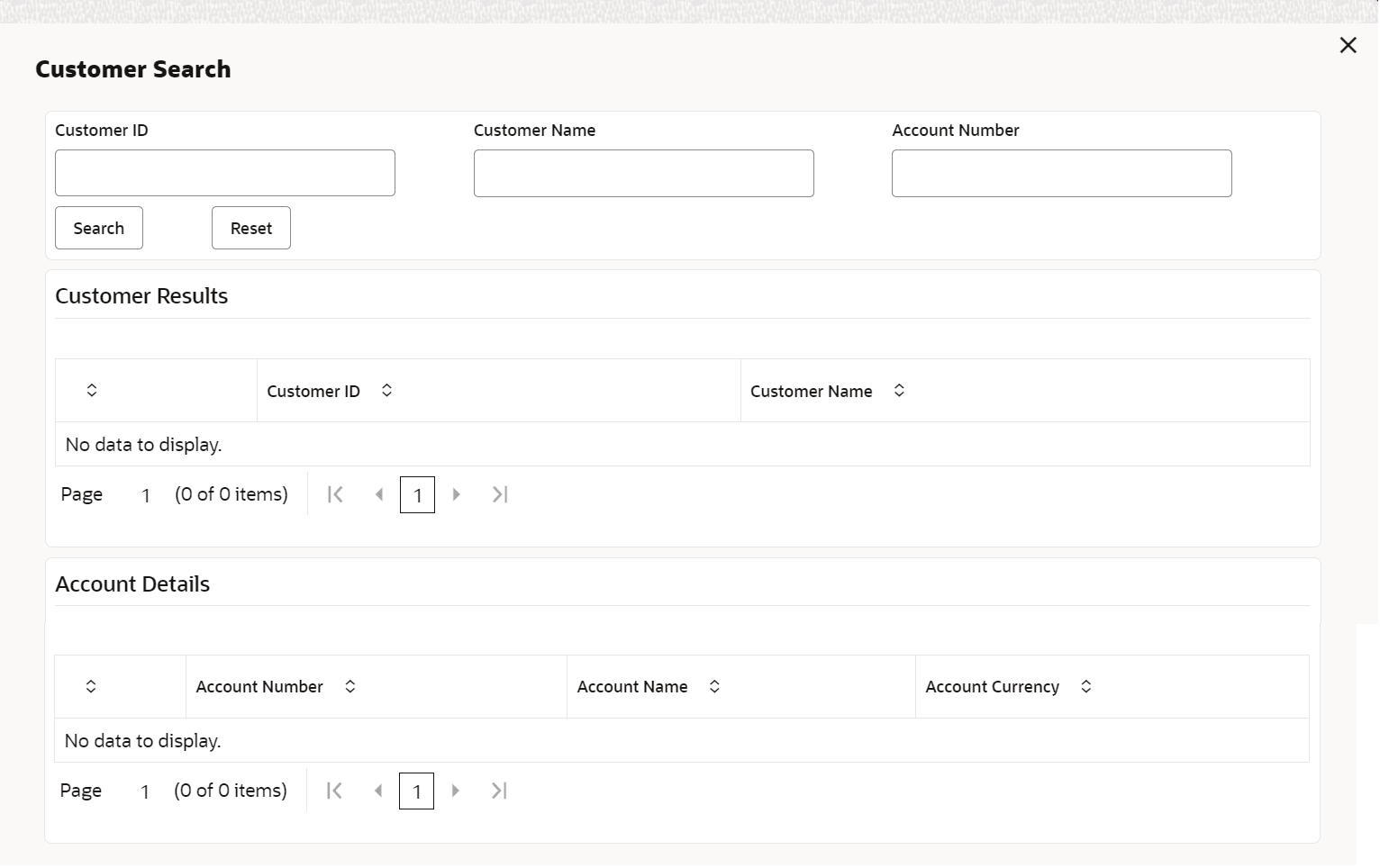
The Customer Search is located in the Branch Dashboard and Teller Transaction screens. It is used to query and find a specific customer account.
-
Customer ID
-
Customer Name
-
Account Number
To find a specific customer account:
- On the Home screen or the transaction screen, in the Customer Search widget, click Search icon.The Customer Search screen is displayed.
- On the Customer Search screen, query the details. For more
information on fields, refer to the field description table.
Table 1-3 Customer Search - Field Description
Field Description Customer ID
Specify the customer ID which the details need to be queried.
Customer Name
Specify the name of the customer for which the details need to be queried.
Account Number
Specify the account number for which the details need to be queried.
Search
Clickto get the results for the specified Customer ID, Customer Name, or Account Number.Figure 1-4 Search

Reset
Click Reset to clear the search results.
Customer Results
Displays the customer search results.
Customer ID
Displays the customer ID.
Customer Name
Displays the customer's name.
Account Details
Displays the account search results.
Account Number
Displays the account number.
Account Name
Displays the description of the account.
Account Currency
Displays the currency of the account.
Parent topic: Application Layout