1.3.2 About Transaction Area
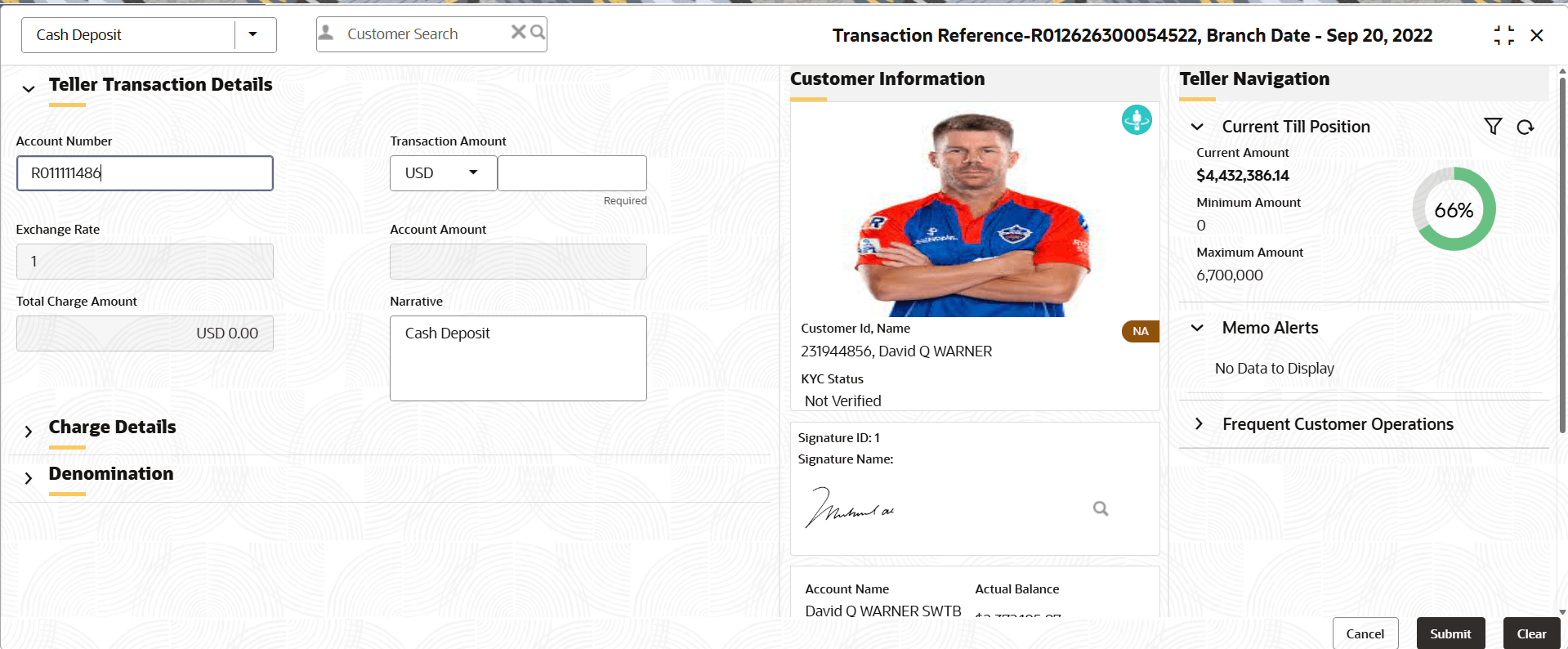
The transaction area consists of a transaction panel, a Customer Information widget, and additional widgets within the Teller Transaction screens.
Note:
Users can also input amounts in short formats on the transaction screens. The system converts short transaction amount formats to the full amount when users tab out. The system supports short amount formats such as T for Thousand, M for Million, and B for Billion. When the user inputs 1B in the Transaction Amount field, the system defaults it to 1,000,000,000 upon tabbing it out.Transaction Header
Table 1-4 Transaction Header
| Item | Description |
|---|---|
|
Transaction Screen Name |
Displays the name of the selected transaction screen. |
|
Customer Search |
For information on the Customer Search, refer to Customer Search. |
|
Branch Date |
Displays the current branch date. |
Transaction Panel
The transaction panel consists of the data segments with the necessary input fields and action buttons. Users need to specify the details in the fields to perform the transactions.
Customer Information
Table 1-5 Customer Information
| Field | Description |
|---|---|
|
Display Option |
The Customer Information widget is displayed only if this option is selected.
Note: The display option is based on the Y/N static maintenance maintained in the function code indicator table. User need to enable it in the SRV_TM_BC_FUNCTION_INDICATOR table. |
|
Customer's Image |
Displays the image of the customer. |
|
Customer's Name |
Displays the name of the customer. |
|
KYC Status |
Displays the KYC status of the customer. |
|
Signature |
Displays the signature of the customer. |
|
Account Details |
Displays the details of the customer account. |
|
Address Details |
Click |
|
Contact Details |
Displays the contact details of the customer. |
|
Current Till Position |
Displays the current till position.
Note: For more information refer Branch Dashboard= |
|
Memo Alerts |
Displays the instructions maintained in host for the Customer Level Memo and Account level Memo for the specified account number. |
 to view the customer address.
Parent topic: Application Layout