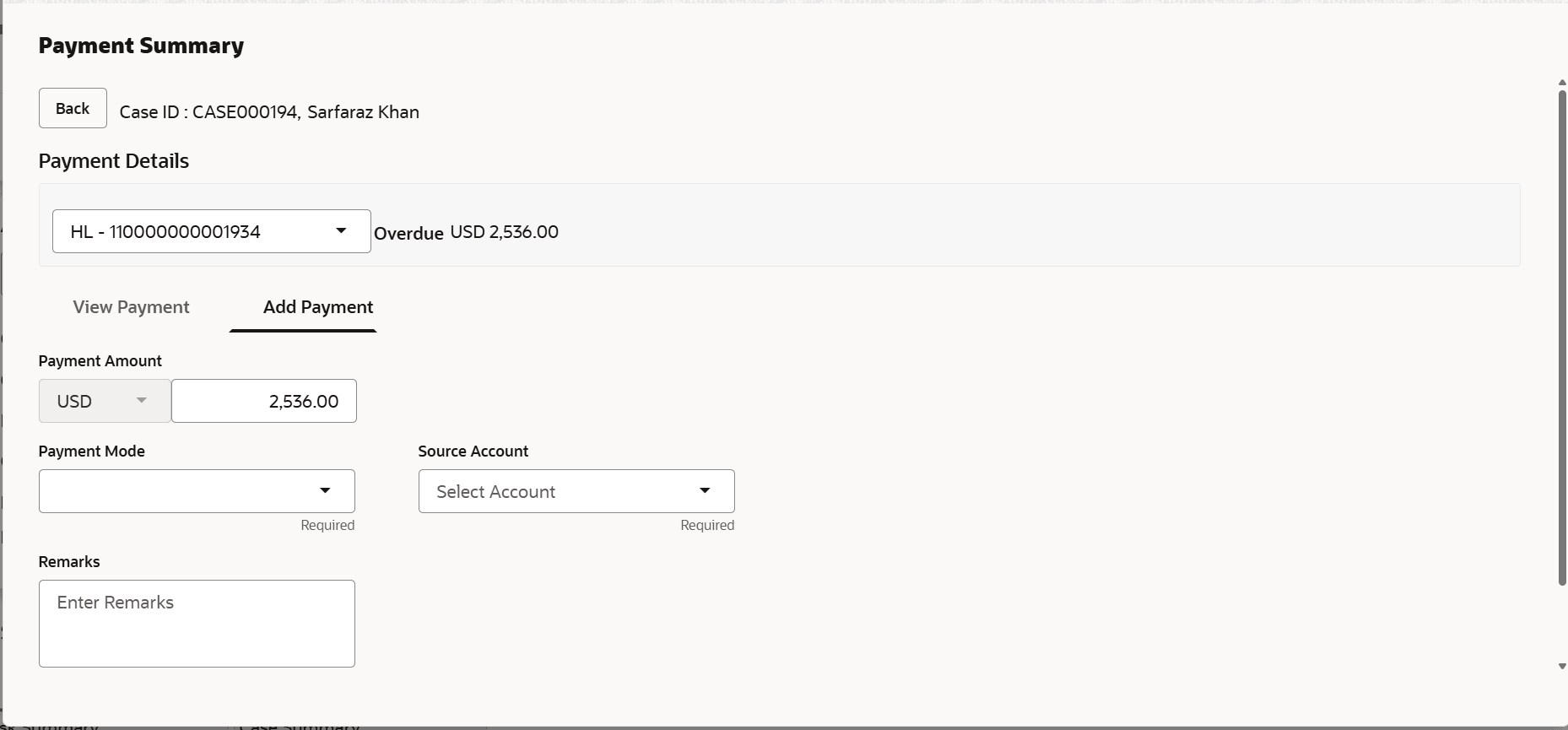
4.9.2 Add Payment User can perform a payment by specifying details, such as payment amount, mode and remarks. To perform a payment: Navigate to the Case Summary page. In the Account widget, select the required account from the account list. In the Quick Links widget, click Payments. Click on Add Payment tab.The Add Payment screen is displayed. Figure 4-8 Add PaymentDescription of "Figure 4-8 Add Payment" In the Payment Amount field, enter the amount that the customer is paying. In the Payment Mode field, select the payment mode. In the Remarks field, enter the appropriate remarks. Click Save. Parent topic: Payments