2.10.1.34 Additional Loan Details

This topic describes the systematic instructions to additional loan details screen. Use Additional Loan Details screen to capture the Additional Loan details such as product code, expense Code and so on.

  1. In the Agency Drawdown, click Additional Loan Details tab and provide the required details.
    The Additional Loan Details screen displays.
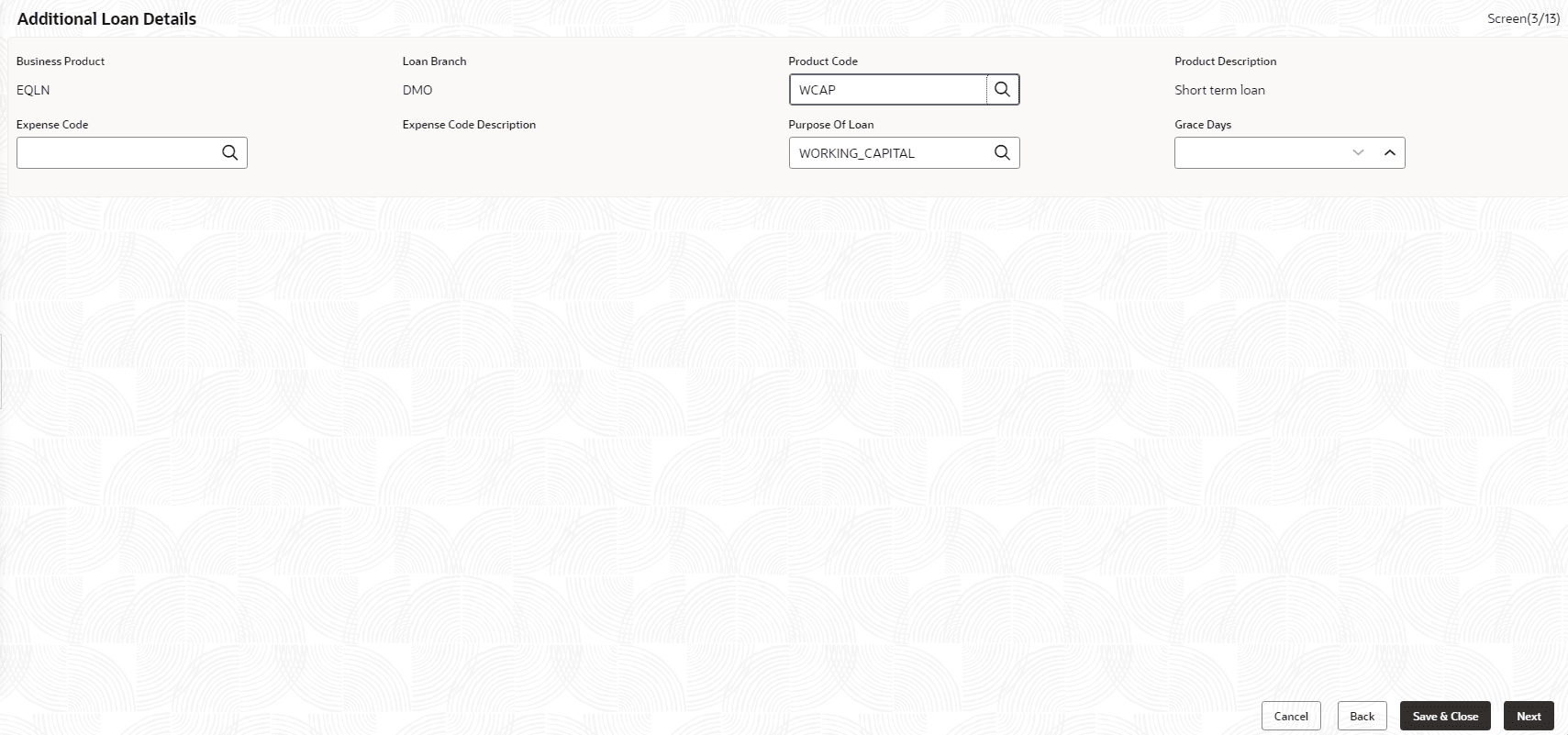
    Figure 2-45 Additional Loan Details


  2. Specify the fields on Additional Loan Details screen.

    For more information on fields, refer to the field description table.

    Table 2-45 Additional Loan Details - Field Description

    Field Description
    Business Product Product is auto-populated.
    Loan Branch Loan approved branch is auto-populated.
    Product Code Click Search to view and select the product code.
    Product Description Product description is auto-populated, based on the product opted.
    Expense Code Click Search to view and select the expense code.
    Expense Code Description Expense code description is auto-populated, based on the expense code opted.
    Purpose of Loan Purpose of the loan is auto-populated.
    Grace Days Enter the number of grace days.