1.2.2 Configure Business Process Code
This topic provides the systematic instructions to configure business process code.
- On the Homepage, from Corporate Lending, under Maintenance, click Business Process.The Create Business Process screen displays.
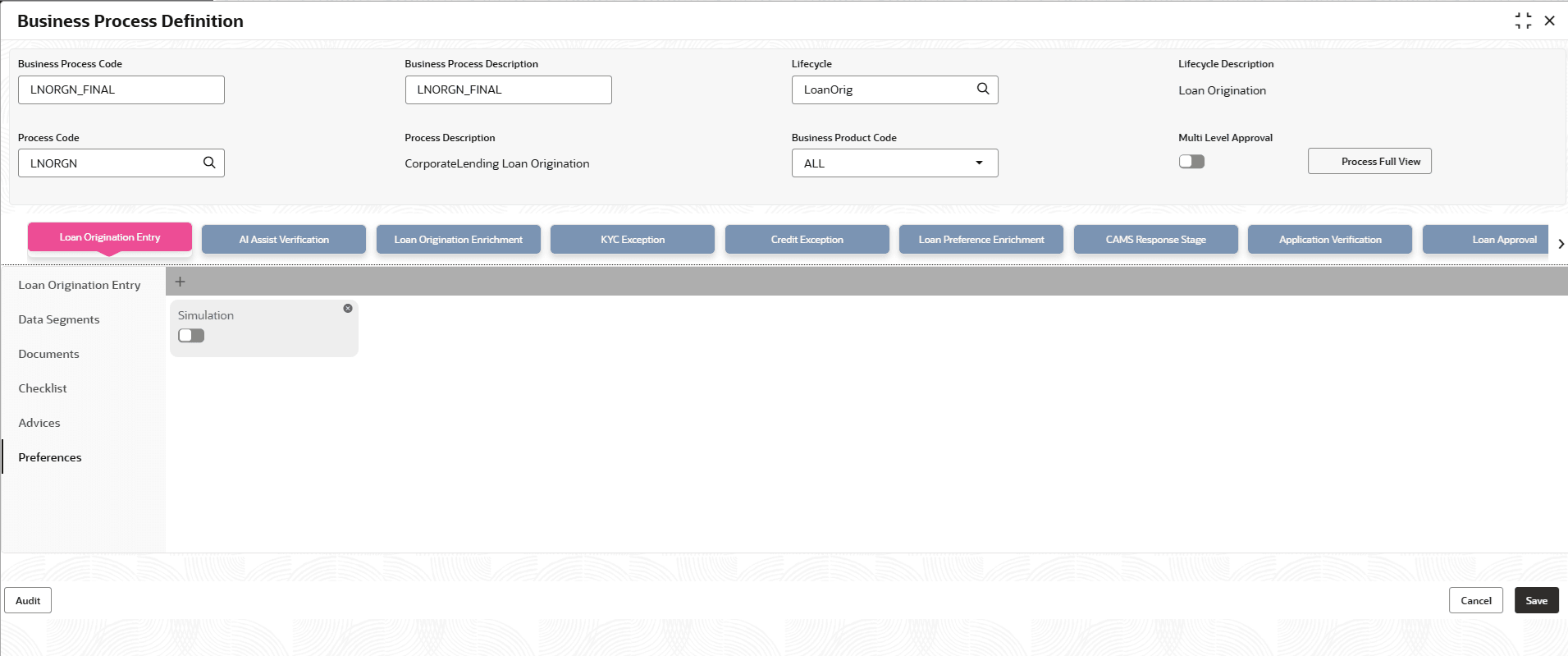
- In the Create Business Process screen, provide the required details.For more information on fields, refer to the field description table.
Table 1-5 Create Business Process - Field Description
Field Description Business Process Code Specify the business process code. Business Process Description Specify the description of the business process code. Lifecycle Select the lifecycle code from the list of values. Lifecycle Description Displays the description of the lifecycle selected. Process Code Select the business process flow that needs to be mapped for the business process code and lifecycle combination. Business Product Code Select the business product code from the list of values. A business process code can be mapped to a particular business product code or to ALL. On click of tab, the list of stages defined for a process code are shown. User can select a stage and define the set of data segments that are required for a stage and its corresponding documents, checklist and advices.
Table 1-6 Create Business Process - Field Description
Field Description Data Segments Select the required data segments listed for the stage and specify if the data segment is mandatory or non-mandatory. User can click Preview to view the data segment. User can also restrict a data segment to a single product or list of products. Documents Select the required documents at every stage. The adjoining list fetches and displays all valid document IDs maintained in the system. User can also restrict the documents to a single product or list of products. Checklist Specify the checklists that must be validated as part of every stage and specify if the checklist is mandatory or non-mandatory. User can also restrict the documents to a single product or list of products. Advices Select the required advice must be mapped for the stage. The adjoining list fetches and displays all valid advices maintained. Advices can be assigned to All the business products or specific to each Business Products. Also, user can configure the advices for specific party roles and in such cases the selected advice type will be generated only for that particular role contact of the Party. Clauses Specify the clause code, clause name and clause description details. User can also restrict the documents to a single product or list of products. Preferences Specify if simulation is required. Only if simulation is selected here in the required stages, the simulation calls will get enabled. Also, this has to be enabled only if minimum data for a loan creation is input in the system. - Click Save.
User can view the configured business process code details in the Business Process View screen. After maintaining the business product and business process codes, user can go ahead and create a corporate loan.
Parent topic: Maintenance Screens