2.10.1.4 Holiday Preferences
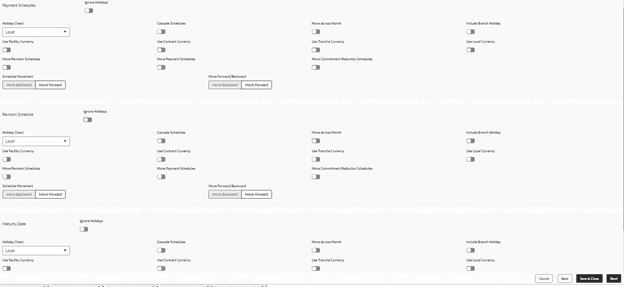
This topic explains the systematic instructions to holiday preferences. Use Holiday Preferences screen for handling holiday preferences if the maturity date or schedule date or revision date falls on a holiday.
Holiday could be either on a local holiday or currency holiday. User can
select one of the following options if the date falls on a holiday.
- Ignore Holidays.
- Specify the preferences for movement of Maturity/Schedule/Revision date.
- In the Loan Origination, click Holiday
Preferences tab and provide the required detailsThe Holiday Preference screen displays.
For more information on fields, refer to the field description table.
Table 2-16 Holiday Preferences - Field Description
Field Description Holiday Treatment Type System displays the type of holiday treatment as: - Payment Schedule
- Revision Schedule and Maturity Date
Ignore Holidays No holiday treatment will be considered if the maturity date or schedule date or revision date falls on holiday. System will process the entries on the specified date. Holiday Check Enter the basis of holiday check, if user have indicated that the holiday should not be ignored for the loan contract. The options available are: - Local branch
- Currency
- Both
Cascade Schedules Enter the due date arrived at, the holiday treatment is considered as the start date for the due dates for the subsequent schedules. Move Across Month If selected, allows movement of schedule date/maturity date/rate revision date of the contract across months, if user have indicated that the holiday should not be ignored for the loan contract. If user have chosen to move the schedule date/ maturity date of a contract falling due on a currency holiday, either forward or backward to a working day and it crosses over into a different month, the schedule date/maturity date is moved to the next month only if user indicate so in this field. Schedule Movement If selected, indicates the movement of schedule date/maturity date/ rate revision date either move forward to a next working day or move backward to the previous working date.
Parent topic: Cash Flow
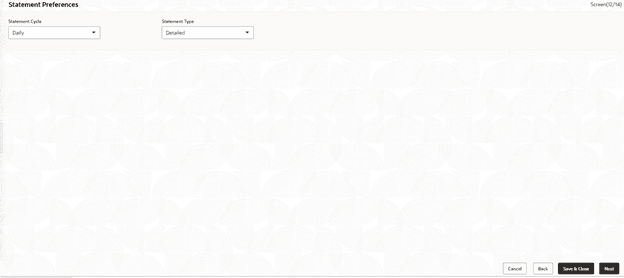
2.10.1.4 Statement Preferences
Helps to indicate the loan statement generation preferences for a loan
contract.
- In the Loan Origination, click Statement
Preferences tab and provide the required details.The Statement Preferences screen displays.
For more information on fields, refer to the field description table.
Table 2-17 Statement Preferences - Field Description
Field Description Statement Cycle Enter the frequency of statement generation. Start Date Select the start date of the frequency for the generation of the statement. Statement Type Enter the statement type to indicate if the loan statement report to be generated in a detailed or summary format.