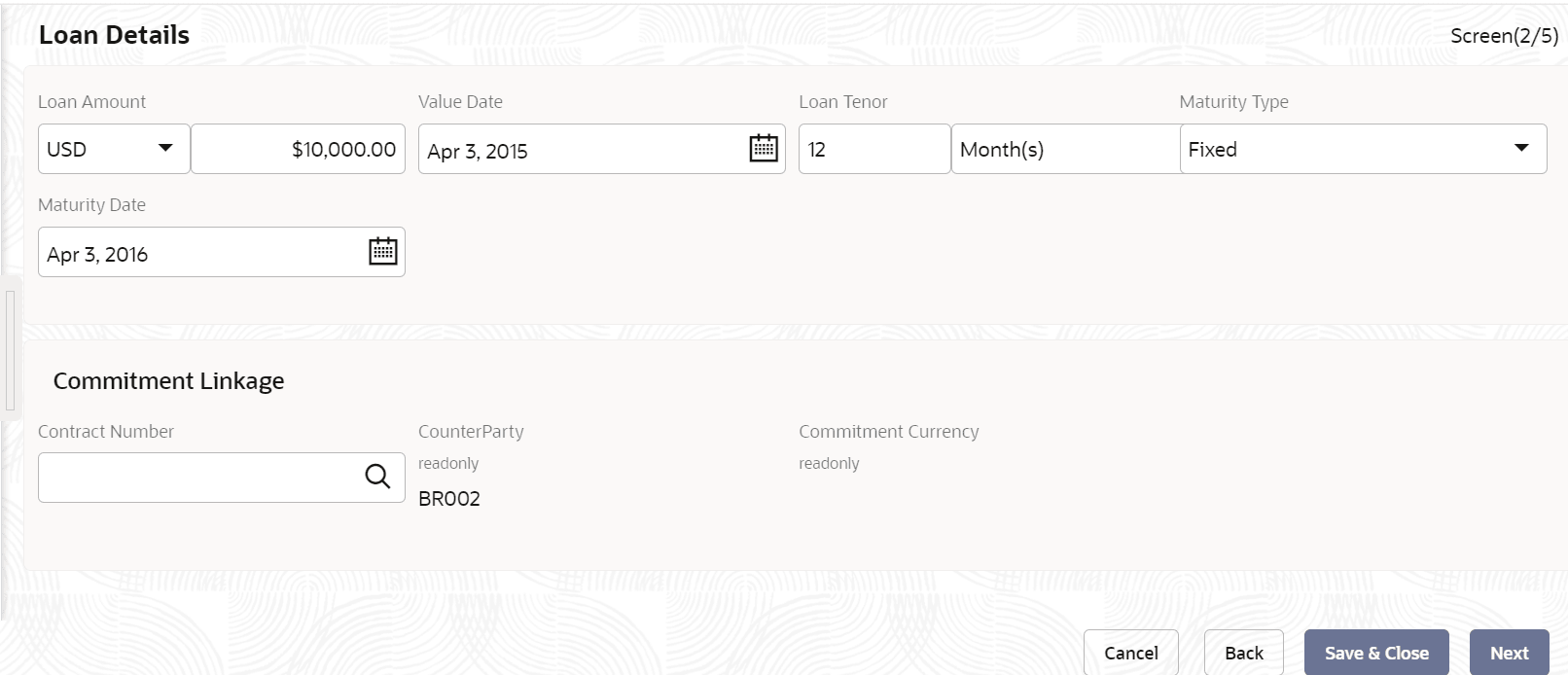
2.10.1.26 Loan Details

This topic describes the systematic instructions to loan details screen.

  1. In the Drawdown, click Loan Details tab and provide the required details.
    The Loan Details screen displays.
  2. Specify the fields on Loan Details screen.

    For more information on fields, refer to the field description table.

    Table 2-38 Loan Details - Field Description

    Field Description
    Loan Amount Select the currency type from the drop-down list and enter the amount.
    Loan Tenor (Months) Enter the loan tenor amount in months.
    Value Date Select the proposed date from the drop-down calendar.
    Maturity Type Select the maturity type from the drop-down list.
    Maturity Date Select the maturity date from the drop-down calendar.
    Commitment Linkage When user are linking a loan amount to a commitment user can only link the entire loan amount. In case of existing customer, user can edit the already added commitment (available in OBCL) in the initiation screen or newly add/edit the commitment (Contract Reference Number) in this screen. User cannot delete the commitment linkage once added.
    Contract Number Specify the contract reference number of the contract for which user need to add/amend the commitment linkage.
    CounterParty This field is defaulted from the Loan Drawdown initiation screen.
    Commitment Currency This field is defaulted based on the contract number selected.