1.2.3 Parties involved in Payments

You can capture details of parties involved in a payments. Before funds actually reach the Ultimate Beneficiary of a payment, it may have to pass through several other banks or parties.

To capture details of parties

Specify the User ID and Password, and login to Homepage.

From the Homepage, navigate to Settlement Instructions Maintenance screen.

  1. In the Settlement Instructions Maintenance screen, click Pay Party tab.
    The Pay Party details are displayed.

    This screen contains fields that mark possible routes of a payment.
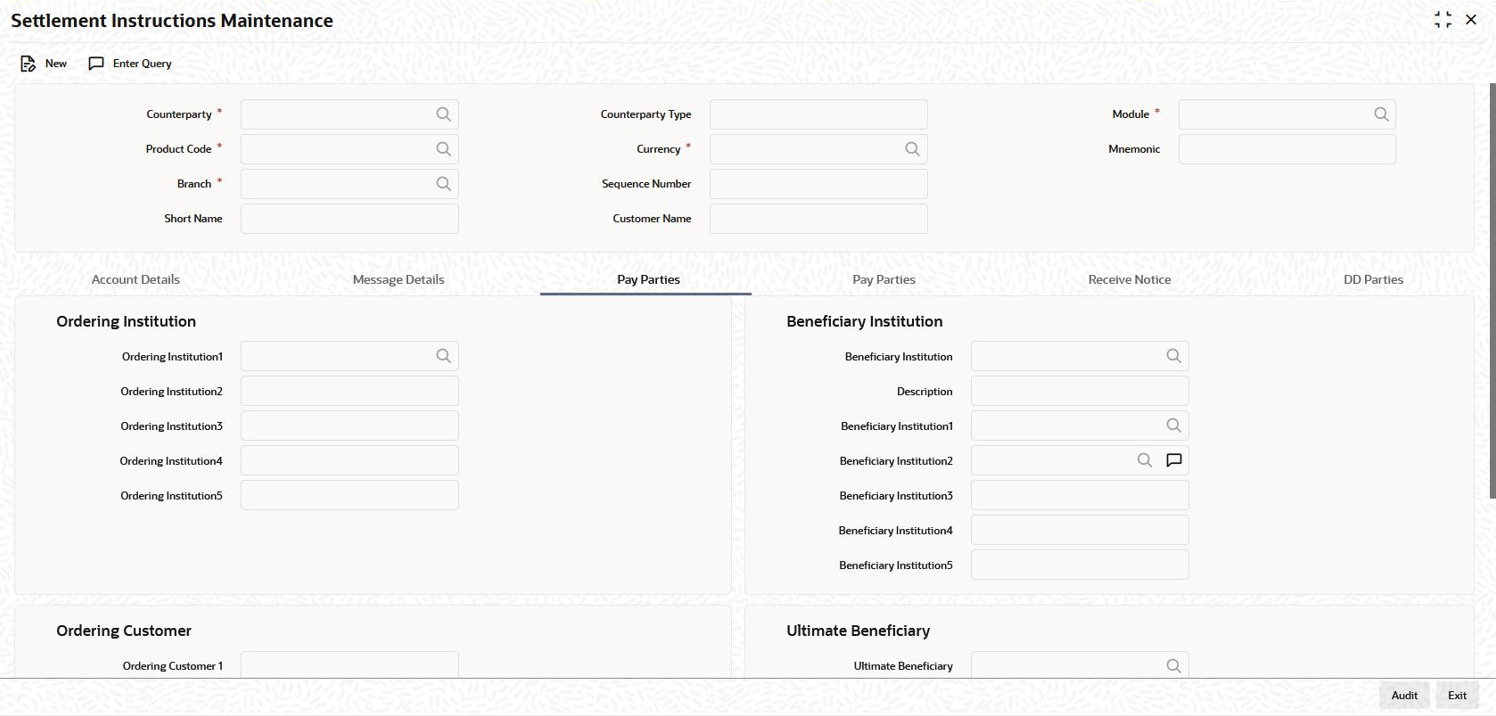
    Figure 1-3 Pay Parties -Payments

    Description of Figure 1-3 follows
    Description of "Figure 1-3 Pay Parties -Payments "
  2. You can enter the following details in this tab. For information on fields, refer to the field description table.

    Table 1-3 Pay Party

    Field Description
    Ordering Institution for Payment Message The ‘Ordering Institution’ in a payment refers to the financial institution of the customer. This field corresponds to field 52a of a SWIFT message.
    Ordering Customer for Payment Message The ‘Ordering Customer’ in a payment refers to the customer ordering the transaction. This field corresponds to field 50a of a SWIFT message.
    Ultimate Beneficiary The ‘Ultimate Beneficiary’ in a payment refers to the party designated by the ordering party as the ultimate recipient of the funds. If the ‘Chinese Characters in Payment’ box is selected in the ‘Loans and Commitments- Branch Parameters’ screen, then only you can enter the Chinese characters in this field for foreign currency and local currency settlement instructions / accounts and there are not any validations in the system. You need to operationally control it. You are allowed to enter the information in Chinese or English or a combination of both in this field. If it is a combination, then the system considers it as Chinese and allow up to 35 characters.