12.8 Viewing Quick Query Details of Commitments
You can view the most viewed details of commitments using Commitment
Quick Details screen.
Specify the User ID and Password, and
login to Homepage.
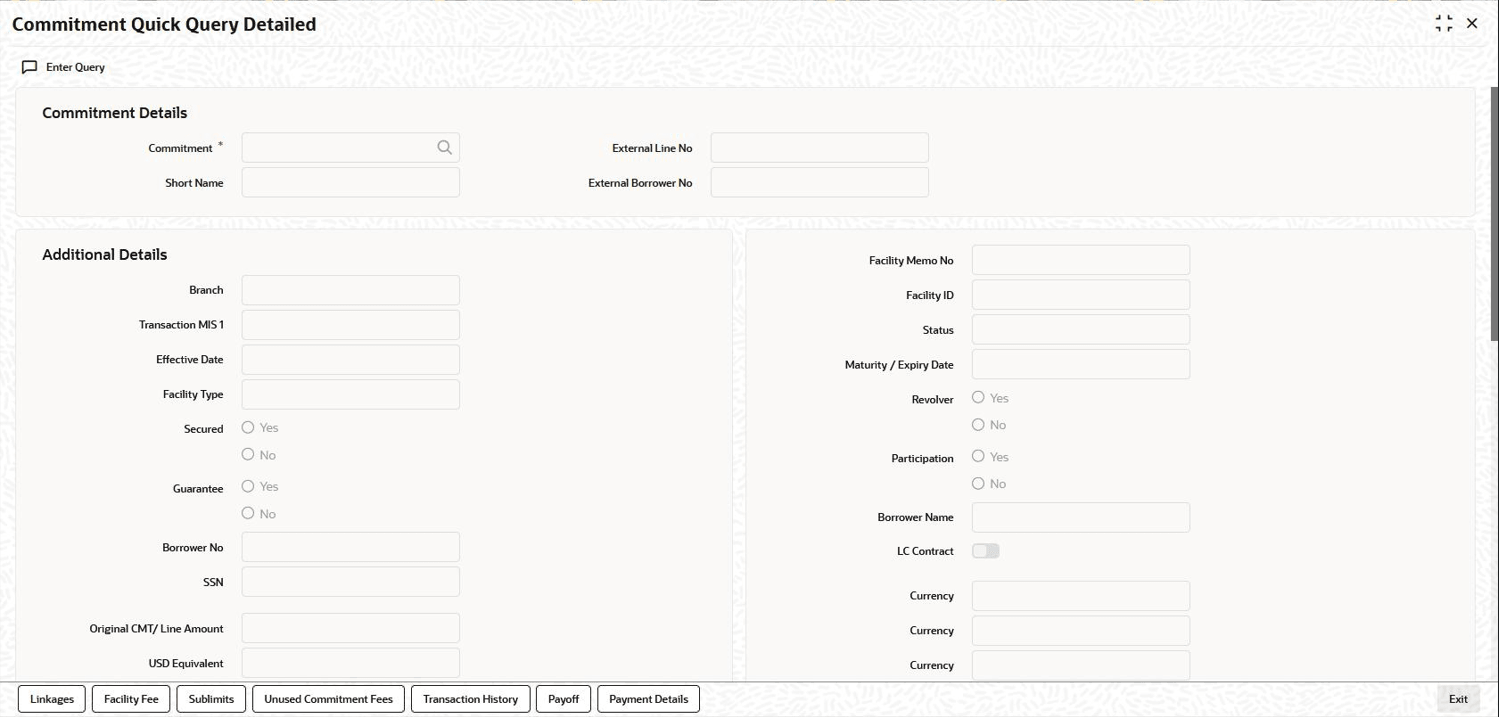
- On the homepage, type OLDCLQRY and click next
arrow.The Commitment Quick Query Detailed screen is displayed.
Note:
The fields which are marked in asterisk red are mandatory fields.Figure 12-11 Commitment Quick Query Detailed
- From the Commitment Quick Query Detailed screen, Click
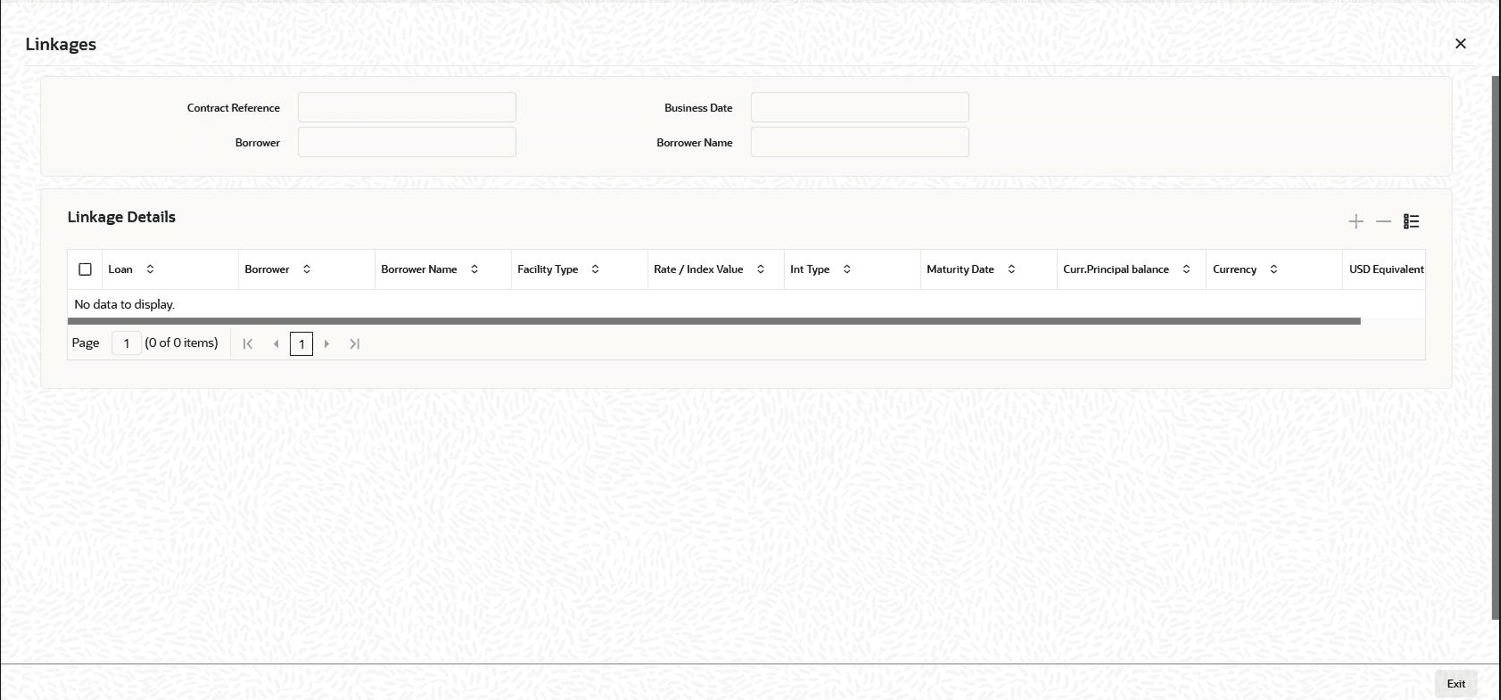
Linkages.The Linkages screen is displayed.
You can view the Loans/LOCR Linked to the Commitment/Line in this screen.
The following details are displayed:- Loan/LOCR Number
- Facility Type
- Interest Rate
- Interest Type
- Maturity Date
- Currency Priority/Prior Balance
- CMT/Line Number
- Currency
- USD equivalent
- From the Commitment Quick Query Detailed screen, Click
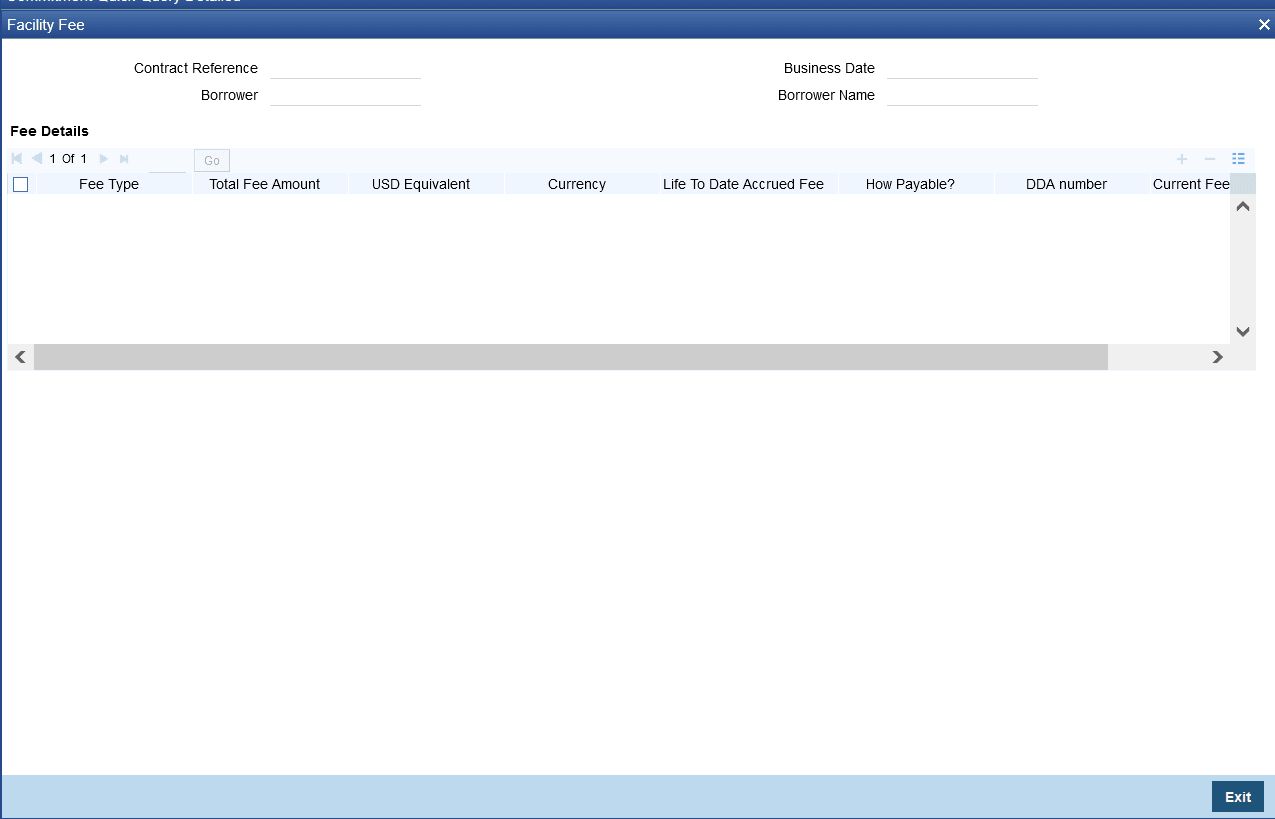
Facility Fee.The Facility Fee screen is displayed.
You can view the Facility/Restructuring (FASB/FASC)/Upfront Fee details in this screen.
The following details are displayed:- Fee type
- Total Fee Amount
- Currency
- USD Equivalent
- How Payable (as charge etc.)
- DDA Number
- Accrued Fee Amount Due
- Current Fee Due Date
- Last Fee Paid Amount
- Last Fee Paid Date
- Next Fee Amount
- Next Fee Due Date
- Past Due Fee Amount
- No Of Days Past Due
- From the Commitment Quick Query Detailed screen, Click
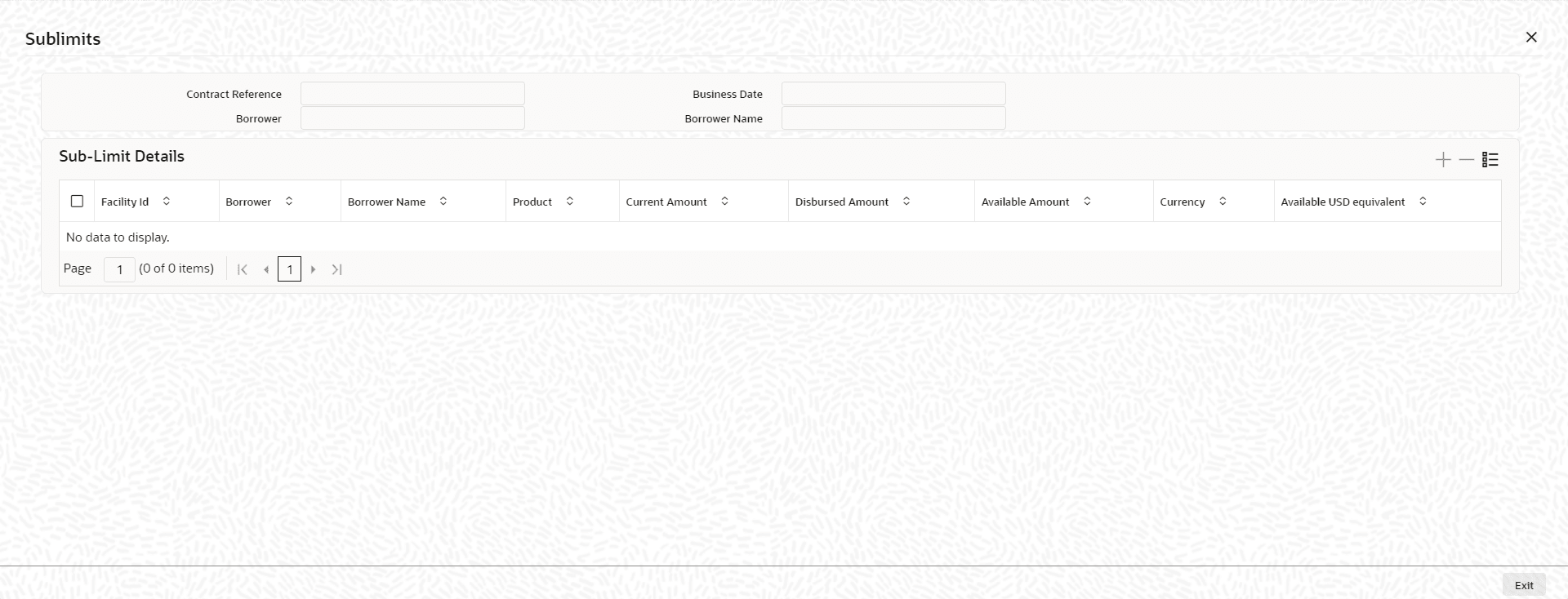
Sublimits.The Sublimits screen is displayed.The following details are displayed:
- CMT/Line Number
- Borrower
- Current Amount
- Disbursed Amount
- Avail Amount
- Currency
- USD Equivalent
- From the Commitment Quick Query Detailed screen, Click
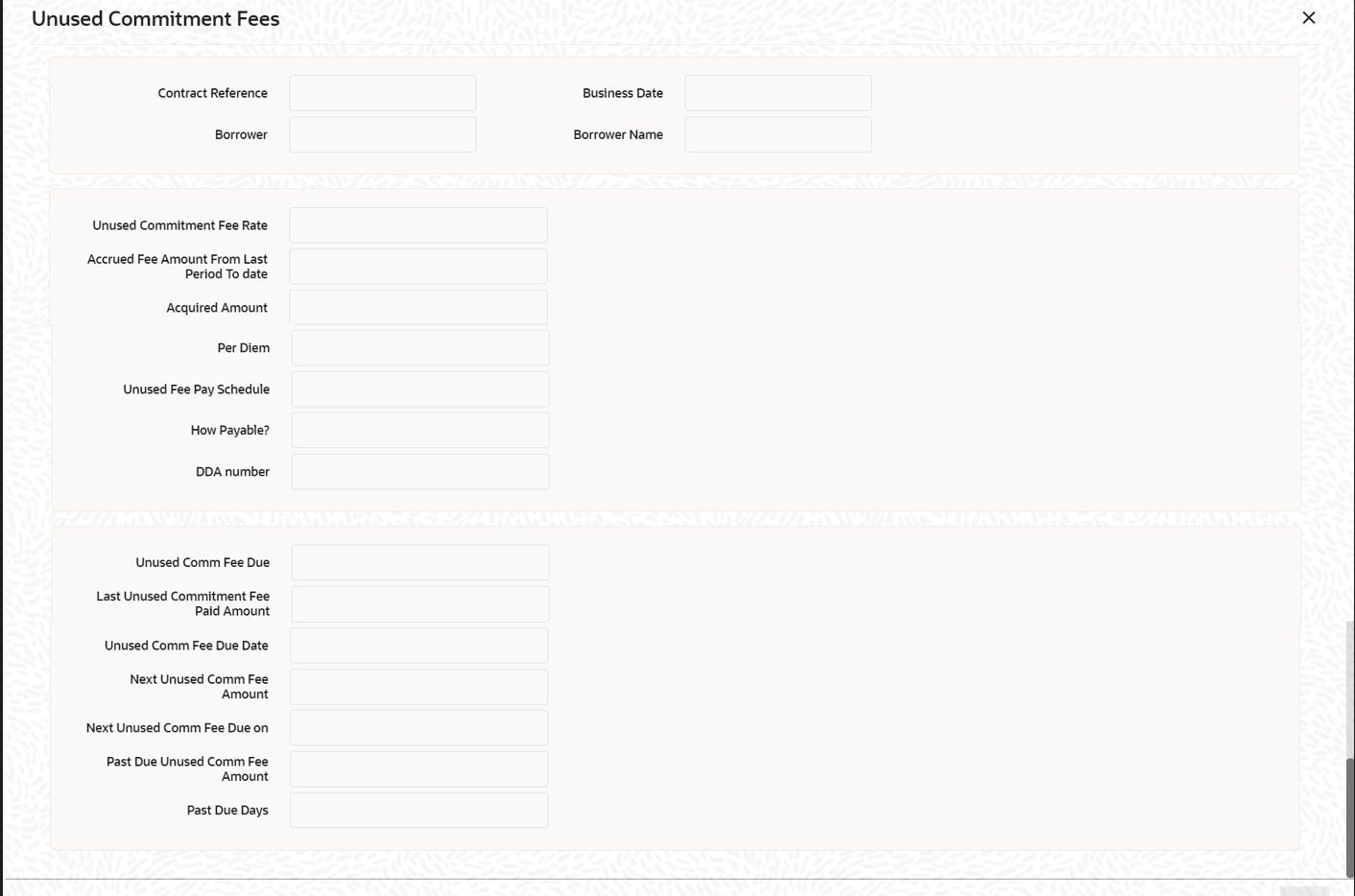
Unused Commitment Fees.The Unused Commitment Fees screen is displayed.You can view the Unusual Commitment Fee details in this screen.
- Unused Commitment Fee Rate
- Accrued Fee Amount from Last Period to Date
- Unused Fee Pay Schedule
- How Payable
- DDA Number
- Unused Commitment Fee Due
- Unused Commitment Fee Due Date
- Last Unused Commitment Fee Paid Amount
- Last Unused Commitment Fee Paid On
- Next Unused Commitment Fee Amount
- Next Unused Commitment Fee Due Date
- Past Due Unused Commitment Fee Amount
- Number of Days Past Due
- From the Commitment Quick Query Detailed screen, Click
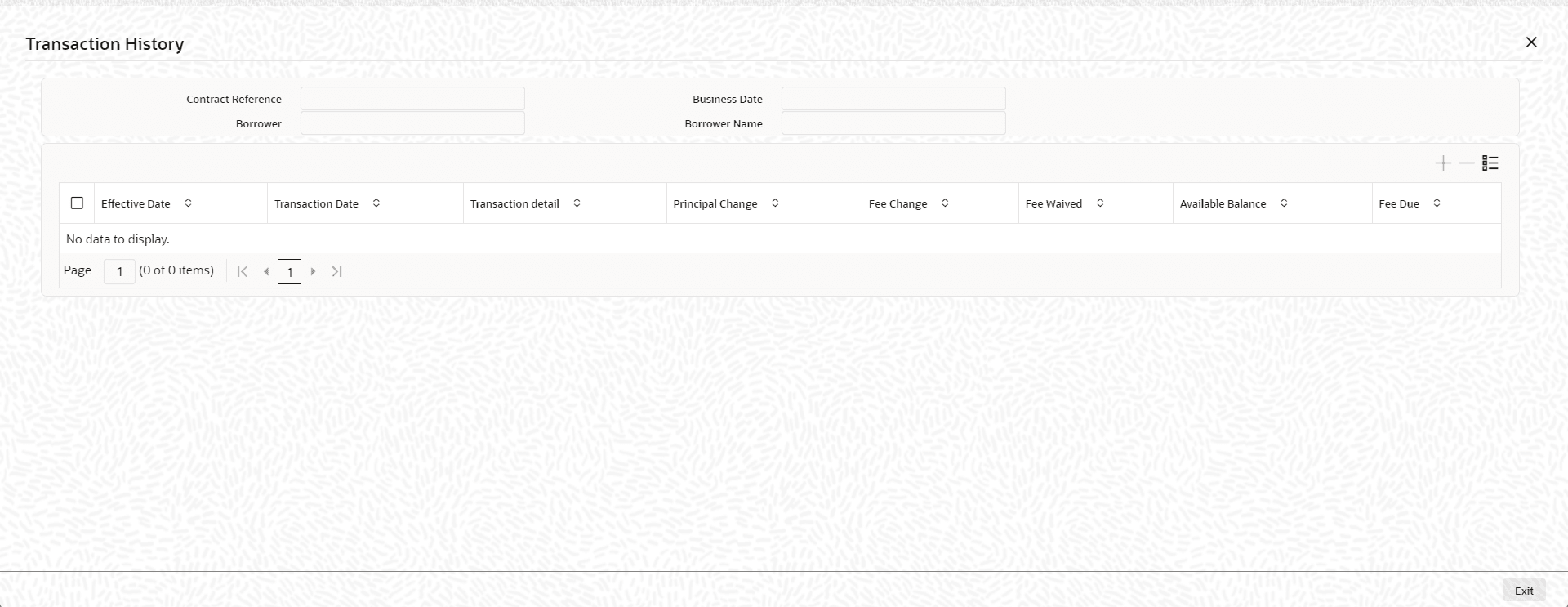
Transaction History.The Transaction History screen is displayed.The following details are displayed:
- Effective Date
- Transaction Date
- Transactional Details
- Principal Change
- Fee Change
- Principal Balance
- Fee Due