4.38 Viewing Summary Details of a Loan

You can view the summary details of loans issued by your bank in the Loans and Commitment - Contract Input Summary screen (OLSTRONL).
Specify the User ID and Password, and login to Homepage.
  1. On the homepage, type OLSTRONL and click next arrow.
    The Loans and Commitment - Contract Input Summary screen is displayed.

    Figure 4-46 Loans and Commitment - Contract Input Summary
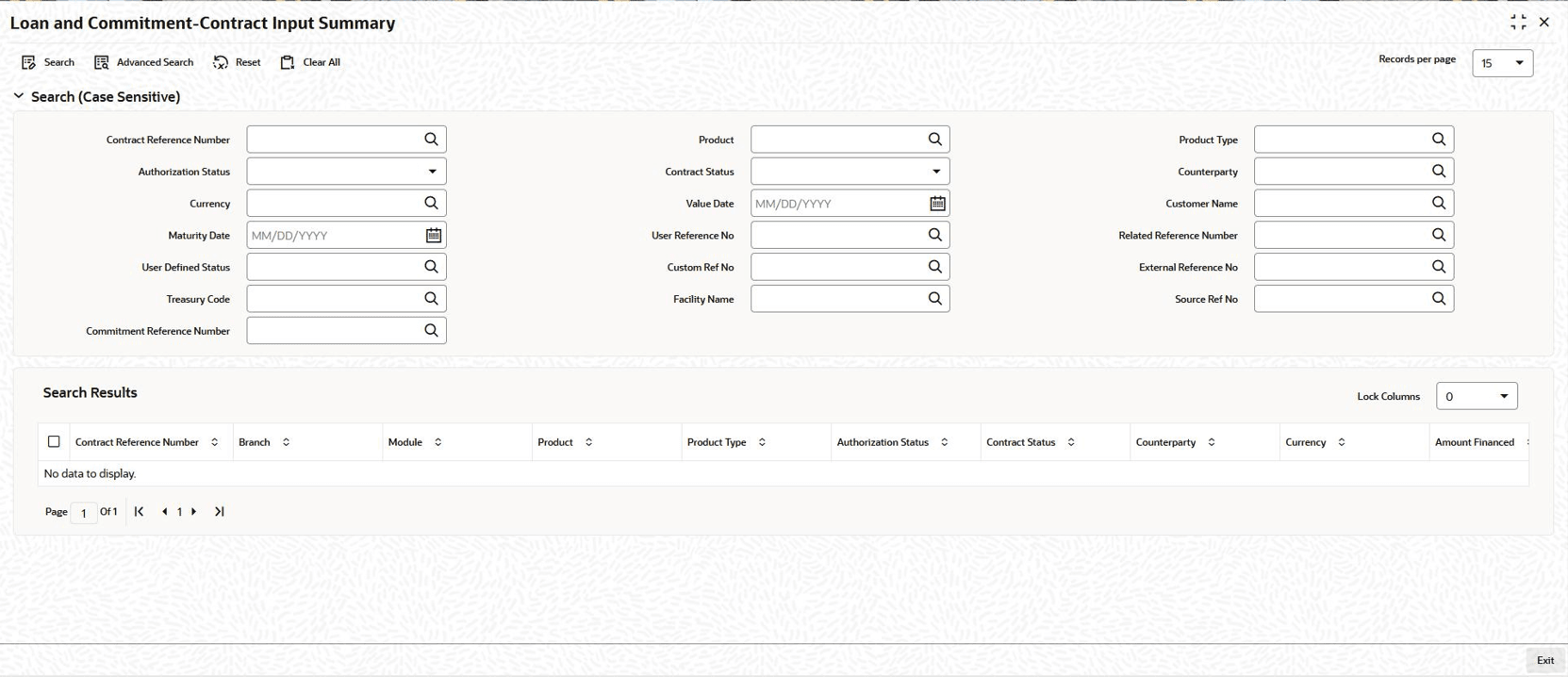


  2. The system allows you to perform a case-independent query (upper, lower, or mixed case) using the following fields:
    • Contract Reference Number
    • Authorization Status
    • Currency
    • Maturity Date
    • User Defined Status
    • Treasury Code
    • Commitment Reference Number
    • Product
    • Contract Status
    • Value Date
    • User Reference Number
    • Custom Reference Number
    • Facility Name
    • Product Type
    • Counterparty
    • Customer Name
    • Related Reference Number
    • External Reference Number
    • Source Reference Number

    Note:

    You can perform a case independent search only if the parameter, CASE_SENSITIVITY in CSTB_PARAM, is set to Y.
    Following details are displayed here:
    • Contract Reference Number
    • Branch
    • Module
    • Product
    • Product Type
    • Authorization Status
    • Contract Status
    • Counterparty
    • Currency
    • Amount Financed
    • Amount Disbursed
    • Principal Outstanding
    • Value Date
    • Customer Name
    • Maturity Date
    • User Reference No
    • Related Reference Number
    • User Defined Status
    • Payment Method
    • Rate Code
    • Rate
    • Spread/Margin
    • Interest Amount
    • Custom Reference Number
    • Rate Revision Status
    • External Reference Number
    • Treasury Code
    • Facility Name
    • Source Reference No
    • Commitment Reference Number
    • CUSIP Number