4.37 View the Contract Disclosure Schedule Status Details

The individual disclosure codes for each due date can be viewed from the Contract Disclosure Details screen.
  1. On the homepage, type OLDSSTAT and click next arrow.
    The Contract Disclosure Details screen is displayed.
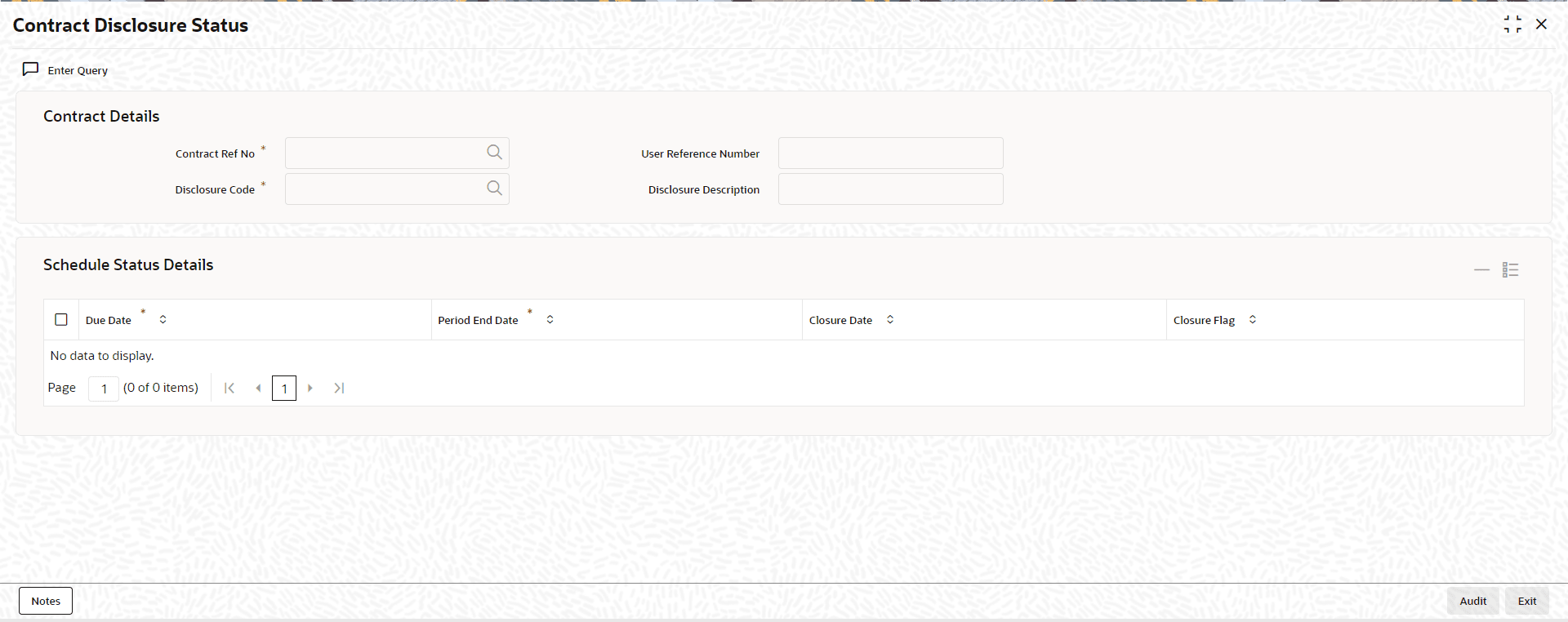
    Figure 4-45 Contract Disclosure Details


  2. You can enter below details in this screen. For information on fields, refer to the field description table.

    Table 4-52 Contract Disclosure Details

    Field Description
    Contract Ref No Specify the contract reference number for which you want to query the disclosure code details. This adjoining option list displays the all the contracts to which the disclosure codes are linked. You can select the required contract.
    Disclosure Code Specify the disclosure code for which you want to query the details. This adjoining option list displays the all the disclosure codes that are linked to the contract and you can choose the appropriate one.
    Due Date The system displays the date on which the schedule is due.
    Period End Date The system displays the end date on which the schedule ends.
    Closure Date The system displays the closure date here.
    Closure Flag Select this check box to indicate that closure is applicable for the schedule.

    Specifying the Notes Detail of Contract Disclosure

    Notes pertaining to the contract disclosure can be added in the Contract Disclosure Details - Notes screen. You can invoke this screen by clicking the Notes in the Contract Disclosure Details screen.

    Table 4-53 Contract Disclosure Details - Notes

    Field Description
    Notes Specify the follow-up notes to be added about the contract disclosure.
    User Specify the identification name or code of the user.
    Propagate Future Schedules The system checks this box to indicate that the notes are created using Contract Disclosure Schedule Details - Notes screen.