3.6 Groupwise Exposure
This data segment allows to capture exposure details of the other parties which are group entities of the party for whom the application is created. If you click Next in the Write Up screen, the Groupwise Exposure screen is displayed.
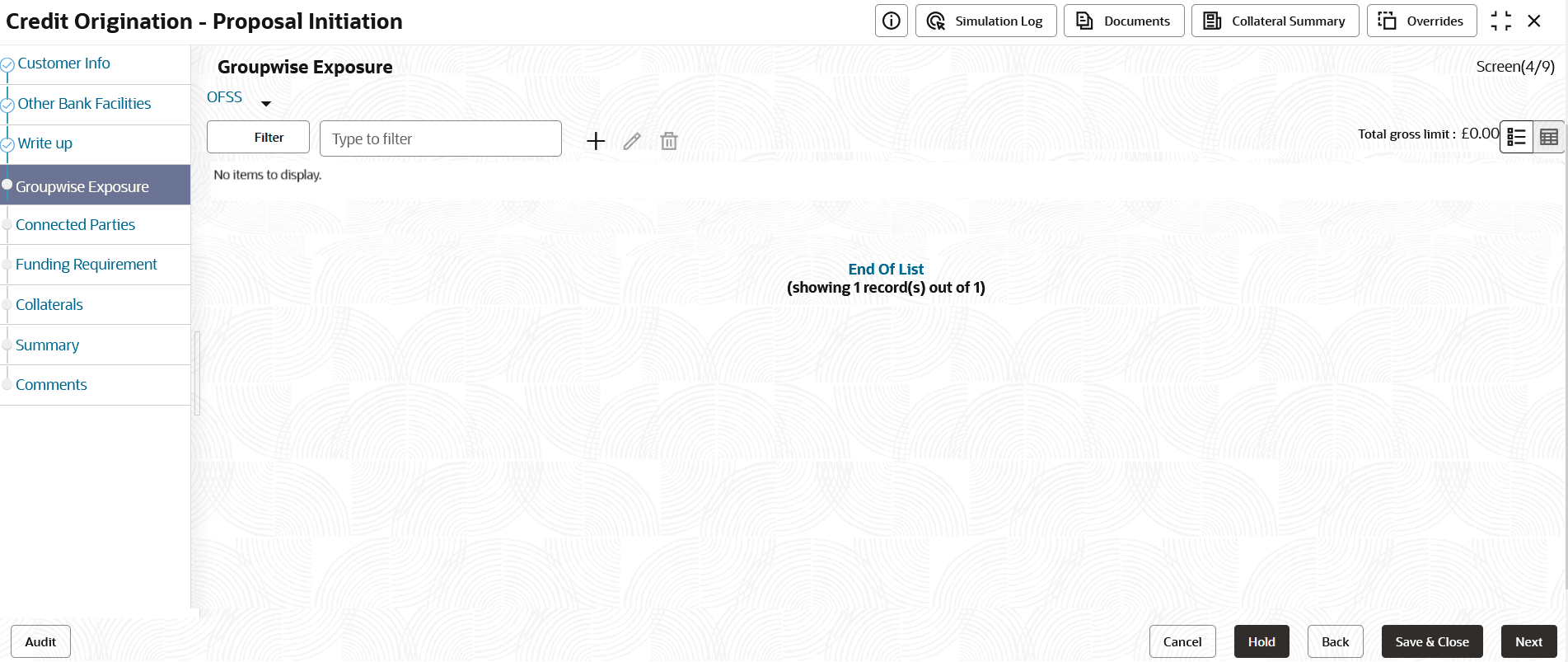
- Click + icon. The Groupwise Exposure Details window is
displayed.
Figure 3-28 Groupwise Exposure Details
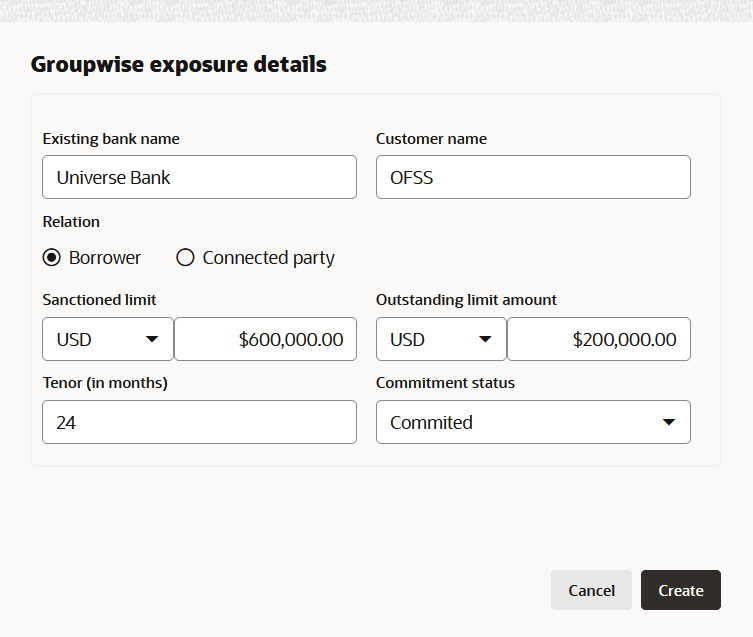
For information on fields in the Groupwise Exposure Details screen, refer the table below.
Table 3-12 Groupwise Exposure Details
Fields/ Icon Description Entity Name In Entity Name field, enter the name of bank from which the party has availed facility. Customer Name In Customer Name field, enter the name of the party or the child party. Relation Select Relation as Borrower, if party name is provided in the Customer Name field. Select Relation as Connected Party, if child party name is provided in the Customer Name field.
Commitment Status Select Commitment Status from the drop-down list. The options available are: - Committed
- Uncommitted
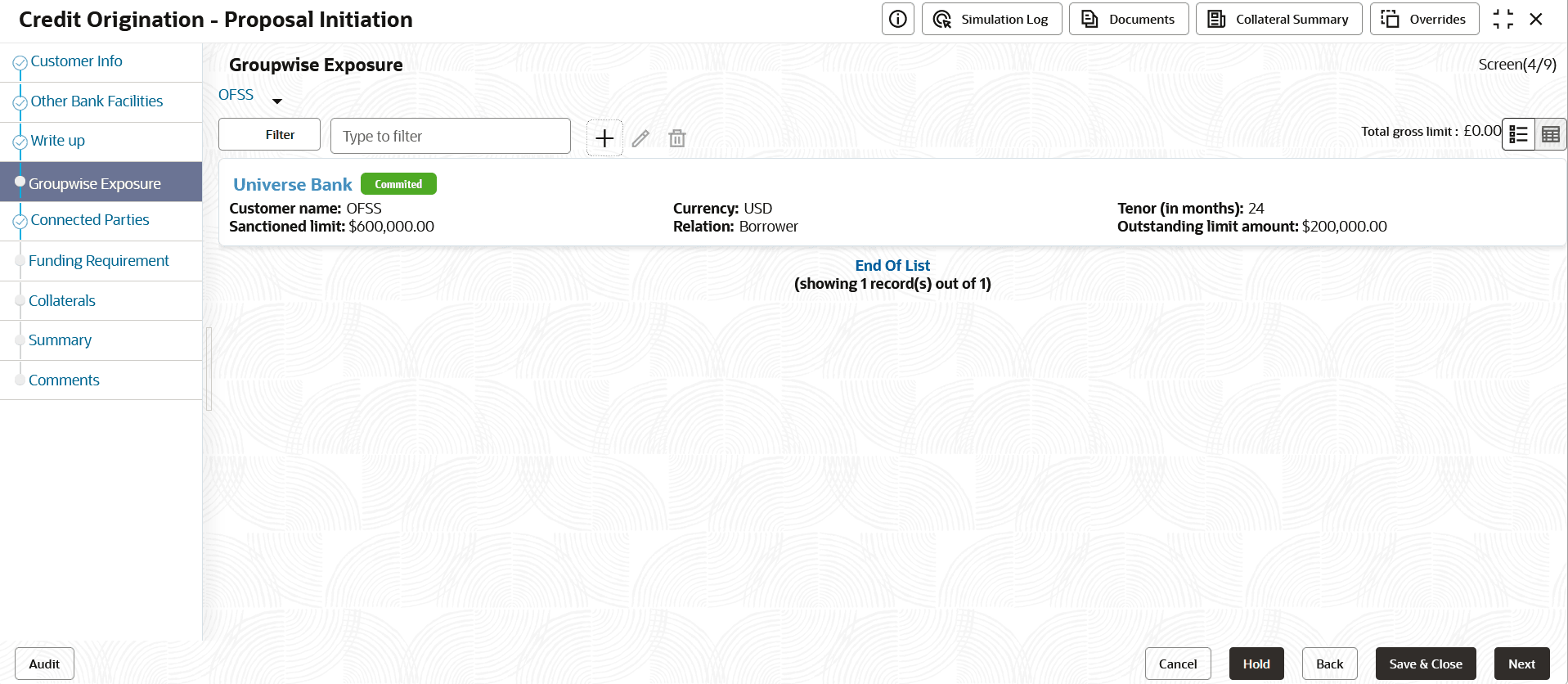
- Click Create. Groupwise exposure details are added and displayed as
shown below:
Figure 3-29 Groupwise Exposure
- Click Filter, to filter the required groupwise exposure from the
list.The Filter window is displayed.
Figure 3-30 Filter

For information on fields in the Filter screen, refer the table below.
Table 3-13 Filter
Field/ Icon Description Filter Enter or select the filter parameters. Apply Click Apply. Existing groupwise exposure that matches the filter parameters are displayed. Reset Click Reset, to enter new filter parameters. Relation Select Relation option from the below checklist for sanctioned amount. - Borrower
- Connected Party
Tenor Enter Tenor for sanctioned amount. Currency Search and select Currency for sanctioned amount. From Amount Enter From Amount for sanctioned amount. To Amount Enter To Amount for sanctioned amount. Commitment Status Select Commitment Status option from the below checklist for sanctioned amount. - Commited
- Uncommited
Parent topic: Proposal Initiation