5.3 Credit Analysis - Management Team
Detailed information about the Management Team tile in Credit Analysis Data segment.
- Click Enrich. The following page is displayed
Figure 5-4 Economic Dependency Danagement - Management Team
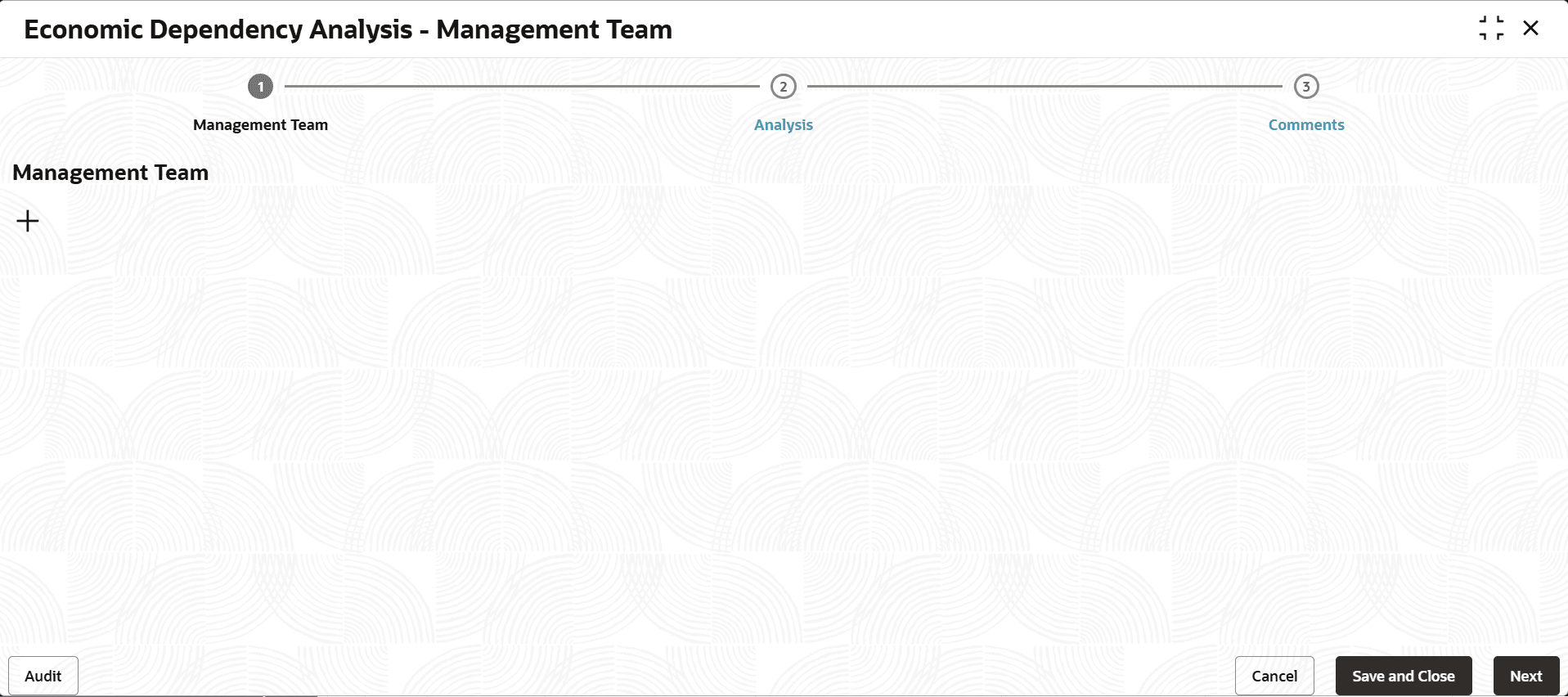
Adding Management Details
- To add the Management detail, click the add icon.The New Board Member window is displayed.
Figure 5-5 New Board Member
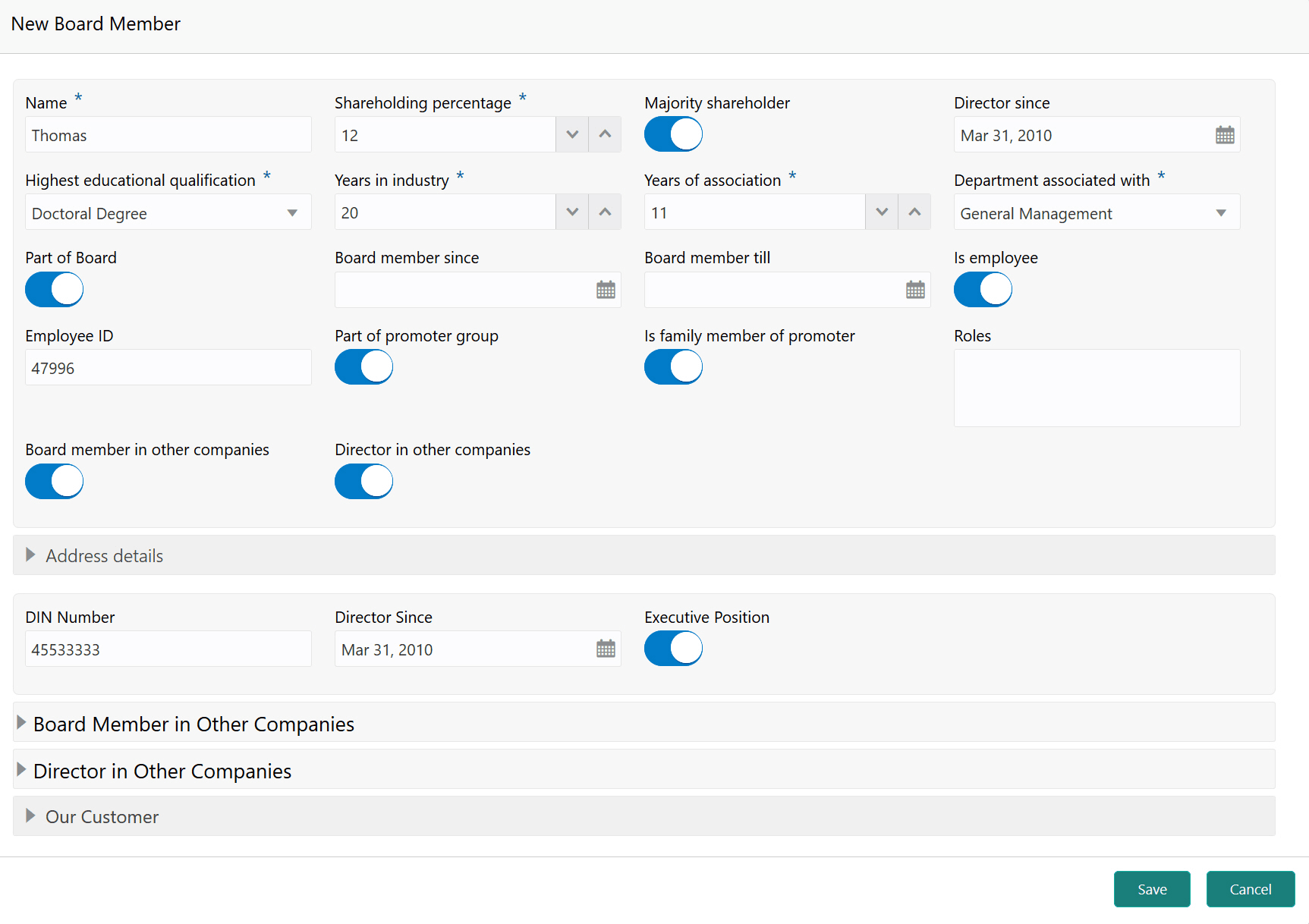
For information on fields in the New Board Member screen, refer the below tables.Detailed information.
Table 5-1 New Board Member
Fields/Icons Description Name Type the Name of the management personnel. Shareholding percentage Specify the management personnel's Shareholding percentage in the customer prospect organization. Majority shareholder If the management personnel is a majority shareholder in your customer prospect organization, enable the Majority shareholder switch. Director since In Director since field, search and select the date from which the management personnel is in your customer prospect organization. Highest educational qualification Select the management personnel's Highest educational qualification from the drop down list. Years in industry n the Years in industry field, specify the management personnel's years of experience in this industry. Years of association Specify the management personnel's Years of association with your customer prospect organization. Department associated with Select the management personnel's department from the Department associated with drop down list. Part of Board If the management personnel is a board member, enable the Part of Board switch. Board member since and Board member till If the Part of Board switch is enabled, select Board member since and Board member till dates in the respective fields. Is employee If the management personnel is an employee, enable the Is employee switch. Is employee If the Is employee switch is enabled, specify the management personnel's Employee ID. Part of promoter group If the management personnel is a part of the promoter group, enable the Part of promoter group switch. Is family member of promoter If the management personnel is a family member of the promoter group, enable the Is family member of promoter switch. Roles Describe the Roles of the management personnel. Board member in other companies If the management personnel is a board member in other companies, enable the Board member in other companies switch. Director in other companies If the management personnel is a director in other companies, enable the Director in other companies switch.
In the Address detail section:
In the Board member in other companies section:
Figure 5-6 Board member in other companies
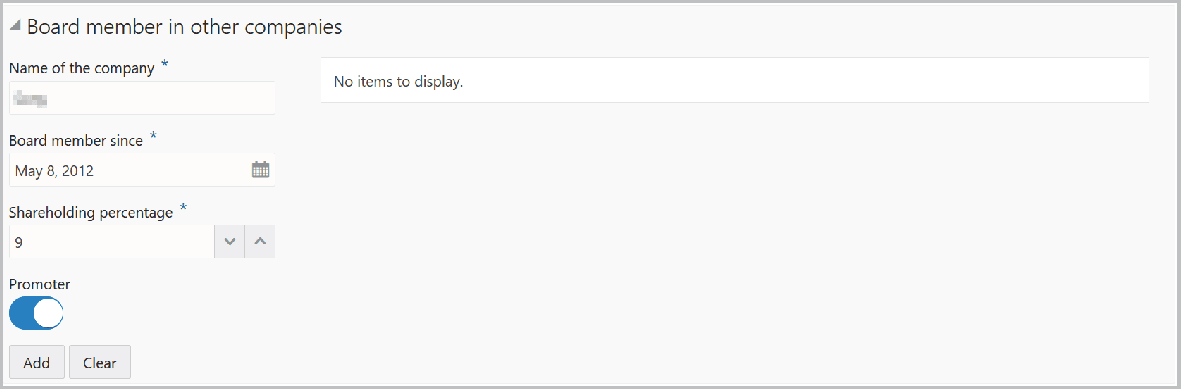
For information on fields in the Board member in other companies screen, refer the below tables.Detailed information.
Table 5-2 Board member in other companies
| Fields | Description |
|---|---|
| Name of the other company. | Type the Name of the other company. |
| Board member since | In the Board member since field, search and select the date from which the management personnel is board member in the mentioned company. |
| Shareholding percentage | Specify the management personnel's Shareholding percentage in the other company. |
| Promoter | If the management personnel is a Promoter in other company, enable the Promoter switch. |
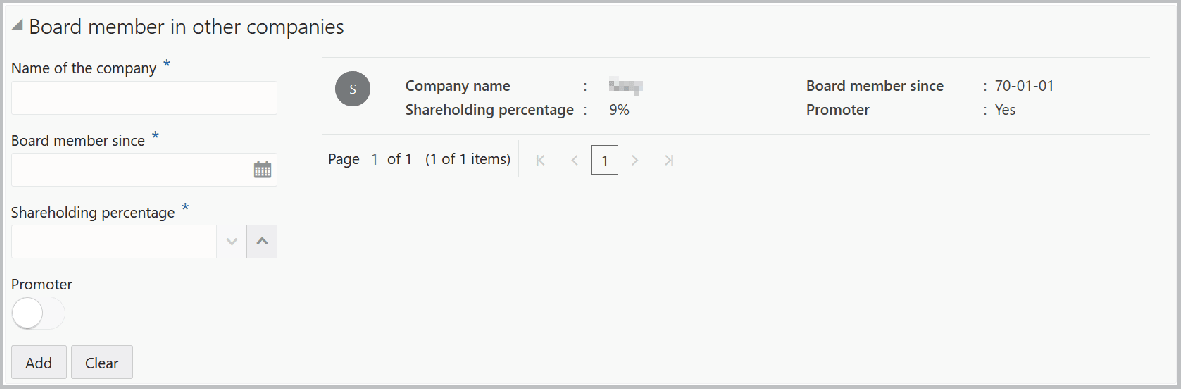
- Click Add. Details are added as shown below:
Figure 5-7 Board member in other copanies
In the Director in other companies section:
Figure 5-8 Director in other companies
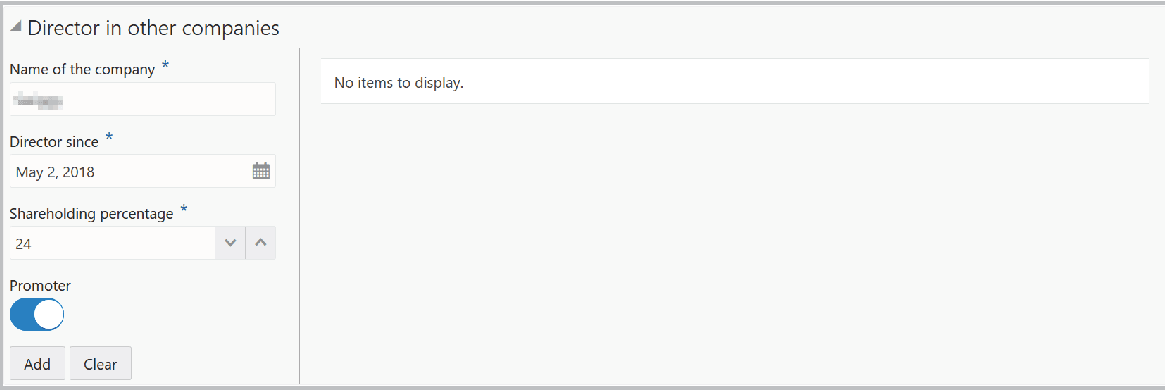
For information on fields in the Director in other companies screen, refer the below tables.Detailed information.
Table 5-3 Director in other companies
Fields Description Name of the company Type the Name of the company. Director since In the Director since field, search and select the date from which the management personnel is Director in the other company. Shareholding percentage Specify the management personnel's Shareholding percentage in the other company. Promoter If the management personnel is a Promoter in other company, enable the Promoter switch. - Click Add. Details are added as shown below:
Figure 5-9 Director in other Companies
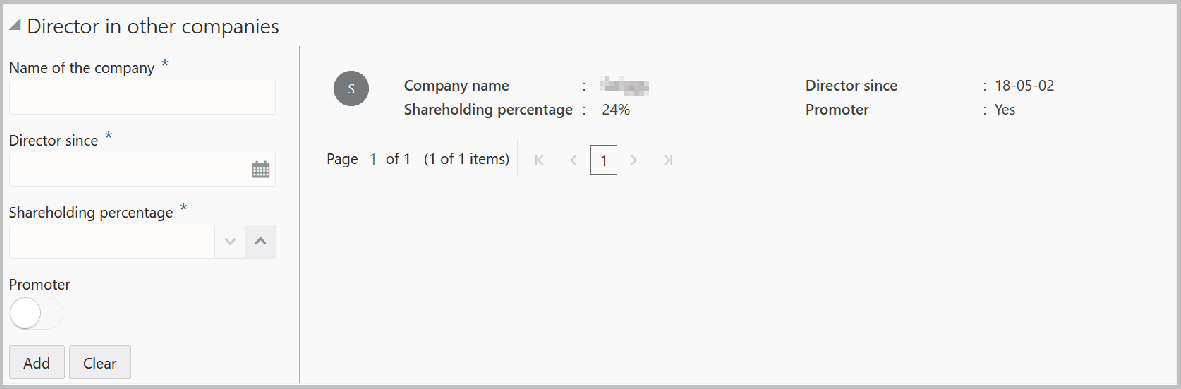
- Click Add. Details are added as shown below:
Figure 5-10 Our Customer

For information on fields in the Our Customer screen, refer the below tables.Detailed information.
Table 5-4 Our Customer
Field Description Internal rating Select your bank's Internal rating for the management personnel. borrower If the management personnel is a borrower in your bank, enable the Is borrower switch. Currency Search and select the Currency for total exposure. Total exposure Specify the management personnel's Total exposure amount in your bank. Deposit account If the management personnel holds a deposit account in your bank, enable the Deposit account held switch. No of deposit If the Deposit account held switch is enabled, specify the No of deposit accounts maintained by the management personnel. Currency Search and select the Currency for the total deposit amount. Total deposit amount Specify the Total deposit amount in the management personnel's deposit account. Save Click Save in the New Board Member window. Management personnel details are added and displayed in the Management Team page. Edit, Delete or View To Edit, Delete or View the added management details, click the hamburger icon in required item and select the corresponding option. Note:
You can alternatively use the edit and delete icons beside the add icon to modify and delete the management detail.To modify and delete the management detail using these icons, select the record from the list and then click the corresponding icon.
Analyzing Management Details
- To analyze the management details, click Next in the
Management Team page.The Analysis page is displayed.
Figure 5-11 Management Team - Analysis
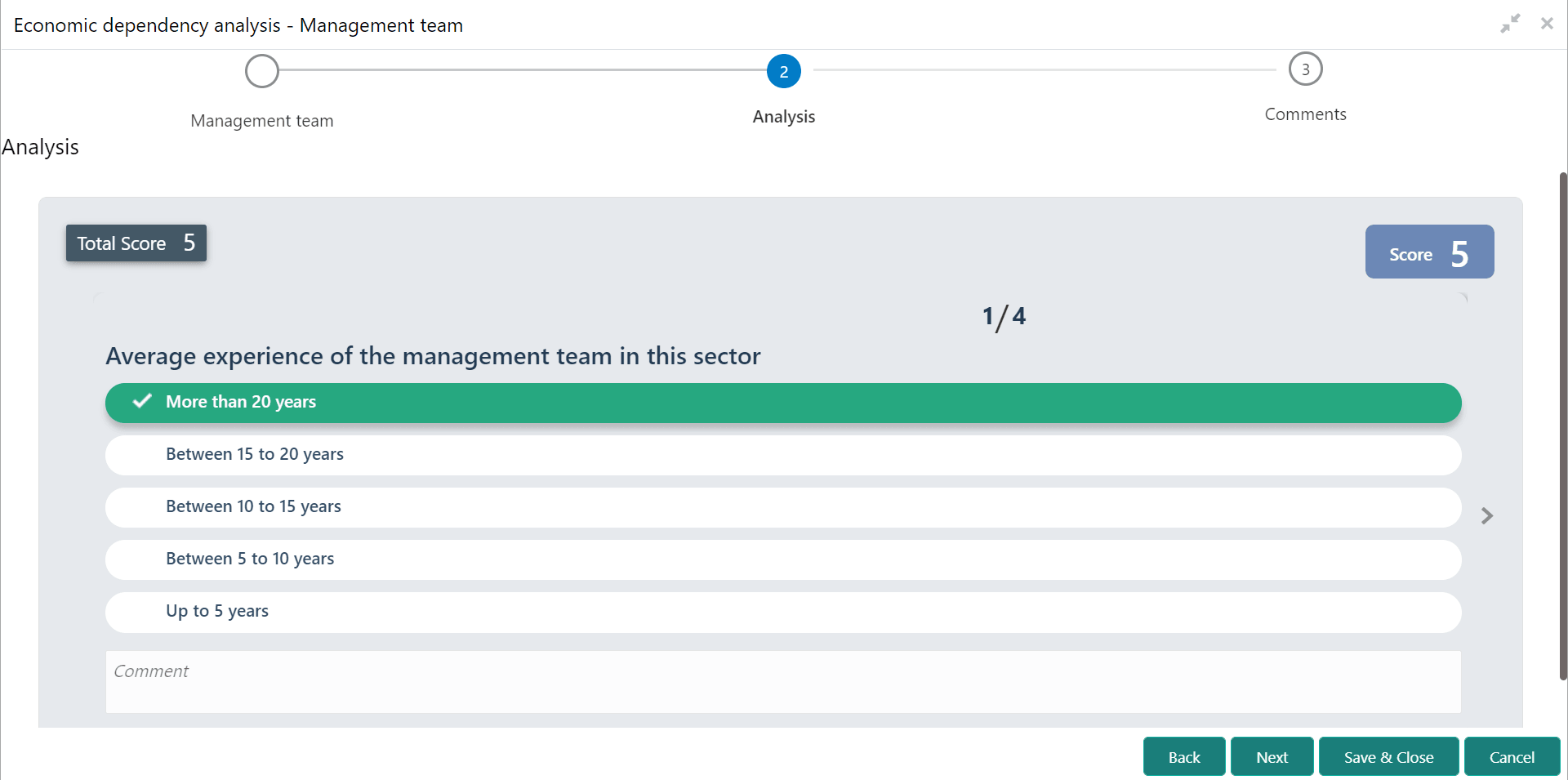
- Click Next. The Management - Comments page is displayed.For information on fields in the Management - Comments screen, refer the below table.
Figure 5-12 Management - Comments
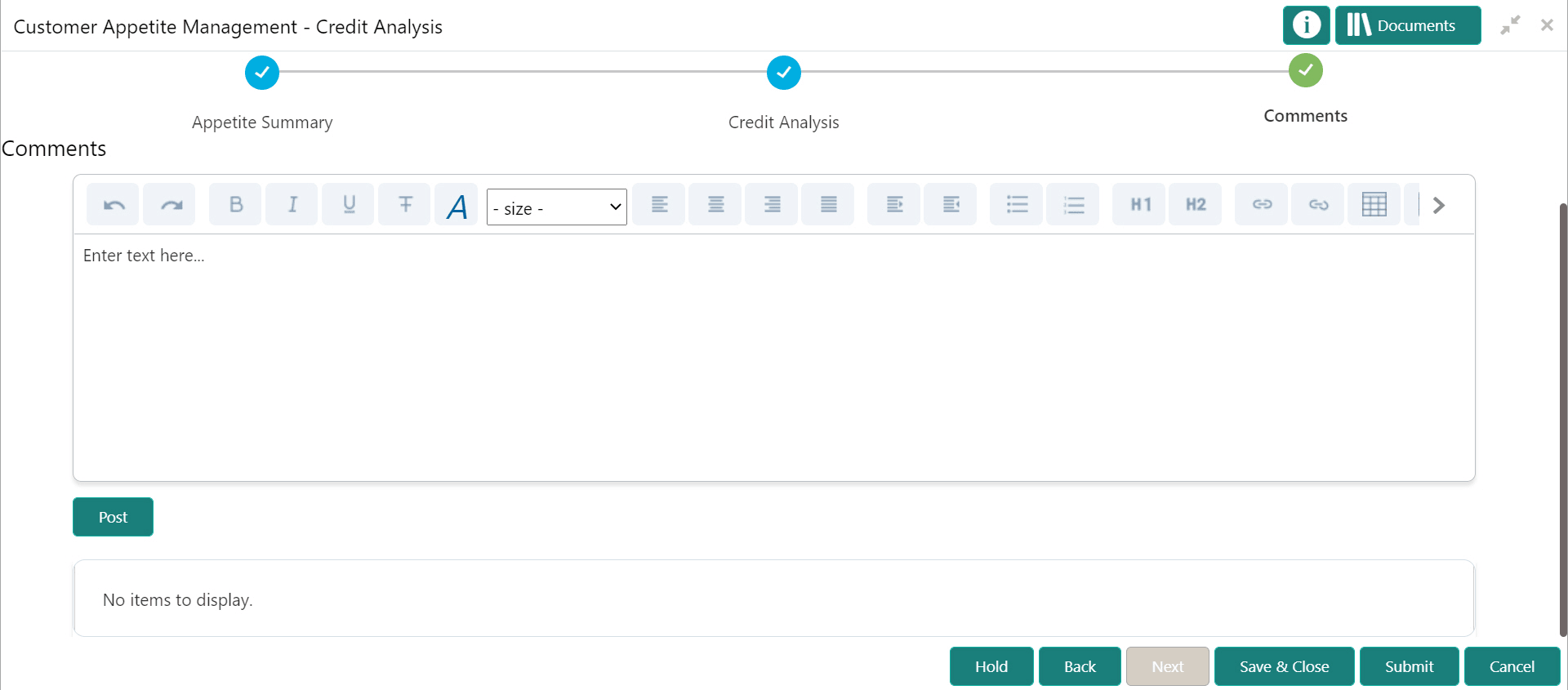
Table 5-5 Management - Comments
Fields Description Comments Type the overall Comments for the management team Analysis. Post Click Post. Comments are posted below the Comments box. Save & Close Click Save & Close.