3.2 Amendment Initiation - Liability
This topic provides systematic instructions about the Liability in the Amendment Initiation stage.
This data segment lists all the liabilities created for the party. As a part of credit amendment, you can also modify the liability details to capture new requirement.
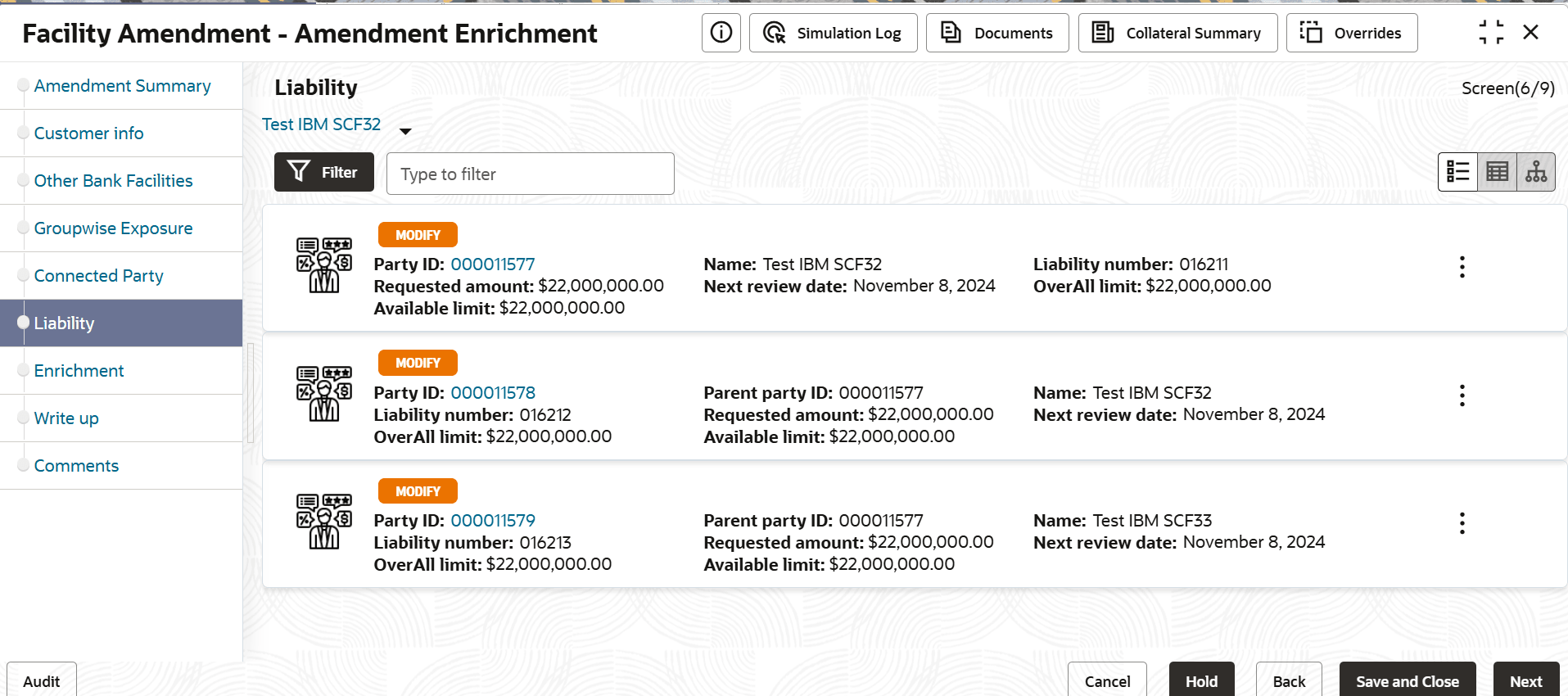
- To edit the liability information, click the hamburger icon and select
Edit. The Liability Details window is displayed.
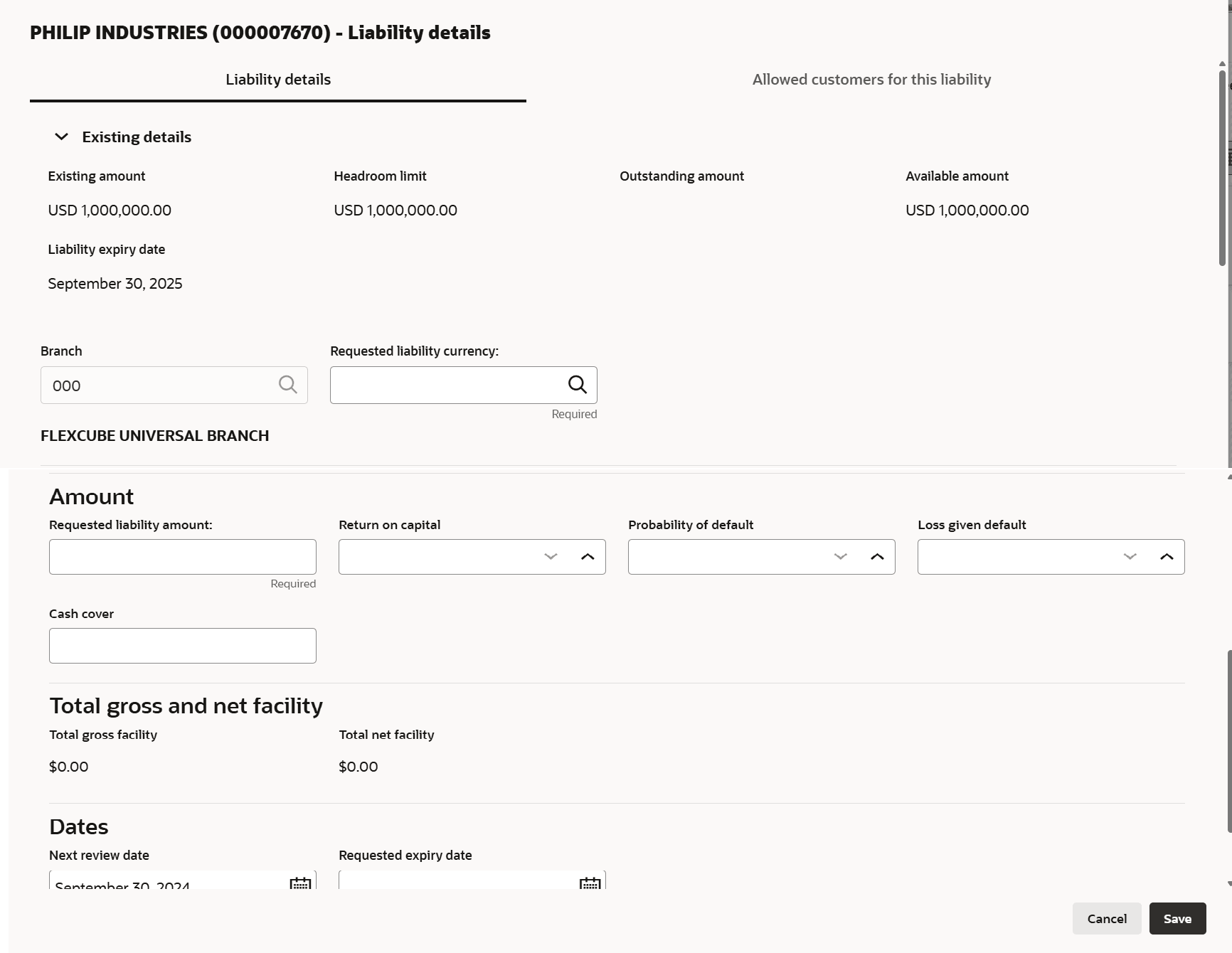
For information on fields in the Liability Details page, refer the below table.
Table 3-33 Liability Details
Fields Description Existing Details In the Existing Details section, the following details about the existing liability are displayed: - Existing Amount
- Outstanding Amount
- Liability Expiry Date
Currency In the Requested Liability Currency field, search and select the currency for the liability amount to be requested. Amount In the Requested Liability Amount field, specify the liability requirement in selected currency. Specify the following possibilities for the mentioned liability amount in percentage:- Return On Capital
- Probability Of Default
- Loss Given Default
Specify the Cash Cover for the requested liability, if the party has deposited amount in your bank.
Dates Click the calendar icon and select the Next Review Date and Requested Expiry Date for the liability. Save Click Save. Details are saved and displayed in the Liability page. Note:
For more informstion on fields, refer Field Configuration Parameters
Parent topic: Amendment Initiation