3.4.9 Crop
This topic provides systematic instructions about the Crop data segment in Evaluation Enrichment stage.
The Crop data segment appears in case Crop is
selected as the Collateral Type in Quick Initiation screen.
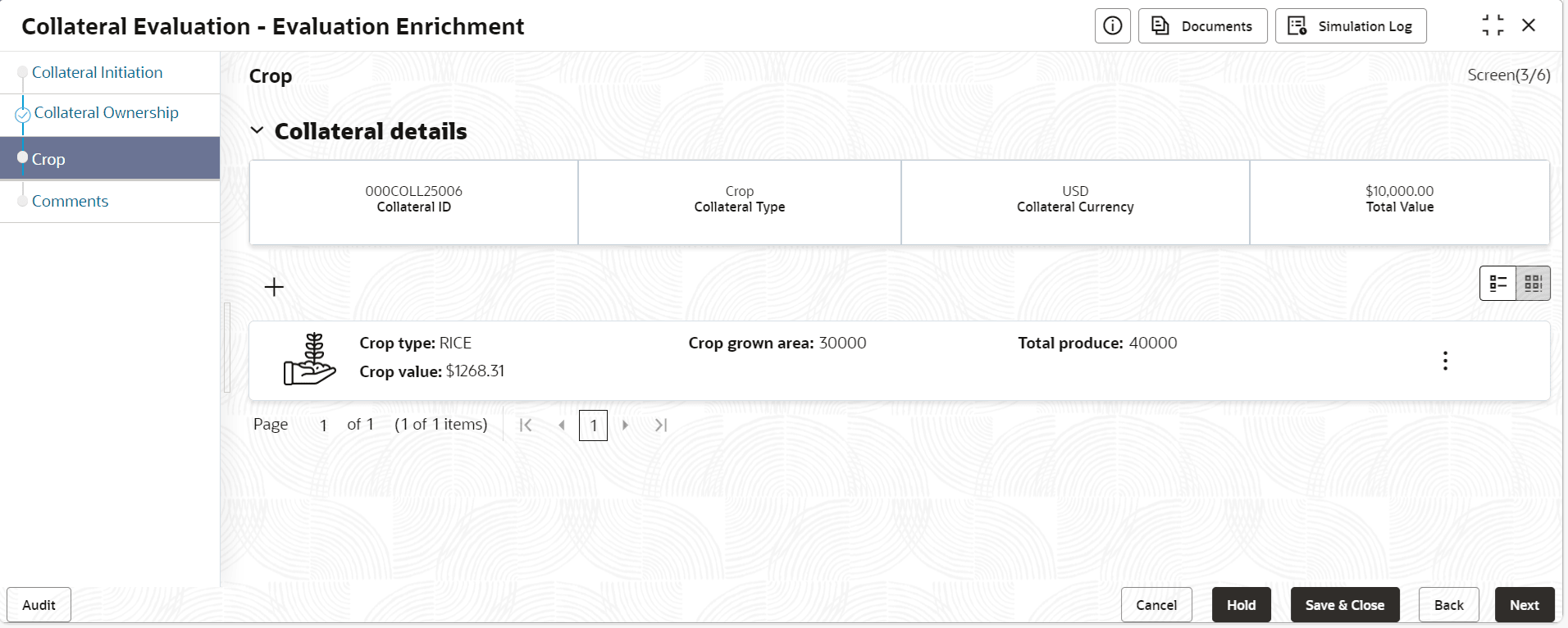
- Click the add icon.The Configure - Crop screen is displayed.
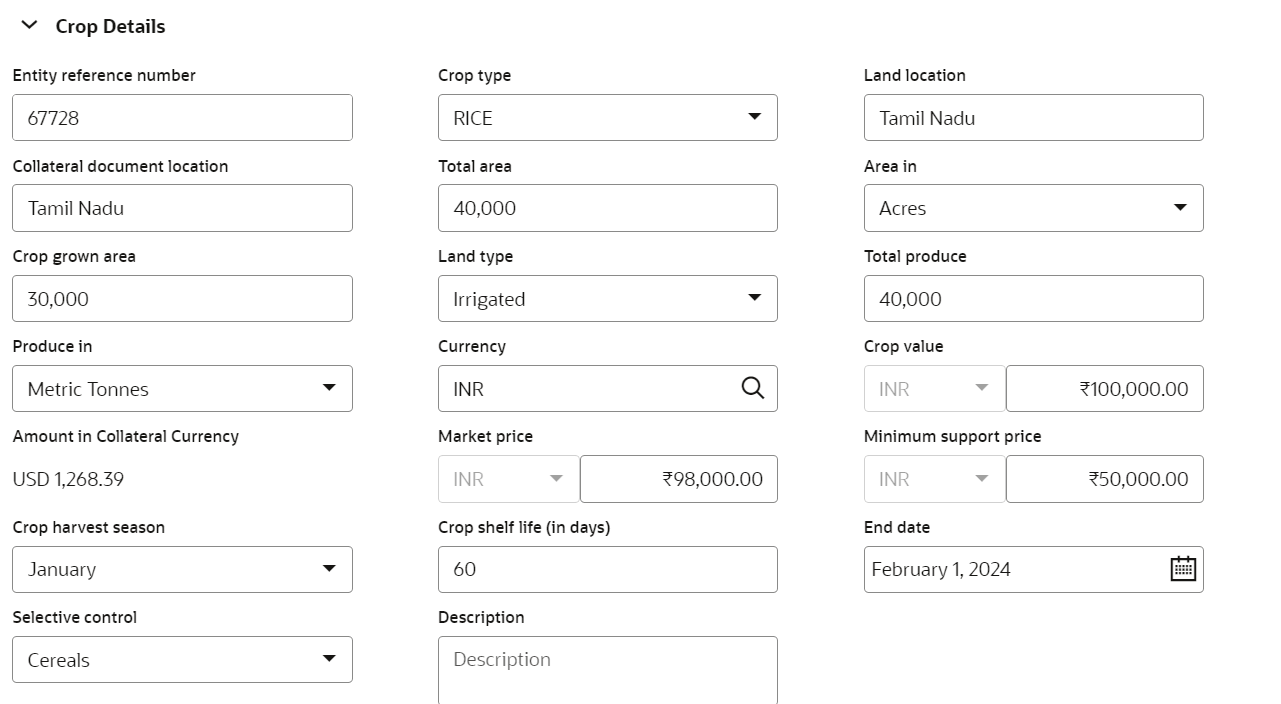
- Provide the crop details in the Configure - Crop screen.For more information on fields, refer to the field description table below.
Table 3-28 Basic Details - Field Description
Field Description Entity Reference Number Specify the Entity Reference Number. Crop Type Select the crop type from the drop- down list. The available options are: - Jowar
- Maize
- Mango
- Rice
Land Location Specify the land location. Collateral Document Location Select the collateral document location. Total Area Specify the total area. Area in Select the area from the drop-dow list. The available ptions are: - Acres
- Hectares
Crop Grown Area Specify the crop grown area. Land Type Select the land type from the drop-down list. The available optiosn are: - Irrigated
- Rainfed
Total Produce Specify the total land produced. Produce in Select the produce crop options from the drop-down list. The available options are: - Kilograms
- Litres
- Metric Tonnes
- Pound
- Quintals
- Tonnes
Currency Search the currency type from the currency code. Crop Value Specify the Crop Value here. Crop value cannot be zero or negative value. Crop value is updated as collateral value. Amount in Collateral Currency Specify the amount in collateral currency. When different currencies are involved, collateral value in crop currency is converted to collateral currency as per rate configured. Market Price Specify the market price. Minimum Support Price Specify the minimum support price. Crop Harvest Season Select the season of crop harvest from the drop-down list. Crop Shelf Life(in days) Crop shelf life (in days) is captured at crop collateral level. Negative value is not allowed in this field. End Date End date cannot be Back dated or Current dated. Selective Control Select the options from the drop-down list. The available options are: - Cereals
- Oil seeds
- Pulses
Description Specify the description about the crop. Figure 3-36 Configure - Crop - Storage Details
Table 3-29 Crop - Storage Details
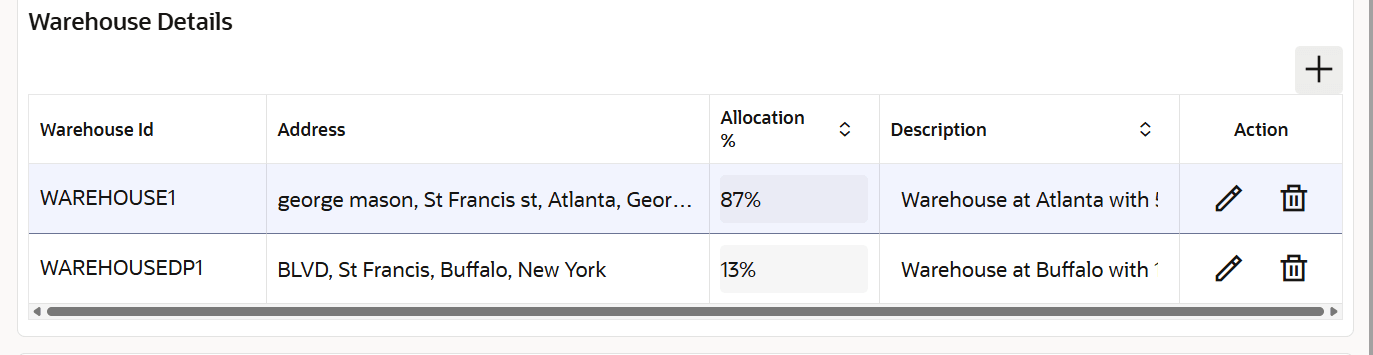
Field Description Storage Location Specify the location where the crop is stored. Storage Charges Specify the storage location charge. Insurance Coverage Specify the Insurance Coverage amount. Negative value is not allowed in this field. Table 3-30 Warehouse Details
Field Description Warehouse ID Specify the warehouse ID. Allocation % Specify the allocation percentage of the warehouse. Description Specify the description on warehouse. Note:
The Warehouse details fields displays, if Storage Location Required toggle is enabled in Collateral Category Maintenance screen.