3.1 Collateral Initiation
This topic provides systematic instructions about the Collateral Initiation data segment in the Evaluation Enrichment stage.
Figure 3-1 Enrichment - Collateral initiation
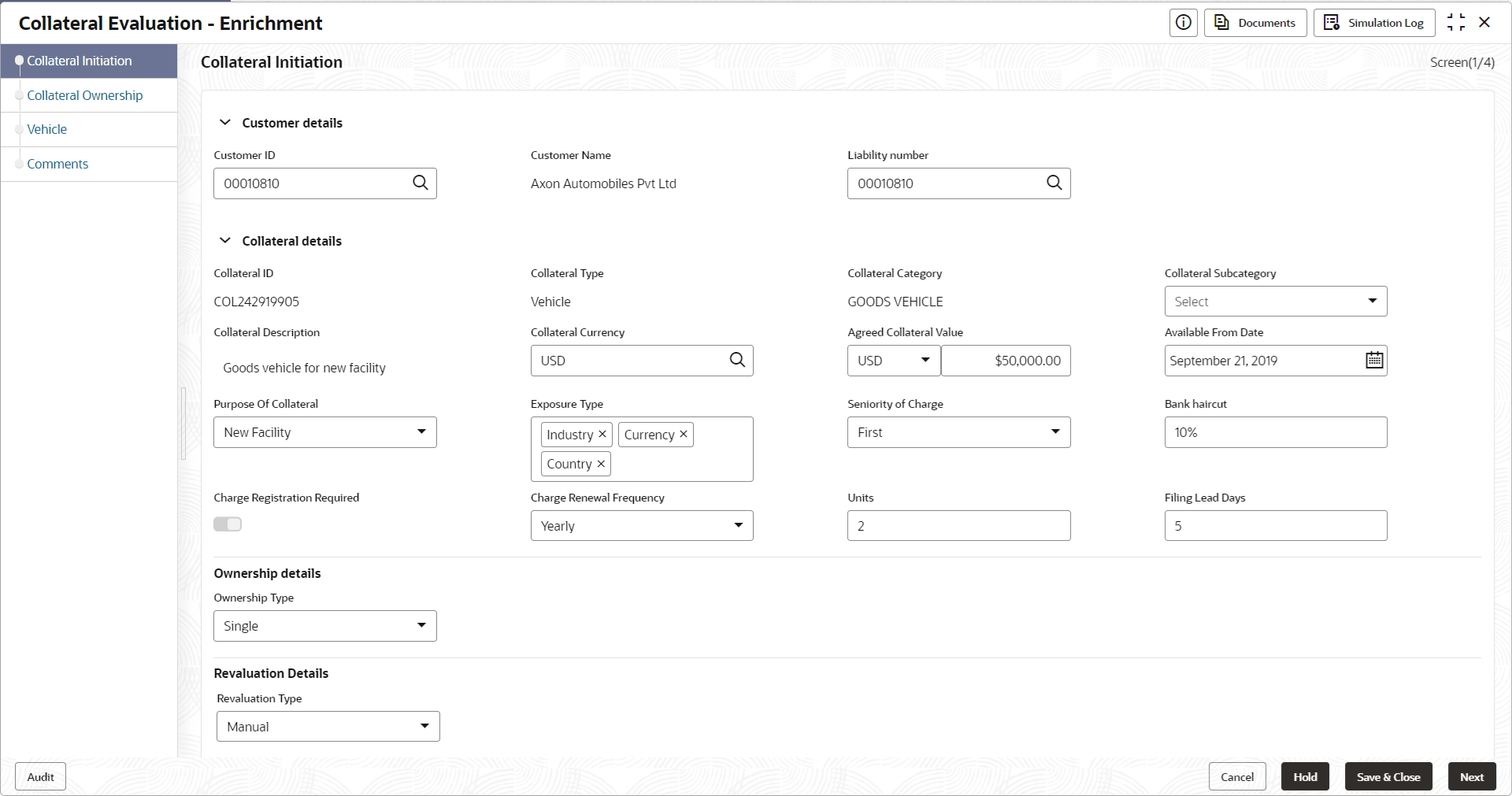
- For information on fields in the Enrichment - Collateral Initiation
screen, refer the field description table below.
Table 3-1 Enrichment - Collateral Initiation - Field Description
Field Description Application Branch
By default, the system displays the current branch details. User can modify the Application Branch, if required.
Collateral Type
By default, this field displays theCollateral Type selected in the Quick Initiation screen. User cannot modify this.
Collateral Category
By default, this field dispalys the Collateral Category selected in the Quick Initiation screen. User cannot modify the same.
Available From Date
Specify the date from which the collateral is available.
Collateral Description
Specify a brief description about the Collateral.
Owner Estimated Value
Specify the Owner Estimated Value of the collateral.
Purpose of Collateral
Purpose of collateral selected in the Quick Initiation screen is defaulted. User can modify this, if required.
Exposure Type
Click and select the Exposure Type for tracking purpose.
Seniority of Charge
Specify the bank's Seniority of Charge on the collateral. The options available in the drop down list are:- First
- Second
- Third
Ownership Type
Specify the customer's collateral Ownership Type. The available options are:- Single
- Joint
Revaluation Type
Select the Collateral Revaluation Type from the drop down list. The options available are:- Automatic
- Manual
- Click Next, after capturing and/or modifying the
collateral details.The Enrichment - Collateral Ownership screen is displayed.