3.2 Collateral Ownership

This topic provides systematic information about the Collateral Ownership data segment in the Evaluation Enrichment stage.

By default, the system defaults the customer details captured as part of application creation as primary customer with ownership percentage as zero. User have to modify the ownership percentage of primary customer. In case the Ownership Type is selected as Joint, user have to add all the collateral owners detail and ownership percentage by clicking the add icon.

Figure 3-2 Enrichment - Collateral Ownership
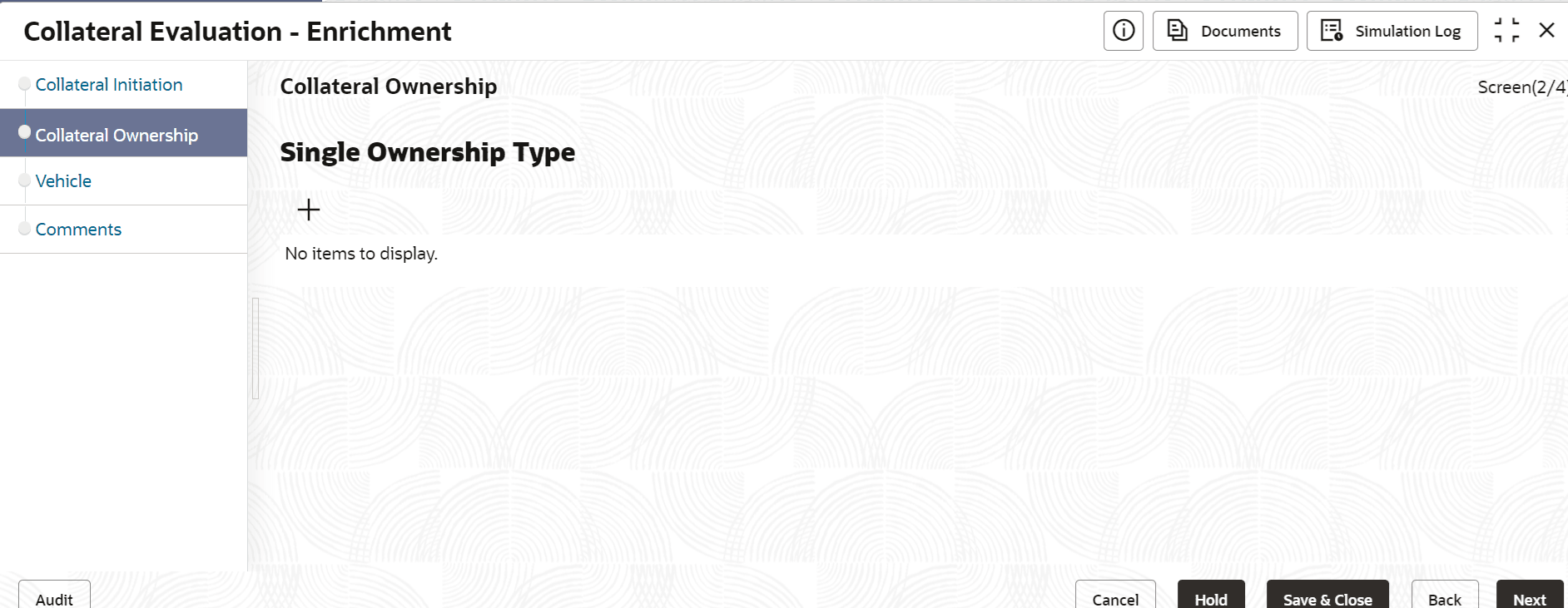


Click the Add icon or the Edit icon under action icon, the Enrichment - Ownership Details screen is displayed.

Figure 3-3 Enrichment - Ownership Details
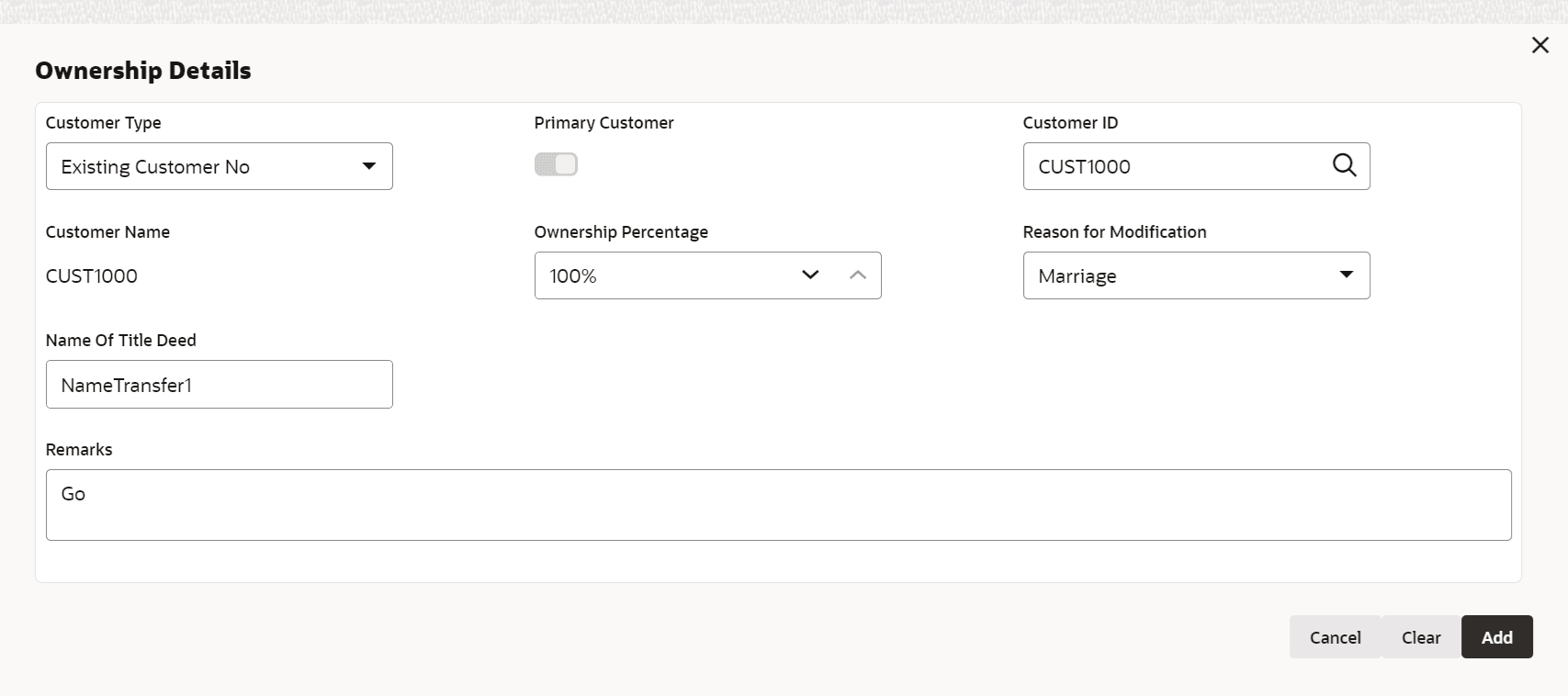


  1. Specify all the details in the Enrichment - Ownership Details screen.
    For more information on fields, refer to the field description table below .

    Table 3-2 Enrichment - Ownership Details - Field Description

    Field Description

    Customer Id

    Select the Customer id from the list of values.

    Customer Name

    The Customer Name of the selected customer is displayed.

    Primary Customer

    Enable this flag, if the selected customer is the Primary Customer.

    Note: There can be only one Primary owner for the collateral.

    Ownership Percentage

    Specify the customer's Ownership Percentage.

    Note: Percentage should not be greater than 100 and less than or equal to zero. If Ownership Type is joint, then the total ownership percentage should be less than 100.

    Remarks

    Specify Remarks, if any.

  2. Click Save.
    Ownership details are added and displayed in the Enrichment - Collateral Ownership screen.
  3. To View, Edit, or Delete the added ownership details, click the action icon in the corresponding record and select the required option.
  4. click Next, after capturing the ownership details.
    The Enrichment - Seniority of Charge screen is displayed.