3.4.14 Inventory Details
This topic provides systematic instructions about the Inventory data segment in Evaluation Enrichment stage.
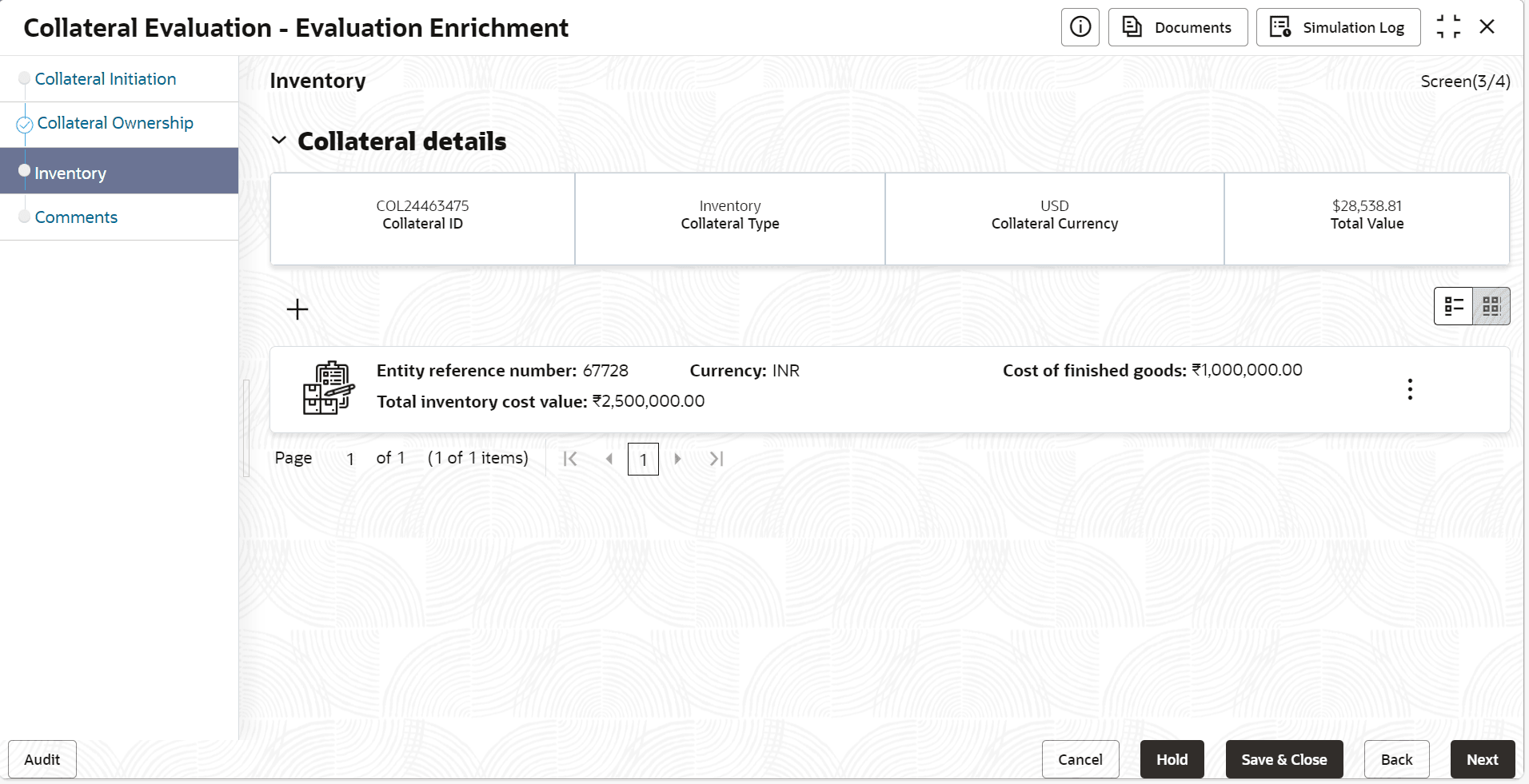
- Click the add icon.The Configure - Inventory screen is displayed.
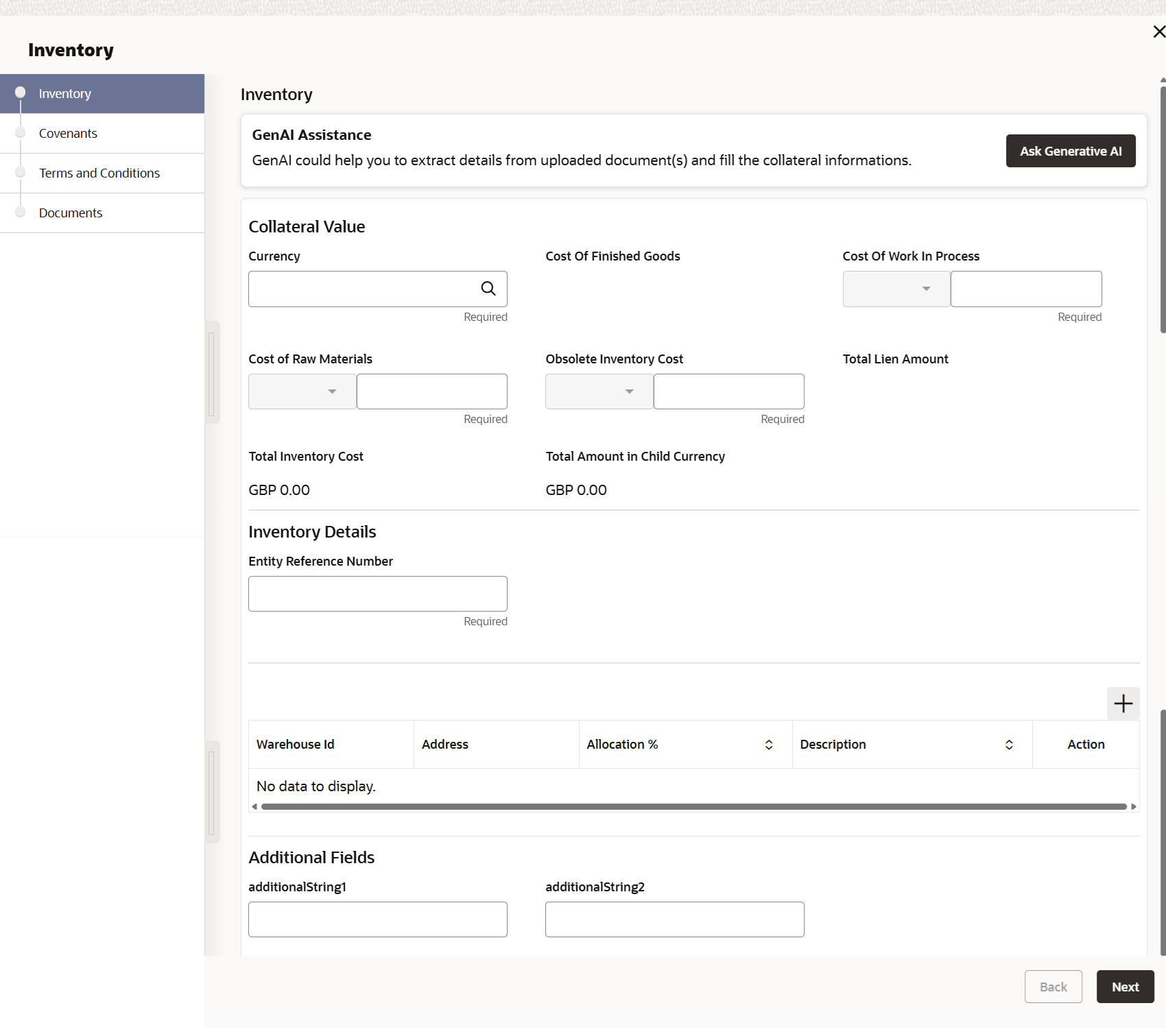
- Provide all the details about the inventory in the Configure - Inventory
screen.For more information on fields, refer the field description table below.
Table 3-42 Inventory Details - Field Description
Field Descriptions Entity Reference Number Specify the entity reference number. Currency Click the  icon and select the currency code from the
list.
icon and select the currency code from the
list.
Cost of finished goods The cost of finished goods is derived from product details. Cost of Work in process Specify the cost of work in process. Cost of Raw Materials Specify the cost of raw materials. Obsolete Inventory Cost Specify the obsolete inventory cost. Total Lien Amount Displays the total lien amount. Total inventory cost Displays the total inventory cost. Total Amount In Child Currency Displays the total amount in child currency. Amount in Collateral Currency Displays the amount in collateral category. Table 3-43 Warehouse Details
Field Description Warehouse ID Specify the warehouse ID. Allocation % Specify the allocation percentage of the warehouse. Description Specify the description on warehouse. Note:
The Warehouse details fields displays, if Storage Location Required toggle is enabled in Collateral Category Maintenance screen.Table 3-44 Storage Details
Field Description Stoarge Location Specify the storage location. Storage Charges Specify the storage charges. Insurance Coverage Specify the insurance coverage. - Click
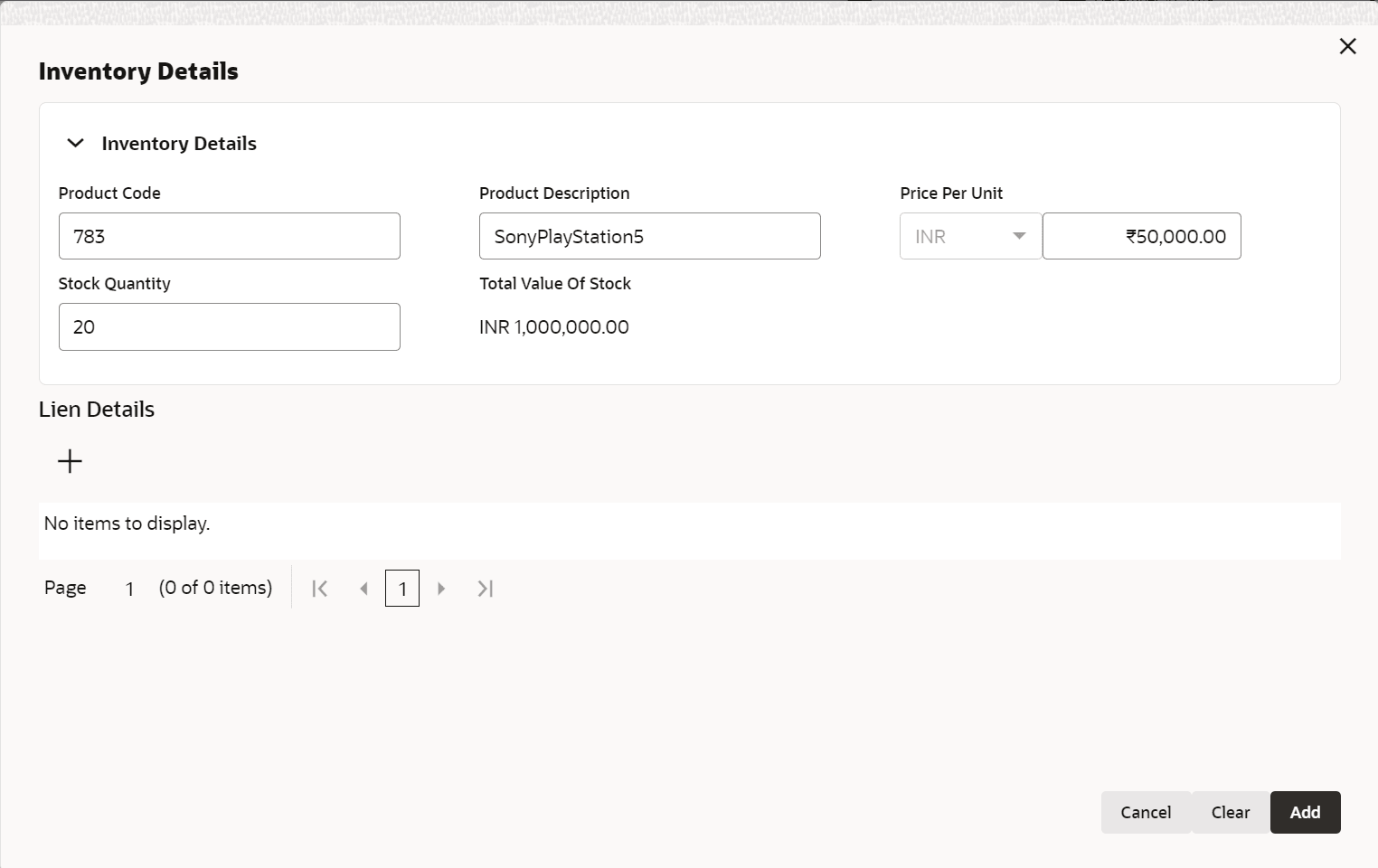
 in product details.The Inventory Details screen displays.
Table 3-45 Inventory Details
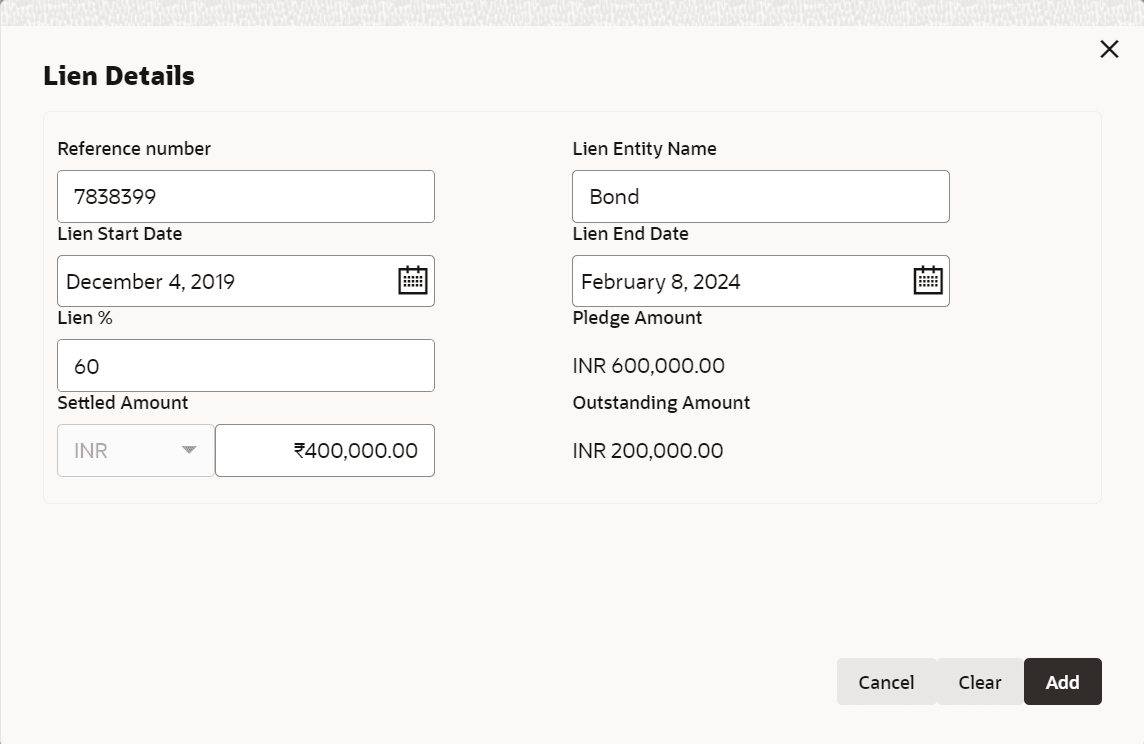
Field Description Product Code Specify the product code. Product Description Specify the product description. Price Per Unit Specify the price per unit. Stock Quantity Specify the stock quantity. Total Value of Stock Displays the total value of stock. - Click in Lien Details.The Lien Details screen displays.
Table 3-46 Lien Details
Field Description Reference Number Specify the reference number. Lien Entity Name Specify the lien entity name. Lien Start Date Select the start date. Lien start date cannot be future dated.
Lien End Date Select the end date. Lien end date cannot be back dated. Lien end date cannot be after collateral end date.
Lien % Specify the lien %. Based on lien percentage entered, pledge amount is calculated (percent of total stock value of the particular product).
Pledge Amount Displays the pledge amount. Settled Amount Specify the setteled amount Outstanding Amount Displays the outstanding amount. Outstanding amount is calculated as pledge amount – settled amount. Total outstanding amount of multiple lien across multiple products is updated as total lien amount