3.4.15 Machine
This topic provides systematic instructions about the Machine data segment in Evaluation Enrichment stage.
The Machine data segment appears in case Machine is
selected as the Collateral Type in Quick Initiation
screen.
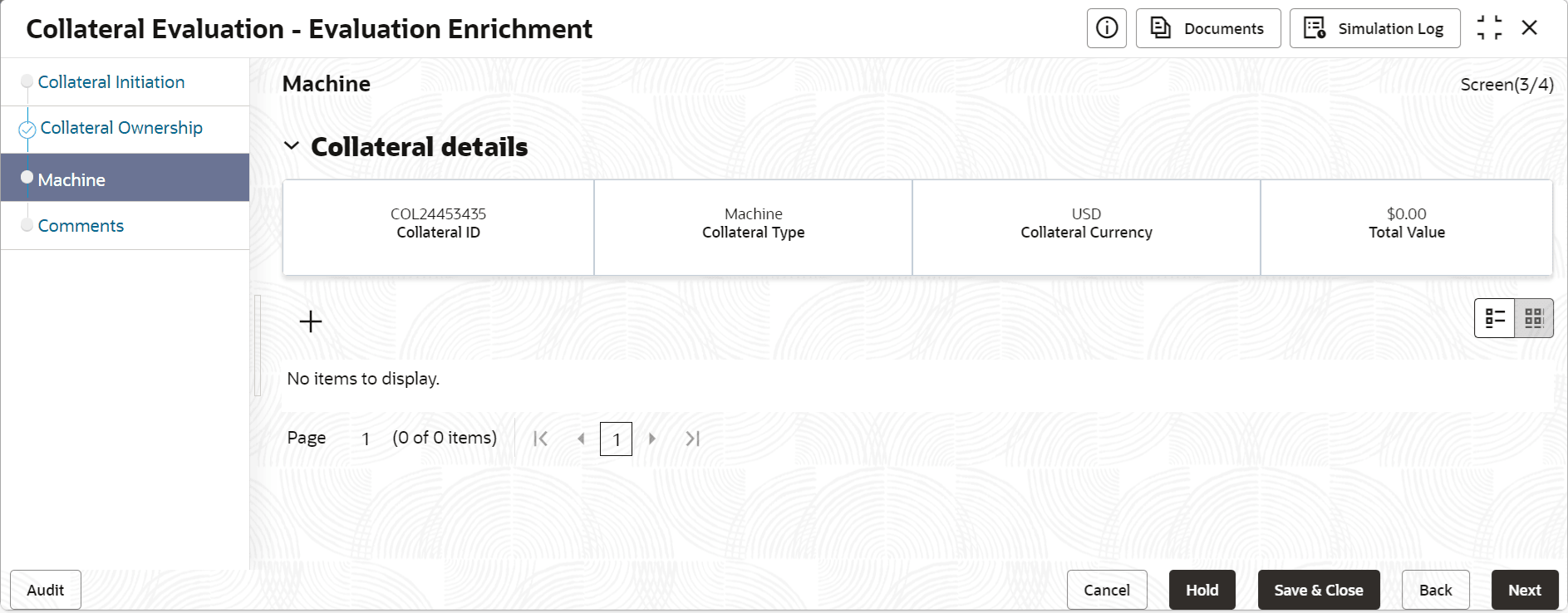
To add the Machine type collateral:
- Click the add icon.The Configure - Machine screen is displayed.
- Provide all the details about the machine in the Configure - Machine
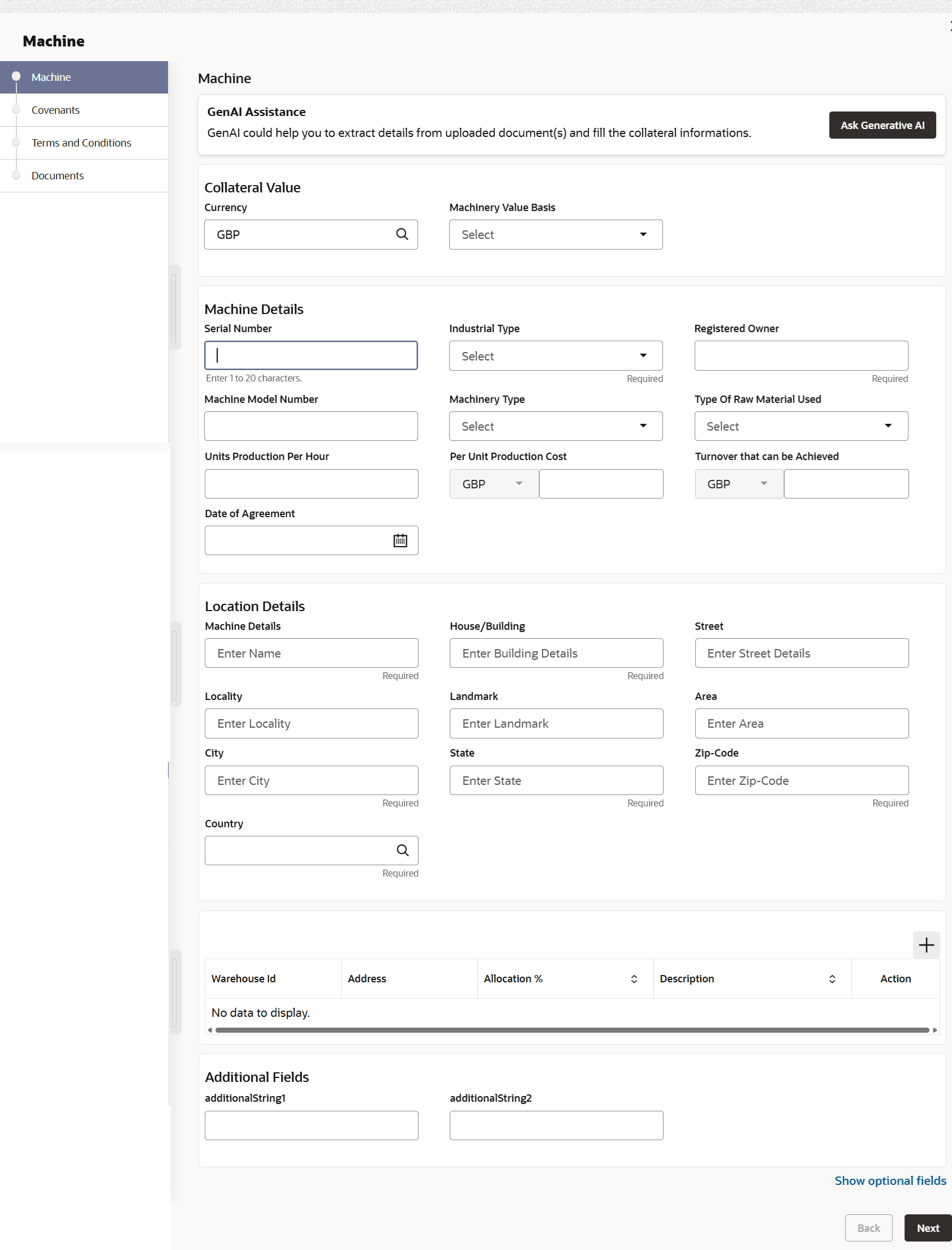
screen.For field level information, refer the following tables.
Table 3-47 Configure - Machine - Basic Details - Field Description
Field Description Serial Number Specify the machine Serial Number. Manufacturer Specify the machine manufacturer name. Machine Details Specify the machine type. Industrial Type Specify the industry in which the machine is used. The options available in the drop down list include but are not limited to: - Agriculture Industry
- Allied Industry
- Automobile Industry
- Banking
- Fishing Industry
Manufactured Year Specify the year in which the machine was manufactured. Purchased Date Specify the date on which the machine was purchased. Quantity Specify the Quantity of machine to be added as collateral. Currency The system displays the collateral currency in this field. Amount in Collateral Currency The machine value is converted to collateral currency and displayed in this field. Revaluation Base Value Revaluation Base Value set for the selected collateral type is displayed. Third Party Charge Amount Select the currency and specify the Third Party Charge Amount. Machinery Condition Specify the condition of the machines. Intended Use Specify the purpose for which the machine is used. Registered Owner Specify the name of Registered Owner of the machine. Registration Number Specify the machine Registration Number. Table 3-48 Warehouse Details
Field Description Warehouse ID Specify the warehouse ID. Allocation % Specify the allocation percentage of the warehouse. Description Specify the description on warehouse. Note:
The Warehouse details fields displays, if Storage Location Required toggle is enabled in Collateral Category Maintenance screen.Figure 3-60 Configure - Machine - Type Details
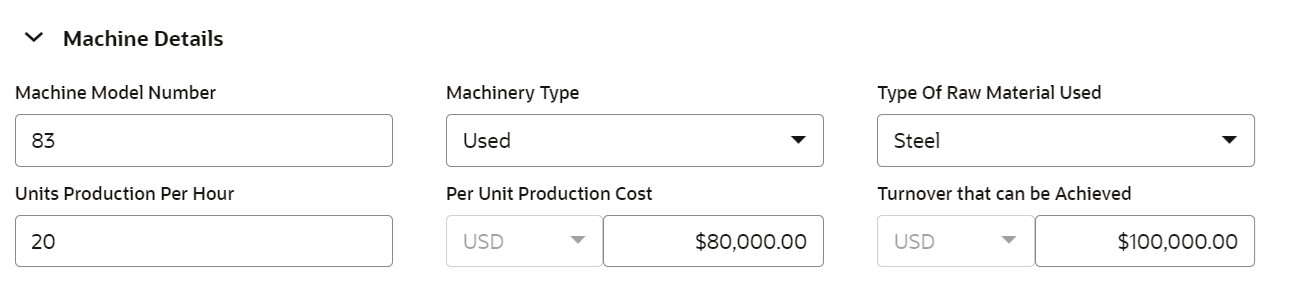
Table 3-49 Configure - Machine - Type Details - Field Description
Field Description Machine Model Number Specify the Machine Model Number. Machinery Type Select the Machinery Type from the drop down list. The options available include but are not limited to: - New
- Used
- Leased
Type of Raw Material Used Select the Type of Raw Material Used for manufacturing the machine. Units Production Per Hour Specify the number of machinery units produced per hour. Per Unit Production Cost Specify the Per Unit Production Cost of the machine. Turnover that can be Achieved Specify the Turnover that can be Achived with the machine. Figure 3-61 Configure - Machine - Location Details
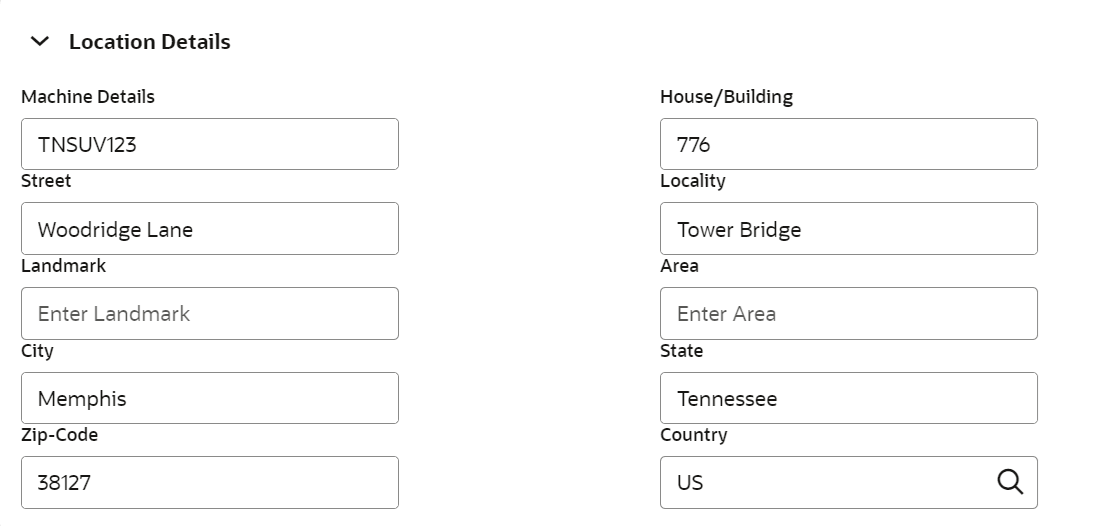
Table 3-50 Configure - Machine - Location Details - Field Description
Field Description Machine Details Specify the name of machine. House / Building Specify the name of House / Building in which machine is located. Street Specify the Street in which machine is located. Locality Specify the Locality of the House / Building in which machine is located. Landmark Specify the Landmark for the House / Building in which machine is located. Area Specify the Area where the machine is located. City Specify the City in which the machine is located. State Specify the State in which the machine is located. Zip-Code Specify the Zip-Code of the machine location. Country Specify the Country in which the machine is located.