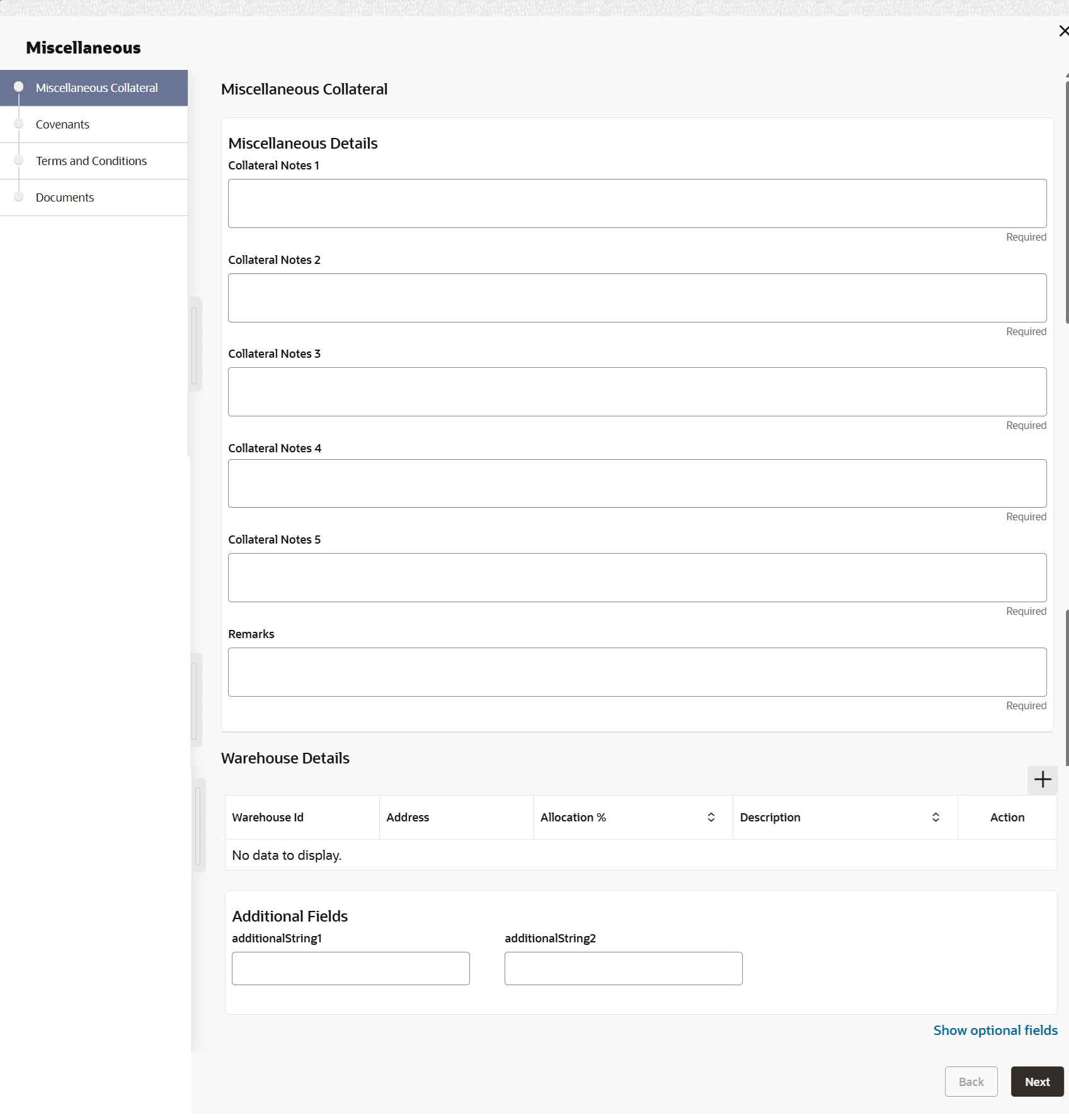
3.4.16 Miscellaneous Details
This topic provides systematic instructions about the Miscellaneous data segment in Evaluation Enrichment stage.
The Miscellaneous data segment appears in case
Miscellaneous is selected as the Collateral
Type in Quick Initiation screen.
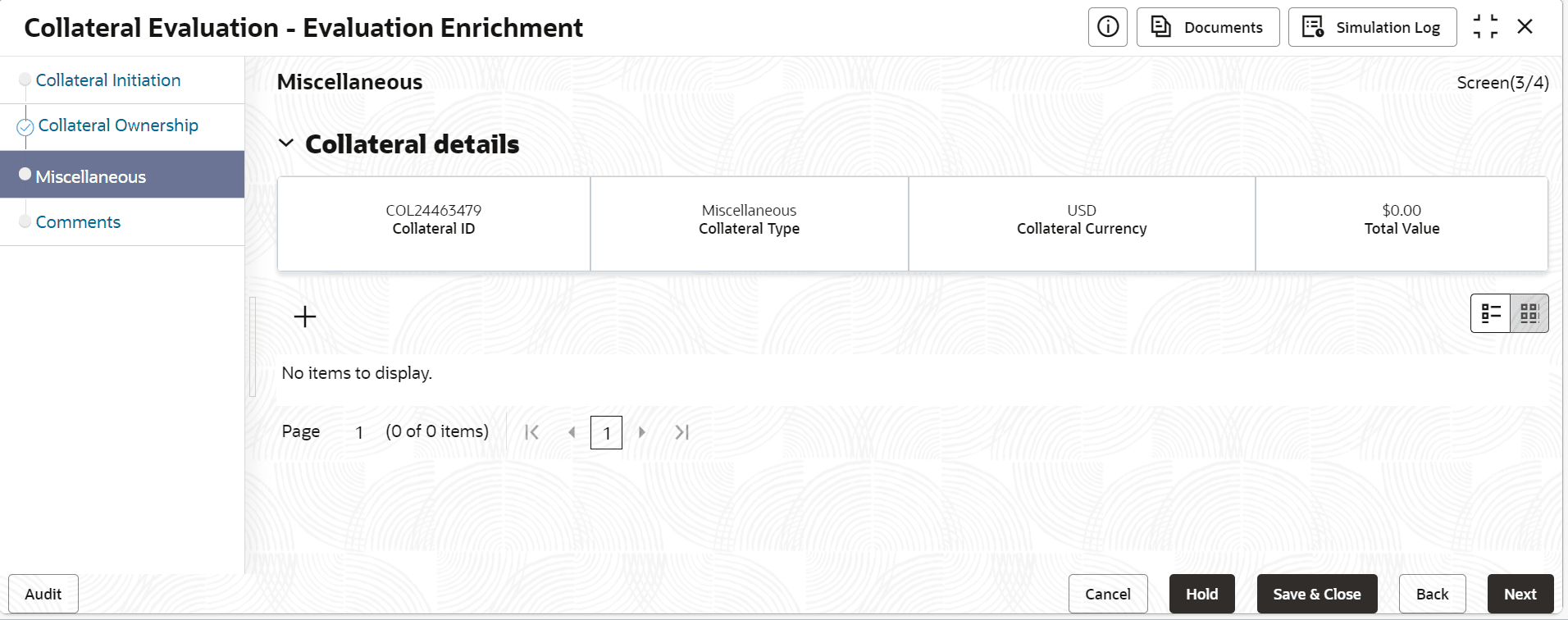
- Click the add icon.The Configure - Miscellaneous Details screen is displayed.
For more information on fields, refer to the field description table.
Table 3-51 Miscellaneous Details - Field Description
Field Description Collateral Notes 1 Specify the notes for the collateral 1. Collateral Notes 2 Specify the notes for the collateral 2. Collateral Notes 3 Specify the notes for the collateral 3. Collateral Notes 4 Specify the notes for the collateral 4. Collateral Notes 5 Specify the notes for the collateral 5. Remarks Specify the remarks for the collateral. Table 3-52 Warehouse Details
Field Description Warehouse ID Specify the warehouse ID. Allocation % Specify the allocation percentage of the warehouse. Description Specify the description on warehouse. Note:
The Warehouse details fields displays, if Storage Location Required toggle is enabled in Collateral Category Maintenance screen.