3.4.12 Insurance
This topic provides systematic instructions about the Insurance data segment in Evaluation Enrichment stage.
The Insurance data segment appears in case
Insurance is selected as the Collateral
Type in Quick Initiation screen.
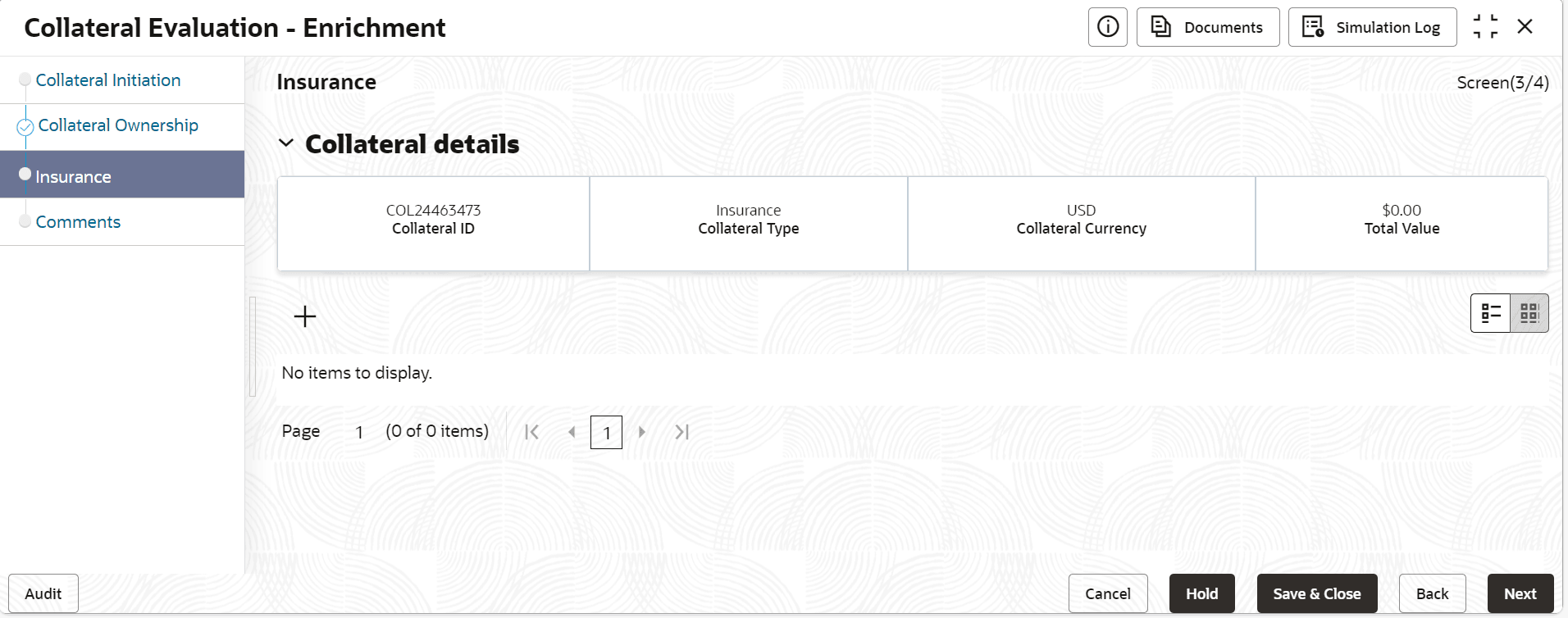
- Click the add icon.The Configure - Insurance screen is displayed.
- Provide all the details about the insurance in the Configure - Insurance
screen.For more information on fields, refer the field description table below.
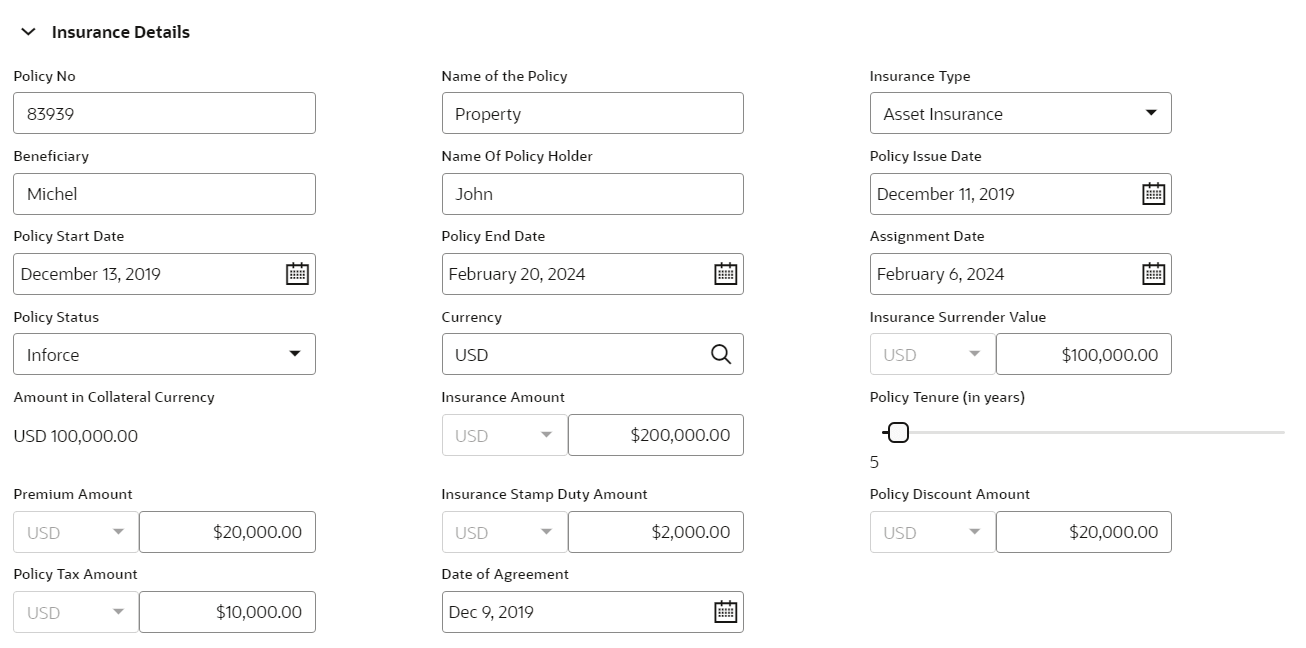
Table 3-37 Configure - Insurance- Insurance Details - Field Description
Field Description Policy Number Specify the insurance policy number. Name of the Policy Specify the policy name. Insurance Type Select the type of insurance from the dropdown list. The available options are: - Asset Insurance
- Borrower Insurance
- Corporate Insurance
- Life Insurance
Beneficiary Specify the beneficiary name. Name of Policy Holder Specify the name of policy holder. Policy Issue Date Specify the issue date of the policy. Policy issue date cannot be after policy start date. Policy Start Date Specify the start date of the policy. Policy start date cannot be future date. Policy End Date Specify the policy end date. Assignment Date Specify the date of assigning the policy to the bank. Assignment date cannot be prior to policy start date and also future dated. Assignment date cannot be prior to policy issue date. Assignment date cannot be after policy end date Policy Status Select the status of ploicy from the drop-down list. The available options are: - Inforce
- Paidup
Currency select the currency from the option list. The currency gets populated based on the currency code selected. Insurance Surrender Value Insurance surrender value is considered for updating collateral value. Amount in Collateral Curency Wherever life insurance value currency is different from collateral currency, life insurance value in the collateral is converted to collateral currency as per rate configured and collateral value is updated. Insurance Amount Specify the sum assured amount Policy Tenure(in years) Select the policy tenure in years. Premium Amount Specify the premium amount. Insurance Stamp Duty Amount Specify the insurance stamp duty amount. Policy Discount Amount Specify the policy discount amount. Policy Tax Amount Specify the policy tax amount. Date of Agreement Specify the date on which the bank and the customer signed the collateral agreement. Table 3-38 Configure - Insurance - Issuer Details - Field Description
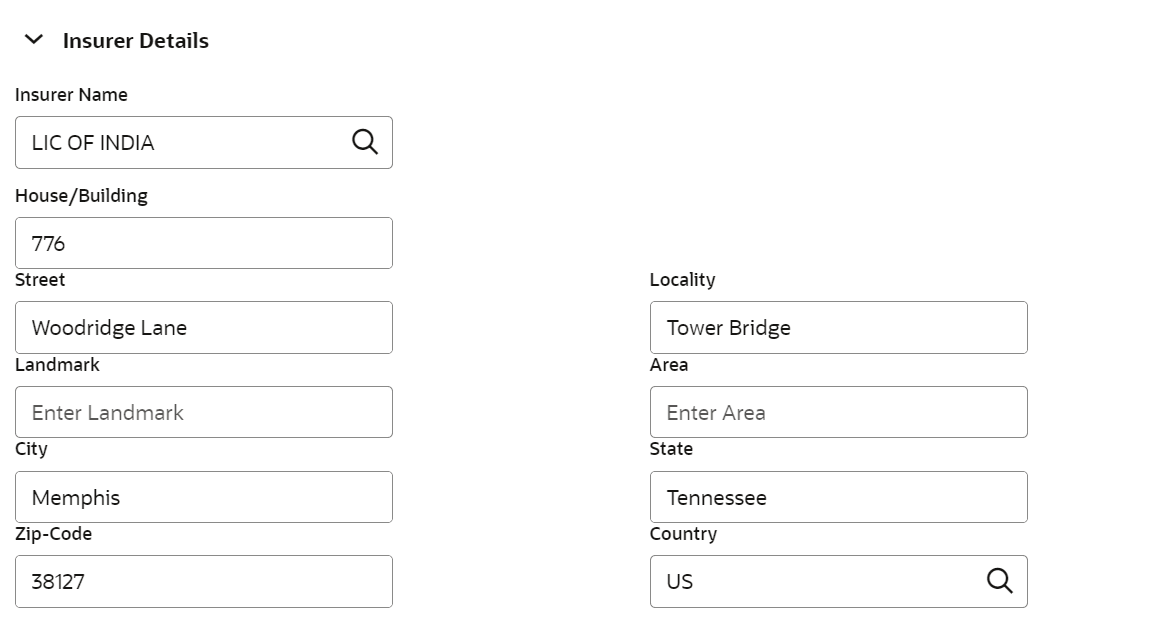
Field Description Issuer Name Specify the issure name. House/ Building Specify the house name or building name. Street Specify the street name. Locality Specify the locality. Landmark Specify the landmark.. Area Specify the area name. City Specify the city name. State Specify the state name. Zipcode Specify the zipcode. Country Specify the country name. Table 3-39 Configure - Insurance - Renewal Details - Field Description
Field Description Renewal Frequency Select the renewal frequency from the drop down list. The available options are: - Monthly
- Quarterly
- Yearly
- Semi Annual
Next Renewal Date Specify the next renewal date. Table 3-40 Configure - Insurance- Lien Details - Field Description
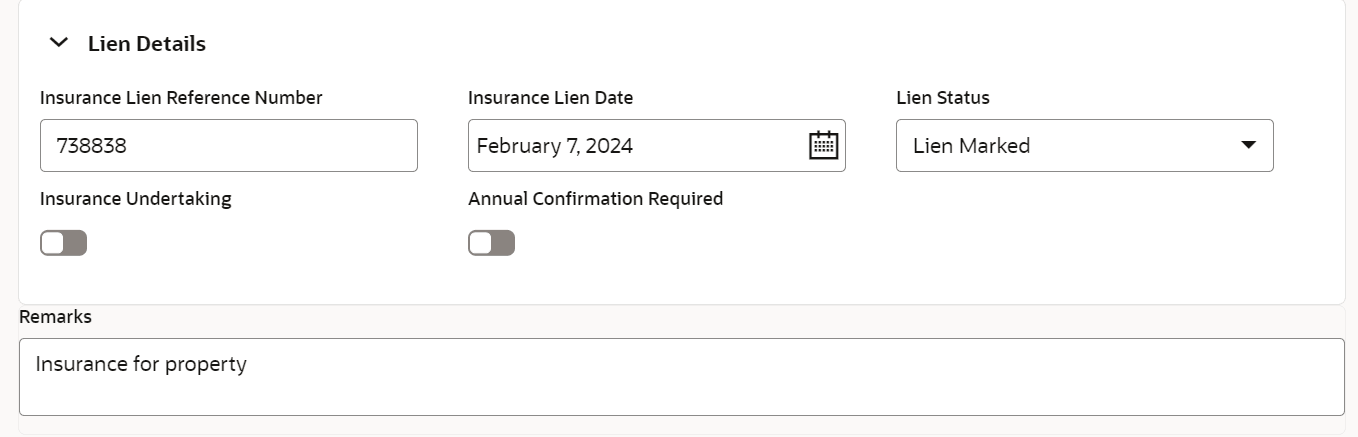
Field Description Insurance Lien Reference Number Specify the insurance lien reference number. Insurnace Lien Date Specify the insurance lien date. Lien Status Specify thelien status. Insurance Undertaking Select insurance undertaking. Annual Confirmation Required Enable the toggle, if annual confirmation required. Remarks Specify the remarks, if any.