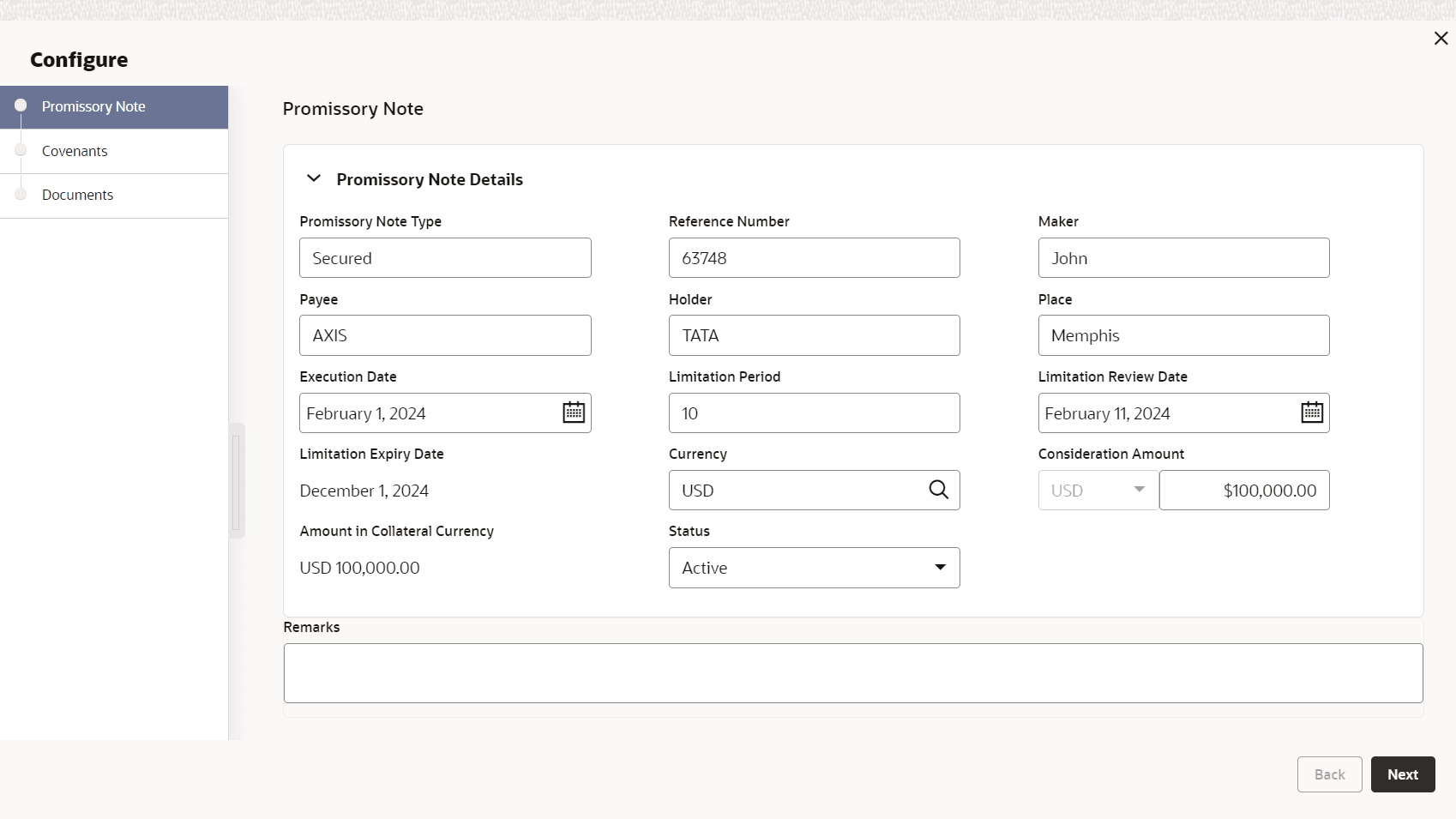
3.4.20 Promissory Note
This topic provides systematic instructions about the Promissory Note data segment in Evaluation Enrichment stage.
The promissory note data segment appears in case Promissory
Note is selected as the Collateral Type in
Quick Initiation screen.
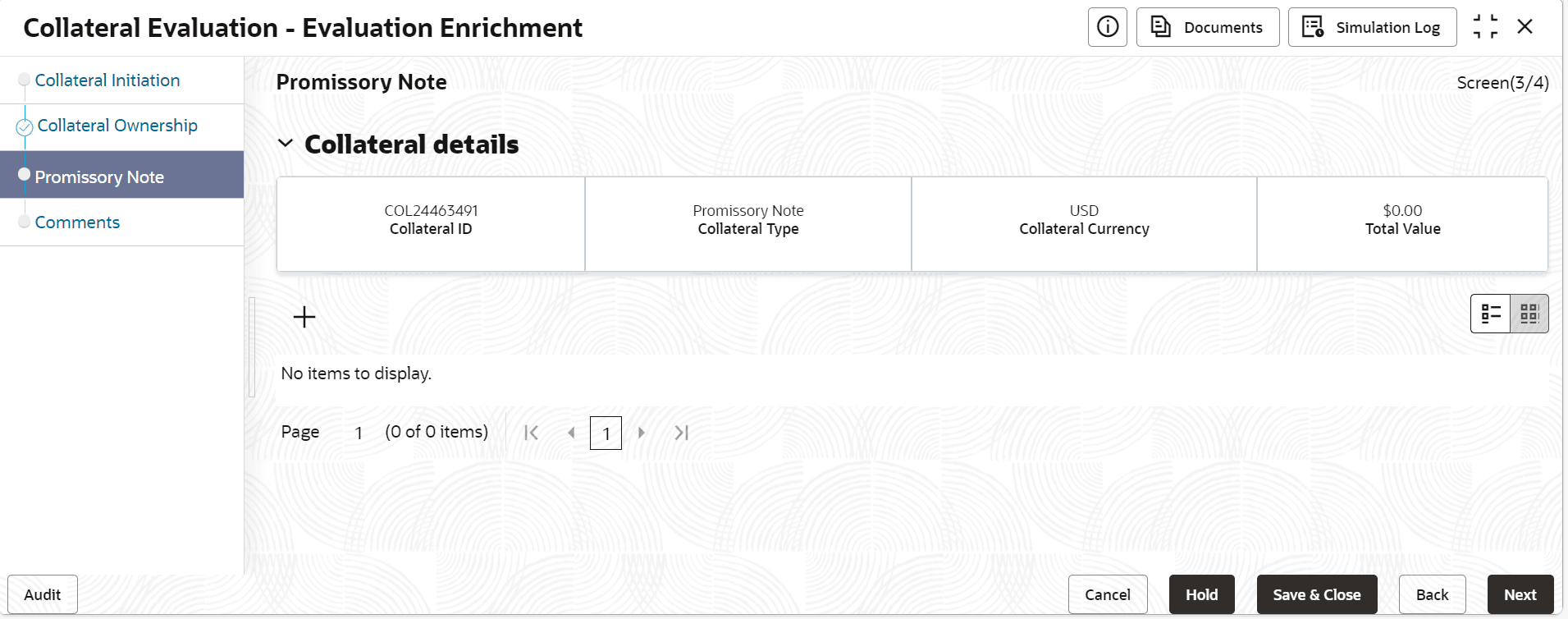
- Click the add icon.The Promissory Note screen is displayed.
Table 3-59 Promissory Note - Field Description
Field Description Promissory Note Type Specify the type of the promissory note. Reference Number Specify the reference number of the promissory note. Maker Specify the name of the entity that provides the promissory note. Payee Specify the name of the payee that receives the promissory note. Holder Specify the name of the promissory note holder, if holder is endorsed by the payee. Place Specify the place or address where the promissory note is executed. Execution Date Specify the execution date of the promissory note. Limitation period Specify the validity of the promissory note in months. Limitation review date Specify the review date of the promissory note. Limitation expiry date Specify the expiry date of the promissory note. Currency Click the  icon and select the currency of the promissory
note.
icon and select the currency of the promissory
note.
Consideration Amount Specify the full amount mentioned in the promissory note. Amount in Collateral Currency Specify the promissory note consideration amount converted to collateral currency, if the promissory note currency and the collateral currency are different. Status Status of the promissory note from the drop-down list. The options available are: - Active: During new collateral creation process of promissory notes, the Status will be selected as Active by default.
- Cancelled: After saving the collateral, the user can manually mark / update the Status as Cancelled at any point during the collateral life cycle.
- Expired: After saving the collateral, the Status can be marked / updated as Expired either manually by user or through automatic update based on the date captured as expired at any point during the collateral life cycle.
Remarks Specify the additional details of the promissory notes, if any.