15.2 Buyer Details
This topic provides systematic instructions about procedure to add buyer details.
Click Next in the Asset Transfer to Buyer -
Collateral Details screen, the Buyer Details data segment is displayed.
Figure 15-3 Asset Transfer to Buyer_Buyer Details
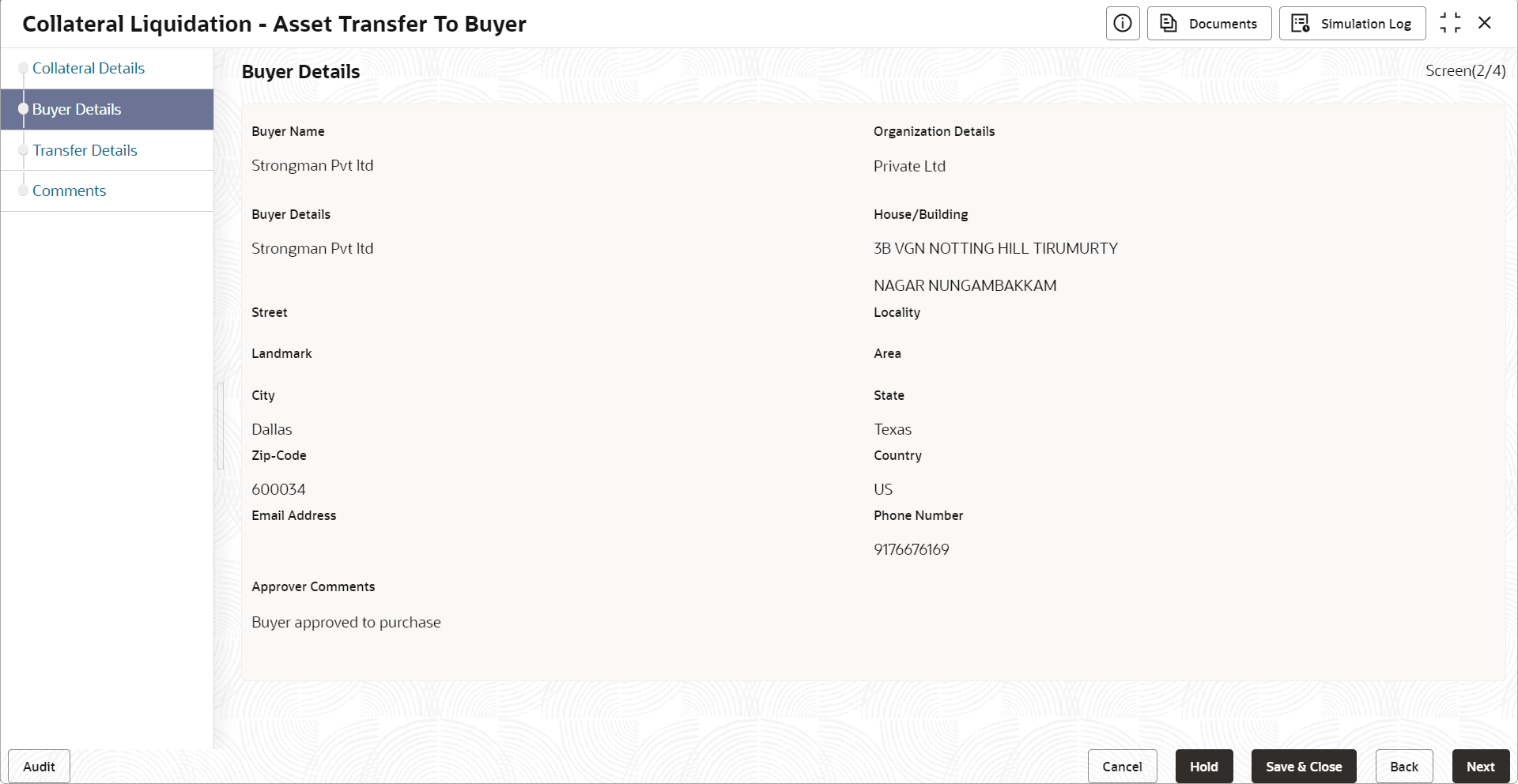
- Specify the buyer details by referring the below table.
Table 15-1 Buyer Recommendation - Buyer Details
Fields/ Icons Description Organization Details Specify the buyer's organization name. Buyer Details Specify the buyer name. House/Building Specify the name of House/Building where the buyer is located. Street Specify the Street where the buyer is located. Locality Specify the buyer's Locality. Landmark Specify the Landmark for buyer location. Area Specify the Area where the buyer is located. City Specify the City where the buyer is located. State Specify the State where the buyer is located. Zip-Code Specify the Zip-Code for the buyer address. Country Specify the Country where the buyer is located. Email Address Enter the Email address of the buyer. Phone Number Enter the Phone Number of the buyer. - Click Next.The Asset Transfer to Buyer - Transfer Details screen is displayed.