15.3 Transfer Details

This topic provides systematic instructions about the Transfer Details data segment in the Asset Transfer to Buyer Stage.

This data segment allows you to capture the asset transfer details such as Transfer Status. Upon clicking Next in the Asset Transfer to Buyer - Buyer Details screen.

The Transfer Details screen is displayed.

Figure 15-4 Asset Transfer to Buyer_Transfer Details
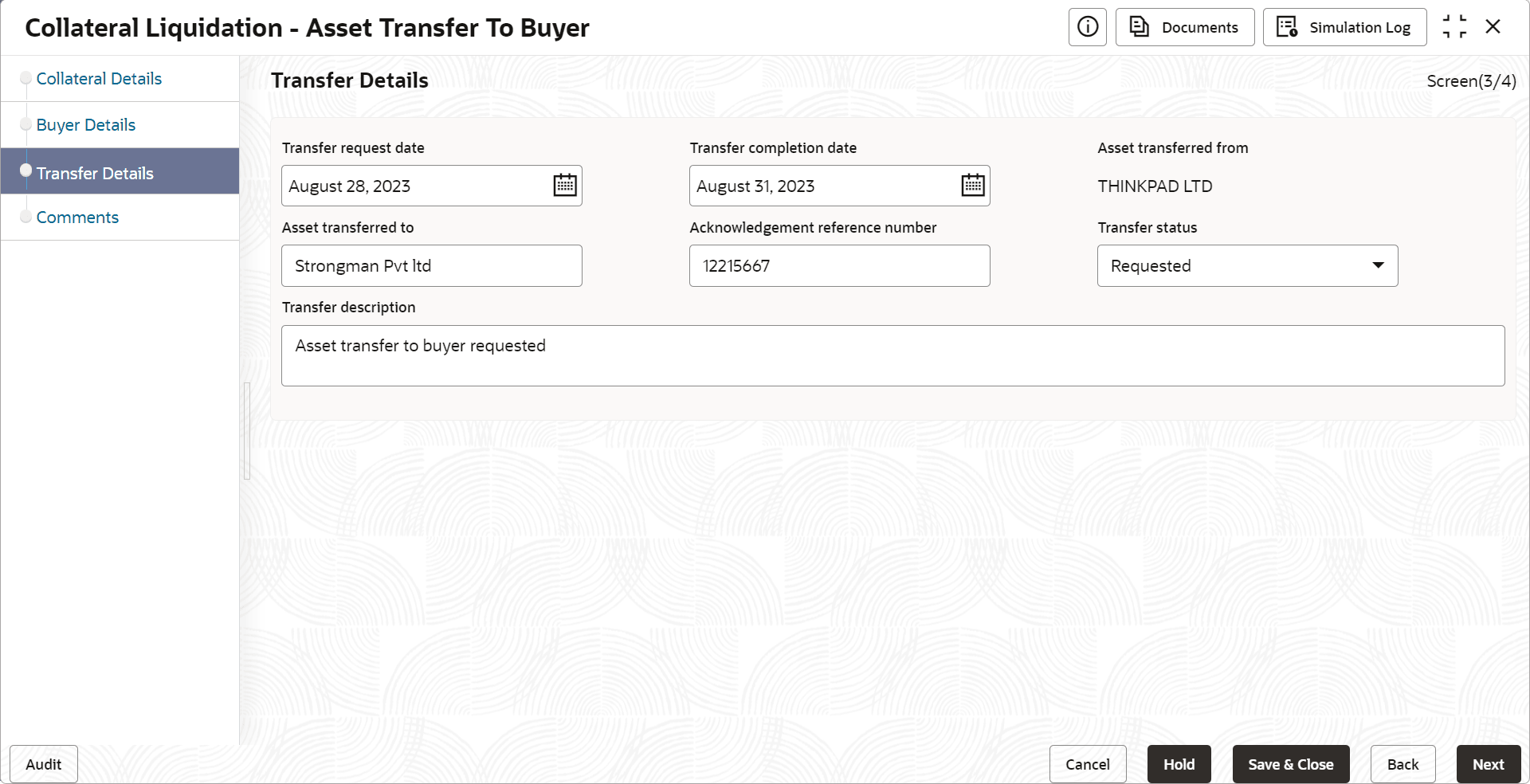


  1. Specify the transfer details by referring the below table.

    Table 15-2 Asset Transfer to Buyer- Transfer Details

    Fields/ Icons Description
    Transfer Request Date Select the date on which the asset transfer is requested.
    Transfer Completion Date Select the date on which the asset transfer is completed.
    Asset Transferred From Enter the name of the customer from whom the asset is transferred.
    Asset Transferred To Enter the name of the buyer to whom the Asset is transferred.
    Acknowledgement Reference Number Specify the transfer Acknowledgement Reference Number.
    Transfer Status Select the status of asset transfer from the drop down list.
    Transfer Description Provide a brief description about the asset transfer.
  2. Click Next.
    The Asset Transfer to Buyer - Comments screen is displayed.